
Piece-Rate Paystub Template: How to Format Units, Non-Productive Time, and Rest Break Wages
Key Takeaways
- ✓Averaging Wages Is Illegal: Under state statutes such as California Labor Code § 226.2 and Washington State case law, employers cannot divide total piece-rate earnings across total hours to satisfy minimum wage. Every hour of non-productive standby time and statutory rest breaks must be separately compensated and itemized.
- ✓The Rest Break Regular Rate Formula: Mandatory 10-minute rest and recovery periods cannot be rolled into piece rates. They must be paid at the greater of the statutory minimum wage or the employee's calculated Regular Rate of Pay (Total Piece Earnings ÷ Total Piece-Work Hours in the workweek).
- ✓Itemized Paystub Requirements: To prevent Private Attorneys General Act (PAGA) penalties and wage-and-hour lawsuits, payslips must explicitly break out: (1) Total units produced and unit rates, (2) Non-productive hours and separate hourly rate, (3) Rest break hours and calculated break rate, (4) Minimum wage make-up pay, and (5) Overtime hours and regular rate premiums.
- ✓Multi-Line Local Batch Generation: Using PayslipGen, payroll administrators can import multi-tier piece-rate spreadsheets and generate hundreds of encrypted, audit-proof PDF payslips offline in seconds with zero SaaS fees.
In industries driven by physical output—such as commercial agriculture, automotive repair (flat-rate flag hours), garment manufacturing, roofing, warehousing, and transportation—piece-rate compensation remains one of the most powerful incentive structures. Paying workers per bushel harvested, per flag hour billed, per garment stitched, or per pallet loaded directly aligns productivity with earnings.
However, piece-rate compensation is also the single most heavily litigated payroll model in modern wage-and-hour law. Over the past decade, sweeping legislative reforms and landmark class-action rulings have eliminated the traditional practice of paying a pure "flat piece rate."
Today, if your payroll stubs simply state "1,200 units @ $0.50 = $600.00" without explicitly separating Non-Productive Time (NPT), calculating the statutory Regular Rate of Pay for Rest Breaks, and displaying Minimum Wage Make-Up Pay, your business is exposed to catastrophic wage-and-hour penalties, liquidated damages, and class-action back-pay liabilities that can easily reach seven figures.
In this comprehensive, legally grounded guide, we will break down the regulatory requirements governing piece-rate paystubs, walk through the exact mathematical formulas required for compliance, provide a modular Excel spreadsheet architecture, and show you how to generate batch, password-protected PDF payslips using PayslipGen.
Try Our Interactive Demo Instantly
Want to see how an offline-capable, client-side payslip generator works in practice? Try our brand-new interactive demo right in your browser. Upload a sample CSV, map your columns, and generate beautifully designed PDF payslips—with zero data ever being transmitted to our servers.
Launch Free Demo NowChapter 1: The Legal Minefield of Piece-Rate Compensation
To understand why standard payroll templates fail piece-rate workers, we must first examine the legal precedents that transformed piece-work compliance across the United States and international jurisdictions.
1. The Demise of "Wage Averaging"
Historically, employers operated under the assumption that as long as an employee's total weekly piece-rate earnings divided by their total hours worked equaled or exceeded the statutory minimum wage, the employer was legally compliant. For example, if a worker earned $800 on piece rates during a 40-hour workweek, their effective average rate was $20.00/hour—well above the federal and state minimum wage floors.
Courts and labor commissioners have thoroughly rejected this "averaging" defense:
- Bluford v. Safeway Stores, Inc. (California Court of Appeal): The court ruled that employees paid on an incentive or piece-rate basis are entitled to separate hourly compensation for mandatory rest periods. A piece rate only compensates the employee for time spent actively producing units; it does not and cannot legally compensate for statutory rest breaks.
- Gonzalez v. Downtown LA Motors: The court held that automotive technicians paid on a flat-rate flag hour system must be paid a separate hourly wage not less than minimum wage for all "non-productive time" (e.g., attending shop meetings, waiting for work orders, cleaning equipment, or performing unbilled warranty inspections).
- Demetrio v. Sakuma Brothers Farms (Washington Supreme Court): The court established that agricultural piece-rate workers in Washington State must be paid for rest breaks at their regular hourly piece-rate equivalent or minimum wage, whichever is higher.
The California Labor Code § 226.2 Mandate (AB 1513)
California Labor Code Section 226.2 codified these rulings into statutory law. It requires piece-rate itemized wage statements (paystubs) to explicitly state: (1) Total hours of compensable rest and recovery periods, the rate of compensation, and the gross wages paid for those periods; (2) Total hours of other non-productive time, the rate of compensation, and the gross wages paid for that time; and (3) The total number of piece-rate units produced and the piece rate applicable to each unit. Failing to show these separate line items constitutes a per-se wage statement violation under § 226(a).
2. The Astronomical Penalties for Non-Compliant Paystubs
In jurisdictions like California, New York, Washington, and Illinois, wage statement defects are not mere technicalities. Under statutory penalty structures like California's Private Attorneys General Act (PAGA) and Labor Code § 226(e):
- Wage Statement Penalties: $50 for the initial pay period per employee, and $100 per employee for each subsequent pay period, up to an aggregate maximum of $4,000 per worker.
- Waiting Time Penalties (Labor Code § 203): If a terminated or departing employee was underpaid due to uncompensated rest breaks or non-productive hours, the employer can be assessed up to 30 days of full daily wages.
- PAGA Civil Penalties: $100 per employee per pay period for the initial violation, and $200 per employee per pay period for subsequent violations, plus mandatory award of plaintiff attorney fees.
For a mid-sized agricultural packing house or automotive repair chain with 100 workers, a two-year auditing period with flawed paystubs can quickly result in over $1,500,000 in statutory penalties—even if the workers were actually earning high total gross wages!

Chapter 2: The Core Elements Required on a Piece-Rate Paystub
To construct an airtight, legally compliant piece-rate paystub, your payroll ledger must systematically capture, calculate, and display six distinct earning categories.
The exact count of completed physical units, crates, pounds, stitches, or flag hours produced during active production, multiplied by the agreed unit piece rate.
All hours spent on employer-mandated tasks where piece units cannot be earned: shop meetings, travel between fields, waiting for parts, machinery calibration, or training.
Mandatory 10-minute net rest periods per 4 hours worked. Must be compensated at the higher of the statutory minimum wage or the calculated average piece-rate hourly equivalent.
If an employee's piece-rate earnings during piece-work hours fall below the minimum wage threshold for those specific hours, top-up pay must be calculated and displayed.
Under the Fair Labor Standards Act (FLSA), overtime for pieceworkers requires dividing total straight-time earnings by all hours worked, then paying a 0.5x premium for overtime hours.
Standard federal, state, and local tax withholdings (FICA, Social Security, Medicare, SDI), health insurance, garnishments, and cumulative Year-to-Date gross and net totals.
Chapter 3: Mathematical Deep Dive & Rate Formulas
Let us analyze the exact mathematical formulas required to calculate piece-rate payroll correctly. Misunderstanding these equations is where 90% of spreadsheet payroll errors originate.
Formula 1: The Rest and Recovery Break Regular Rate
Under California Labor Code § 226.2(a)(3)(A) and Washington State rules, the hourly rate for rest and recovery periods is calculated by dividing total gross piece-rate earnings (plus other incentive compensation) by the total hours worked in the workweek in which piece-rate compensation was earned:
Crucial Nuance: Notice that the denominator in the regular rate formula is Total Piece-Work Hours(hours spent actively producing piece units), not total hours worked! Including non-productive hours in this specific denominator unlawfully dilutes the employee's rest break rate.
Formula 2: Non-Productive Time (NPT) Compensation
Non-productive time must be paid at an hourly rate that is agreed upon by the employer and employee, but in no case less than the statutory applicable minimum wage:
Formula 3: FLSA Piece-Rate Overtime Calculation
Under 29 C.F.R. § 778.111 of the federal Fair Labor Standards Act, when an employee is paid on a piece-rate basis, their regular hourly rate of pay for overtime purposes is determined by adding together their total earnings from all sources in the workweek (piece work + non-productive time + rest breaks + make-up pay) and dividing this sum by the total hours worked in the week:
Chapter 4: Real-World Industry Calculation Walkthroughs
To see how these formulas function in practice, let us examine two real-world case studies across different piece-work industries.
Case Study A: Agricultural Harvest Worker (California Berry Picking)
Consider Maria, an agricultural farm worker harvesting strawberries in Ventura County, California. During a 1-week pay period, her timesheet records:
- Piece Work: 32 hours actively picking berries. She harvests 750 flats at a rate of $4.00 per flat.
- Non-Productive Time (NPT): 4 hours spent on morning safety meetings, moving equipment between distant field plots, and pesticide waiting periods. (Minimum wage = $16.00/hr).
- Rest & Recovery Breaks: 4 hours total (two paid 10-minute rest breaks per day over a 6-day week + additional heat illness recovery breaks).
- Total Hours Worked: 32 (piece) + 4 (NPT) + 4 (breaks) = 40.0 hours (Zero overtime).
| Line Item Description | Hours / Units | Applicable Rate | Gross Amount |
|---|---|---|---|
| Piece Work: Strawberry Flats Harvested | 750 Flats (in 32.0 hrs) | $4.00 / flat | $3,000.00 |
| Rest & Recovery Breaks (Cal. LC 226.2) | 4.0 Hours | $93.75 / hr* | $375.00 |
| Non-Productive Time (Field Transit / Standby) | 4.0 Hours | $16.00 / hr | $64.00 |
| Minimum Wage Make-Up Pay | — | $0.00 / hr | $0.00 |
| Total Gross Weekly Earnings | 40.0 Total Hours | — | $3,439.00 |
*Calculation for Rest Break Rate: $3,000.00 Piece Earnings ÷ 32.0 Piece Hours = $93.75/hr. Because $93.75 exceeds California's $16.00 minimum wage, the rest breaks must be paid at $93.75/hr. 4.0 hrs × $93.75 = $375.00.
Case Study B: Automotive Flat-Rate Mechanic with Weekly Overtime
Consider David, a certified master technician at an independent transmission shop. David is compensated on a flat-rate flag hour system at $35.00 per billed flag hour. During a busy week, his timecard shows:
- Clocked Physical Hours: David clocked a total of 48.0 physical hours at the shop.
- Active Flat-Rate Repair Time: 40.0 physical hours spent performing repairs, during which he booked 56.0 flag hours (56.0 flag hrs × $35.00 = $1,960.00).
- Non-Productive Standby Time: 4.0 physical hours waiting for parts delivery, cleaning diagnostic bays, and attending weekly shop meetings. Paid at shop base rate of $20.00/hr (4.0 × $20.00 = $80.00).
- Statutory Rest Breaks: 4.0 physical hours of rest breaks.
- Overtime: 8.0 hours worked beyond the 40-hour weekly threshold.
Step-by-Step Mathematical Resolution:
- Step 1: Calculate Rest Break Rate: $1,960.00 Piece Earnings ÷ 40.0 Active Repair Hours = $49.00/hour. (Rest Break Pay: 4.0 hrs × $49.00 = $196.00).
- Step 2: Calculate Total Straight-Time Earnings: $1,960.00 (Flag Hours) + $80.00 (NPT) + $196.00 (Rest Breaks) = $2,236.00.
- Step 3: Calculate Regular Rate for Overtime: $2,236.00 Total Straight Pay ÷ 48.0 Total Physical Hours = $46.58/hour.
- Step 4: Calculate Overtime Half-Time Premium (0.5x): 8.0 Overtime Hours × ($46.58 × 0.5) = 8.0 × $23.29 = $186.32.
- Step 5: Total Gross Compensation: $2,236.00 (Straight Time) + $186.32 (OT Premium) = $2,422.32.
| Line Item Description | Hours / Units | Applicable Rate | Gross Amount |
|---|---|---|---|
| Flat-Rate Flag Hours Billed | 56.0 Flag Hrs (40.0 Clocked) | $35.00 / flag hr | $1,960.00 |
| Rest & Recovery Breaks | 4.0 Hours | $49.00 / hr | $196.00 |
| Non-Productive Time (Bay Clean / Meetings) | 4.0 Hours | $20.00 / hr | $80.00 |
| FLSA Overtime Premium (0.5x on 8.0 hrs) | 8.0 OT Hours | $23.29 / hr | $186.32 |
| Total Gross Weekly Earnings | 48.0 Physical Hours | — | $2,422.32 |
Chapter 5: Designing a Piece-Rate Excel Spreadsheet Architecture
Most cloud payroll software (like Gusto, QuickBooks, or ADP) struggles with multi-line piece-rate itemization. They either force you to condense piece work into a single arbitrary hourly rate or charge thousands of dollars for enterprise custom modules.
The most robust, flexible, and audit-proof approach is maintaining a structured master Excel or Google Sheets payroll workbook that computes exact statutory formulas dynamically.
The Master Spreadsheet Column Structure
To ensure full compliance, configure your Excel sheet with the following standard column headers:
| Column Name | Data Type | Excel Formula / Description |
|---|---|---|
| Employee_Name | Text | Full legal name of the employee |
| Employee_ID | Text / Number | Internal company badge or payroll ID |
| Piece_Units | Decimal Number | Total physical units produced (e.g., 750.0) |
| Piece_Unit_Rate | Currency | Contractual rate per piece (e.g., $4.00) |
| Piece_Gross_Pay | Currency | =Piece_Units * Piece_Unit_Rate |
| Piece_Hours_Worked | Decimal Number | Actual physical hours spent on piece work (e.g., 32.0) |
| Rest_Break_Hours | Decimal Number | Total statutory rest break hours (e.g., 4.0) |
| Rest_Break_Rate | Currency | =MAX(Min_Wage, Piece_Gross_Pay / Piece_Hours_Worked) |
| Rest_Break_Gross | Currency | =Rest_Break_Hours * Rest_Break_Rate |
| NPT_Hours | Decimal Number | Non-productive standby/waiting hours (e.g., 4.0) |
| NPT_Hourly_Rate | Currency | Hourly rate for non-productive time (e.g., $16.00) |
| NPT_Gross_Pay | Currency | =NPT_Hours * NPT_Hourly_Rate |
| Total_Hours | Decimal Number | =Piece_Hours_Worked + Rest_Break_Hours + NPT_Hours |
| Overtime_Hours | Decimal Number | =MAX(0, Total_Hours - 40) |
| OT_Regular_Rate | Currency | =(Piece_Gross_Pay + Rest_Break_Gross + NPT_Gross_Pay) / Total_Hours |
| OT_Premium_Gross | Currency | =Overtime_Hours * (OT_Regular_Rate * 0.5) |
| Total_Gross_Pay | Currency | =Piece_Gross_Pay + Rest_Break_Gross + NPT_Gross_Pay + OT_Premium_Gross |
| Email Address | Worker email for direct payslip dispatch | |
| Password_PIN | Text | Dynamic key (e.g., Last 4 SSN + Birth Year) for AES-256 PDF encryption |
Chapter 6: Step-by-Step Guide: Generating Piece-Rate Paystubs with PayslipGen
Once your Excel workbook has calculated the statutory piece-rate totals, transforming that raw sheet into 50, 200, or 1,000 individualized, password-protected PDF payslips takes less than 60 seconds with PayslipGen.
Export or Open Your Piece-Rate Master Sheet
Save your calculated workbook as an .xlsx or .csv file. PayslipGen runs completely offline on your desktop (Windows or macOS), ensuring employee Social Security Numbers, earnings, and personal identification data never touch external cloud servers.
Ingest File and Map Multi-Tier Columns
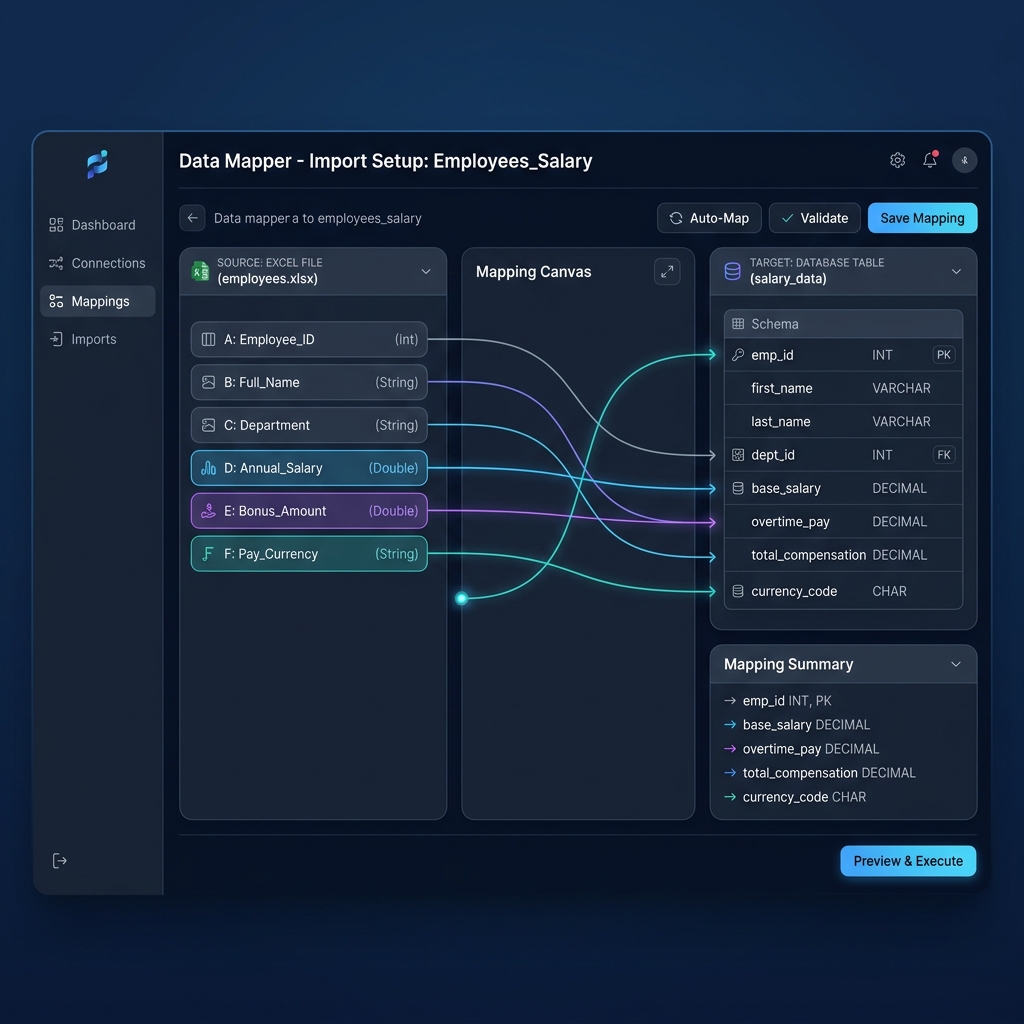
Open PayslipGen and drag your spreadsheet into the visual ingestion zone. Use the smart column mapper to link your piece-rate earnings, rest break lines, non-productive hours, tax withholdings, and employee credentials.
Customize Professional Branding & Digital Signatures
Upload your high-resolution company logo and transparent PNG executive signature or corporate seal. Choose from enterprise-grade piece-rate payslip templates designed specifically to highlight itemized legal breakdowns.
Apply Per-Employee AES-256 PDF Encryption
Select your dynamic security pin column (e.g., Password_PIN). PayslipGen applies military-grade AES-256 file encryption to every individual PDF, ensuring strict GDPR, CCPA, and privacy compliance during email delivery.
One-Click Batch Generation & Custom SMTP Dispatch
Click "Generate Payslips." PayslipGen compiles 500+ individualized, audit-ready PDF vouchers in seconds. You can instantly export them to a structured local folder or dispatch them directly via your company SMTP server (Amazon SES, SendGrid, Mailgun, or Google Workspace).

Chapter 7: Top 5 Wage-and-Hour Audit Traps to Avoid
When labor commissioners or plaintiff attorneys review piece-rate payroll records, they look for specific systematic failures. Review this checklist to ensure your payroll workflow is immune to litigation:
Trap 1: "Rolling" Rest Breaks into Piece Rates
Stating in employment agreements that "the $5.00 piece rate includes compensation for all rest breaks" is 100% illegal under California, Washington, and federal case law. Rest break hours must appear as a separate line item with a separate calculation.
Trap 2: Paying Minimum Wage for Rest Breaks When Regular Rate Is Higher
Under California Labor Code § 226.2, you cannot simply pay statutory minimum wage for rest periods if the employee's piece-work regular rate was higher. The law strictly requires paying whichever rate is higher.
Trap 3: Unrecorded Standby and Transit Time
Failing to record the exact start and stop times when workers wait for agricultural machinery repairs, warehouse shipment arrivals, or shop work orders. Unrecorded time creates a legal presumption that employees were unpaid during standby hours.
Trap 4: Excluding Incentive Pay from Overtime Regular Rates
Calculating overtime pay by simply multiplying base minimum wage by 1.5x rather than using the employee's true weighted blended regular rate (total piece earnings + NPT + breaks divided by total hours worked).
Trap 5: Missing Production Unit Counts on Paystubs
Omitting the specific number of units produced (e.g., boxes, bushels, flag hours) and the corresponding unit rate directly on the paystub violates statutory wage statement requirements (e.g., Cal. Labor Code § 226(a)(3)).
Chapter 8: Frequently Asked Questions (FAQ)
Can employers pay a fixed salary or flat hourly rate for non-productive time?
Yes. Employers can establish an agreed hourly rate for non-productive time (such as $18.00/hour or $22.00/hour), provided it is explicitly specified in writing in the employment agreement and is never lower than the applicable federal, state, or municipal minimum wage.
What exactly qualifies as "Non-Productive Time" under Labor Code § 226.2?
Non-Productive Time (NPT) includes any time under the employer's control where the employee is not actively engaged in work that directly earns piece-rate compensation. Common examples include mandatory staff meetings, travel between job sites during the workday, equipment maintenance and setup, waiting for raw materials or parts, and mandatory safety training.
How do rest break calculations work for bi-weekly vs weekly payroll cycles?
Under statutory wage rules, the regular rate of pay for rest breaks must be calculated on a workweek basis, even if payroll is disbursed bi-weekly or semi-monthly. You must calculate the weekly regular rate for Week 1 (Week 1 Piece Earnings ÷ Week 1 Piece Hours) and Week 2 separately, rather than blending across the entire pay period.
Does federal FLSA law require separate rest break pay like California and Washington?
Under federal FLSA regulations (29 C.F.R. § 785.18), short rest breaks (usually 20 minutes or less) are considered compensable hours worked. While federal law does not have a separate statutory code like California § 226.2 requiring a specific regular-rate formula for rest breaks, failing to count rest break hours in the total weekly hours worked will result in FLSA minimum wage and overtime underpayments.
How does PayslipGen handle complex multi-line earnings on a single PDF payslip?
PayslipGen features built-in multi-line earnings table support. It dynamically maps individual spreadsheet columns—including piece units, piece rates, non-productive hours, rest break calculations, and overtime premiums—into an itemized, beautifully formatted earnings table on every generated PDF payslip.
Can generated piece-rate payslips be password-protected for privacy?
Yes. PayslipGen allows you to set custom dynamic password PINs based on spreadsheet values (such as an employee's birth year, employee ID, or the last four digits of their Social Security Number). Each PDF is compiled with native AES-256 password protection before being saved or emailed.
Automate Audit-Proof Piece-Rate Paystubs Today
Generate professional, multi-line, password-protected piece-rate payslips in bulk directly from your spreadsheets—with zero cloud security risks and zero recurring SaaS subscriptions.
Get PayslipGen TodayConclusion
Piece-rate compensation is an invaluable operational tool that drives productivity, rewards high performers, and enables cost efficiency across manufacturing, agriculture, automotive repair, and logistics. But in an era of strict statutory wage enforcement and aggressive PAGA litigation, running piece-rate payroll with outdated, single-rate paystubs is an existential risk to your business.
By structuring your payroll in an itemized master spreadsheet and pairing it with the high-speed local processing of PayslipGen, you can maintain flawless compliance with California Labor Code § 226.2, Washington State regulations, and federal FLSA standards—protecting your company from catastrophic lawsuits while delivering pristine, transparent payslips to your hardworking workforce.
(Managing other non-standard payroll models? Explore our guides on Hourly Employee Payslip Automation, Construction Prevailing Wage Payslips, or Restaurant Tip Pool Paystubs.)