
How to Automate Payslip Generation in Excel Without VBA Macros: Overcoming Security Blocks and Script Errors
Key Takeaways
- ✓The End of VBA in Corporate Environments: Microsoft now permanently blocks VBA macros by default on all files downloaded from the internet, email, or shared drives (Mark-of-the-Web security protocol).
- ✓Fragility of Macro Code: A single column change, renamed tab, or Excel version update breaks legacy VBA scripts, requiring costly developer intervention to debug cryptic runtime error 1004 or 429.
- ✓Outlook MAPI Automation Crashes: VBA scripts that automate Outlook to send emails frequently trigger security antivirus popups or freeze mid-batch, resulting in duplicate emails or missing payslips.
- ✓The Modern Zero-Macro Solution: Dedicated desktop engines read raw
.xlsxand.csvfiles directly via native parsers, generating perfect PDFs and dispatching emails without a single line of VBA.
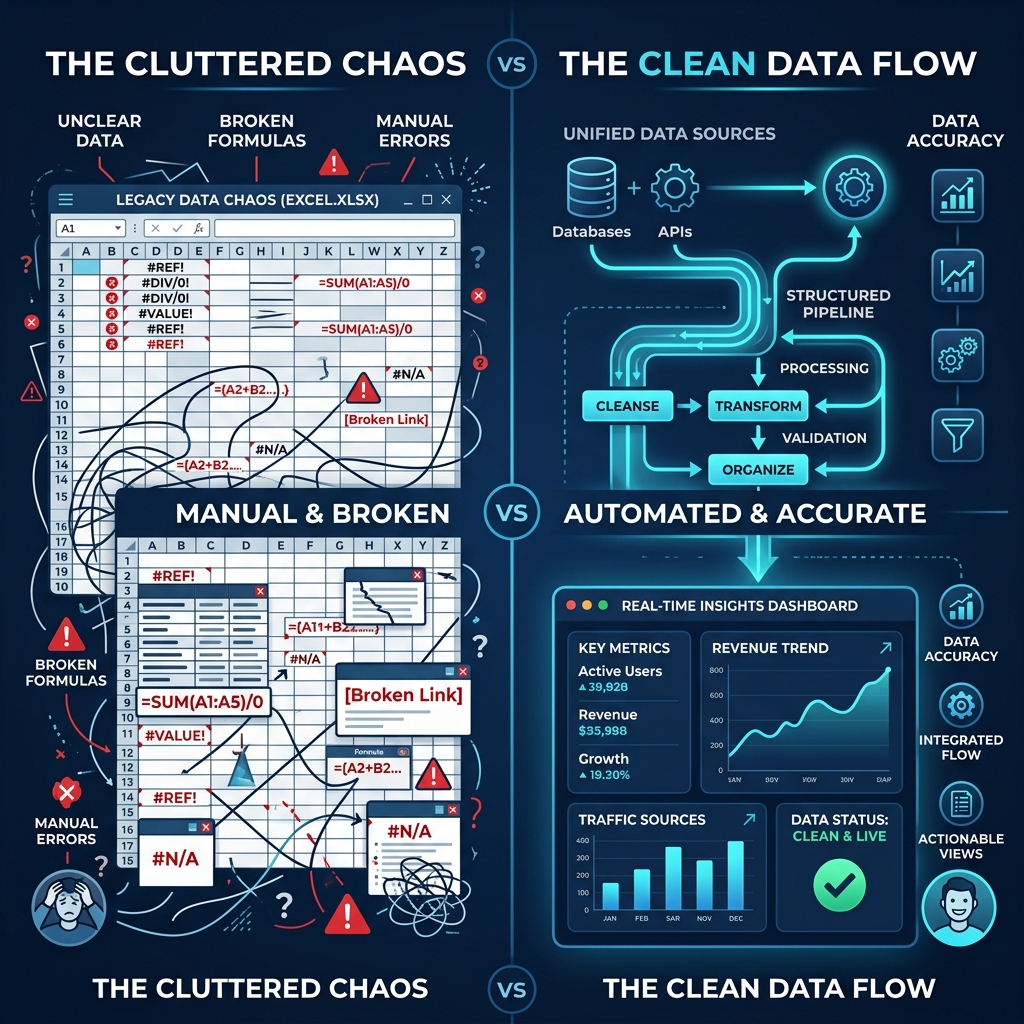
For over two decades, Visual Basic for Applications (VBA) was the secret weapon of resourceful accountants and payroll administrators. By writing custom macro loops, an office manager could transform an Excel payroll sheet into printable payslip ranges and automate email delivery through Microsoft Outlook. Today, however, that era has come to an abrupt halt. Modern cybersecurity policies, aggressive corporate antivirus suites, and Microsoft's permanent default blocking of downloaded macros have turned legacy macro workbooks into high-maintenance liabilities. When payroll morning arrives and your .xlsm workbook displays the dreaded pink security banner: 'Microsoft has blocked macros from running because the source of this file is untrusted', work stops. Here is how modern businesses automate payslip generation directly from standard Excel sheets without writing or executing a single macro.
Try Our Interactive Demo Instantly
Want to see how an offline-capable, client-side payslip generator works in practice? Try our brand-new interactive demo right in your browser. Upload a sample CSV, map your columns, and generate beautifully designed PDF payslips—with zero data ever being transmitted to our servers.
Launch Free Demo NowChapter 1: The Cybersecurity Crackdown on Excel VBA Macros
To understand why your payroll macros are failing, one must examine Microsoft's sweeping security architecture changes. For years, malicious threat actors utilized weaponized Excel macros as the primary vector for deploying ransomware and banking trojans into corporate networks. A user would open a spreadsheet, click 'Enable Content', and an embedded VBA script would silently download malware into memory.
In response, Microsoft introduced an immutable defense mechanism known as Mark-of-the-Web (MOTW). Whenever an Excel workbook is downloaded from the internet, shared via Slack or Teams, synced through cloud storage (Google Drive, Dropbox, OneDrive), or received as an email attachment, Windows attaches an alternate NTFS data stream (Zone.Identifier = 3).
When Excel detects this zone identifier, it permanently disables all VBA execution. There is no simple 'Enable Macros' button; the user must close Excel, navigate to Windows File Explorer, right-click the file, open Properties, check an obscure 'Unblock' checkbox, and click Apply. For distributed accounting teams or non-technical managers, this creates constant friction, permission headaches, and sudden payroll delays.
Chapter 2: Why Legacy VBA Scripts are Structurally Fragile
Even in environments where macros are permitted, legacy VBA code is notoriously brittle. Most payroll macros in circulation were authored years ago by former employees or external consultants who are no longer with the organization.
Consider what happens during standard business operations:
- Column Layout Changes:** If an administrator inserts a new column for 'Remote Work Allowance' between Column D and Column E, hardcoded cell references like
Cells(i, 5).Valueinstantly grab the wrong data, outputting allowances instead of tax deductions. - Cryptic Runtime Errors:** VBA throws unhelpful errors like
Run-time error '1004': Application-defined or object-defined errororRun-time error '429': ActiveX component can't create objectwhen attempting to interface with Outlook. - Lack of Concurrency:** VBA executes in a single synchronous thread inside Excel. If the script takes 5 seconds per employee, processing 100 workers locks up Excel completely for over 8 minutes. If the computer goes to sleep or Outlook prompts for a security prompt, the entire batch aborts midway through, leaving the administrator unsure which workers received payslips and which were skipped.
Chapter 3: Memory Leaks and Outlook Antivirus Dialogs
When VBA scripts automate Outlook via MAPI COM objects (CreateObject("Outlook.Application")), modern endpoint detection and response (EDR) agents view this behavior as suspicious. Antivirus engines watch for external scripts attempting to access the Outlook address book or send emails silently in the background.
Consequently, administrators are frequently confronted with modal alerts: 'A program is trying to access e-mail address information stored in Outlook. A program is trying to send an e-mail message on your behalf. Allow access for: 1 minute, 5 minutes, 10 minutes?'
If the user misses this popup, Outlook halts execution. Furthermore, failure to explicitly dereference COM objects in VBA loops (Set objMail = Nothing) causes rapid memory leaks, exhausting system resources and causing Excel to crash catastrophically before completing the payroll run.
Chapter 4: Technical Comparison: VBA Macros vs Native Desktop Parsers
Modern desktop payroll automation tools bypass the Excel runtime entirely. Let us examine how native compiled software compares to legacy VBA scripts:
| Feature / Architecture | Legacy Excel VBA Macro (.xlsm) | Native Desktop Engine (PayslipGen) |
|---|---|---|
| File Format Support | Restricted to macro-enabled .xlsm / .xlsb | Works with standard .xlsx, .xls, and .csv |
| Security Permissions | Blocked by Windows MOTW & Defender | Standard signed executable; zero macro execution |
| Layout Flexibility | Hardcoded row/column coordinates | Visual column mapping; handles arbitrary layouts |
| PDF Rendering | Depends on local Excel print drivers | High-resolution native headless PDF compiler |
| Password Encryption | Requires external command-line utilities | Native 128/256-bit AES encryption embedded |
| Email Dispatch Engine | Dependent on local Outlook client & MAPI | Direct authenticated SMTP (Google, M365, Custom) |
| Execution Speed | 5–10 seconds per payslip | 50–100 milliseconds per payslip |
Chapter 5: How Visual Column Mapping Replaces Custom Code
The breakthrough innovation that eliminates the need for VBA scripts is visual column mapping. Instead of writing code to extract data from cells, a native application inspects the header row of your spreadsheet and presents an intuitive drag-and-drop or dropdown interface:
- The software scans Row 1 of your Excel file and extracts labels such as 'Staff ID', 'Gross Earnings', 'PAYE Tax', and 'Net Remittance'.
- The user simply maps their spreadsheet columns to universal payslip elements (e.g., Map 'Staff ID' to Employee Identifier; Map 'Net Remittance' to Net Salary).
- The software saves this mapping profile permanently. Next month, you simply drag and drop your updated file, and the application instantly processes the payroll without re-configuring or editing code.
Chapter 6: Transitioning Your Company Away from Macro Spreadsheets
Migrating your organization away from vulnerable VBA workbooks is straightforward and takes less than five minutes:
- Step 1: Save As Standard
.xlsx:** Open your existing macro workbook, navigate to File > Save As, and choose 'Excel Workbook (*.xlsx)' rather than.xlsm. This strips all macro code and permanently removes the Mark-of-the-Web security alert. - Step 2: Clean Header Rows:** Ensure Row 1 contains concise, unambiguous header names with no merged cells across columns.
- Step 3: Load into Desktop Generator:** Launch PayslipGen, drag your clean
.xlsxfile into the dashboard, and select your branded template. - Step 4: Generate and Review:** Run a preview generation to inspect the rendered PDF payslips. Confirm that all calculations match your spreadsheet figures to the penny.
Chapter 7: Real-World Case Study: Overcoming Macro Lockdown at a Healthcare Clinic
The catastrophic vulnerability of legacy macro workbooks is clearly demonstrated by the experience of Valley Medical Associates, a regional healthcare network with 45 clinical staff, nurses, and billing specialists.
For over eight years, the clinic relied on a massive .xlsm workbook authored by an external IT contractor in 2017. The workbook contained over 1,200 lines of spaghetti VBA code that looped through patient care hours, applied custom weekend shift differentials, and triggered Microsoft Outlook via MAPI to send payslips.
In October 2024, the clinic's healthcare system migrated all workstations to Microsoft 365 and enforced strict zero-trust endpoint protection to comply with updated HIPAA cybersecurity rules. Overnight, the IT department enabled global Mark-of-the-Web (MOTW) macro blocking across the organization.
When the clinic manager opened the payroll file on Friday morning, Excel presented an unyielding red banner: 'Macros have been disabled by your system administrator.' The clinic's IT director refused to whitelist the file, citing federal healthcare cybersecurity compliance policies prohibiting unvetted macro execution.
Facing an immediate payroll freeze, the clinic adopted PayslipGen: * The clinic saved their master payroll file as a clean .xlsx spreadsheet, immediately removing all macro security flags. * Using visual column mapping, the clinic mapped their existing complex pay columns (base clinical hours, night differentials, on-call standby pay, and 403(b) retirement withholdings) in under three minutes. * The software generated 45 individual password-encrypted PDF payslips in 28 seconds and dispatched them directly through the clinic's Google Workspace SMTP server. * The clinic eliminated their dependence on legacy VBA code permanently, satisfying IT cybersecurity standards while cutting monthly payroll processing time by 80%.
Chapter 8: Why Modern Desktop Parsers are Immune to MOTW and Security Blocks
To understand why dedicated desktop software succeeds where VBA fails, one must analyze how modern operating systems inspect software binaries:
- Direct File Stream Parsing:** When you open an
.xlsxfile in a desktop tool like PayslipGen, the software does not launch Microsoft Excel or invoke an Office COM interface. Instead, it parses the underlying OpenXML format (a standardized zipped XML archive) directly in memory using compiled native machine code. - Absence of Script Interpreters:** Because the application contains no script execution engine (like the VBA runtime or VBScript host), it presents zero attack surface for macro-based malware. Operating system EDR agents and antivirus software classify the process as a safe, read-only document utility.
- Code-Signed Binaries:** Professional desktop applications carry valid digital certificates issued by recognized Certificate Authorities. When Windows SmartScreen or macOS Gatekeeper inspects the application, the binary's cryptographic signature confirms that the code is authentic, untampered with, and safe to execute.
Frequently Asked Questions
Do I need to convert my Excel formulas into values before processing?
No. Modern desktop parsers automatically evaluate all native Excel formulas (such as SUM, VLOOKUP, IF, and XLOOKUP) and extract the calculated values seamlessly.
Will my IT department allow this software if they have a strict no-macro policy?
Yes! That is the primary advantage. Because tools like PayslipGen do not execute VBA macros or modify Excel security settings, they comply fully with corporate zero-trust and no-macro IT guidelines.
Can I still use my existing custom payslip design without VBA?
Yes. The software provides customizable, professional templates that let you upload your company logo, choose brand colors, customize legal disclaimers, and format currency displays.
What happens if my spreadsheet has missing or empty cells?
Unlike VBA scripts that crash when encountering a Null or empty string, dedicated software handles empty cells gracefully, displaying clean dashes or omitting optional deduction lines automatically.
Will moving away from VBA break my existing Excel formulas?
No. Native desktop parsers read the calculated outputs of your existing Excel formulas (such as SUM, IF, VLOOKUP, INDEX/MATCH, and XLOOKUP) with complete accuracy. You can continue using all your familiar spreadsheet formulas.
Can I still distribute payslips if our company IT disables Microsoft Outlook entirely?
Yes! PayslipGen does not require Microsoft Outlook. It features a built-in direct SMTP engine that communicates directly with your mail provider (Google Workspace, Office 365, or private mail server) over secure TLS.