
Company Car & Fringe Benefit Gross-Ups: How to Calculate and Itemize Taxable Benefits on Paystubs
Key Takeaways
- ✓IRS Publication 15-B Statutory Mandate: Non-cash employer perks—including personal use of company vehicles, executive relocation, gym memberships, and non-job-related education stipends—are legally classified as taxable ordinary income subject to Federal Income Tax, Social Security (6.2%), Medicare (1.45%), and state withholdings.
- ✓Three IRS Vehicle Valuation Rules: Employers must calculate taxable auto benefits using the Cents-per-Mile Rule (IRS standard rate), the Commuting Valuation Rule ($1.50 per one-way trip for eligible non-control staff), or the Annual Lease Value (ALV) Rule (IRS ALV table multiplied by personal mileage ratio plus fuel).
- ✓The Tax Gross-Up Formula: To deliver a true "cost-free perk" without eroding the employee's regular cash take-home pay, employers calculate a supplemental tax gross-up:
Gross-Up = Benefit FMV ÷ (1 - Total Supplemental Tax Rate) - Benefit FMV. - ✓Compliant "In-and-Out" Paystub Architecture: A compliant paystub must add the non-cash fringe value and gross-up amount to gross earnings for tax calculation, withhold all statutory taxes, and apply an equal post-tax "Non-Cash Offset" deduction so net cash disbursed matches the employee's base salary expectations.
- ✓Zero-SaaS Batch Automation: With PayslipGen, payroll teams can automate complex multi-line fringe benefit gross-ups directly from Excel/CSV workbooks, generating encrypted, audit-ready PDF payslips locally with zero cloud subscription fees.
Offering competitive executive perks—such as a dedicated company vehicle, executive relocation assistance, wellness stipends, or paid corporate memberships—is one of the most effective strategies for attracting and retaining top-tier talent. Yet, behind these attractive executive packages lies one of the most treacherous compliance minefields in payroll accounting: taxable non-cash fringe benefits and the mathematical mechanics of tax gross-ups.
Under Internal Revenue Code (IRC) § 61 and IRS Publication 15-B (Employer's Tax Guide to Fringe Benefits), any non-cash property, service, or perk provided to an employee is presumed taxable unless a specific statutory exclusion applies. When an employee drives a company-owned sedan for weekend errands, commutes to the corporate office, or receives an employer-funded relocation package, the fair market value (FMV) of that benefit must be converted into dollar amounts, added to their gross taxable wages, and subjected to statutory payroll taxes.
If an employer simply adds a $1,500 monthly vehicle valuation to an employee's paystub without an accompanying tax gross-up, the employee faces a devastating "cash shock." The payroll system calculates hundreds of dollars in additional tax withholdings against their regular cash salary—causing their actual bank deposit to plummet. What was promised as a prestigious corporate perk suddenly feels like a punitive pay cut.
In this comprehensive, legally grounded guide, we will examine the statutory valuation rules under IRS Pub 15-B, derive the exact algebraic formulas for employer-funded tax gross-ups, show how to properly format the "In-and-Out" accounting line items on employee paystubs, provide a modular Excel spreadsheet architecture, and demonstrate how to generate batch, password-protected PDF compensation statements using PayslipGen.
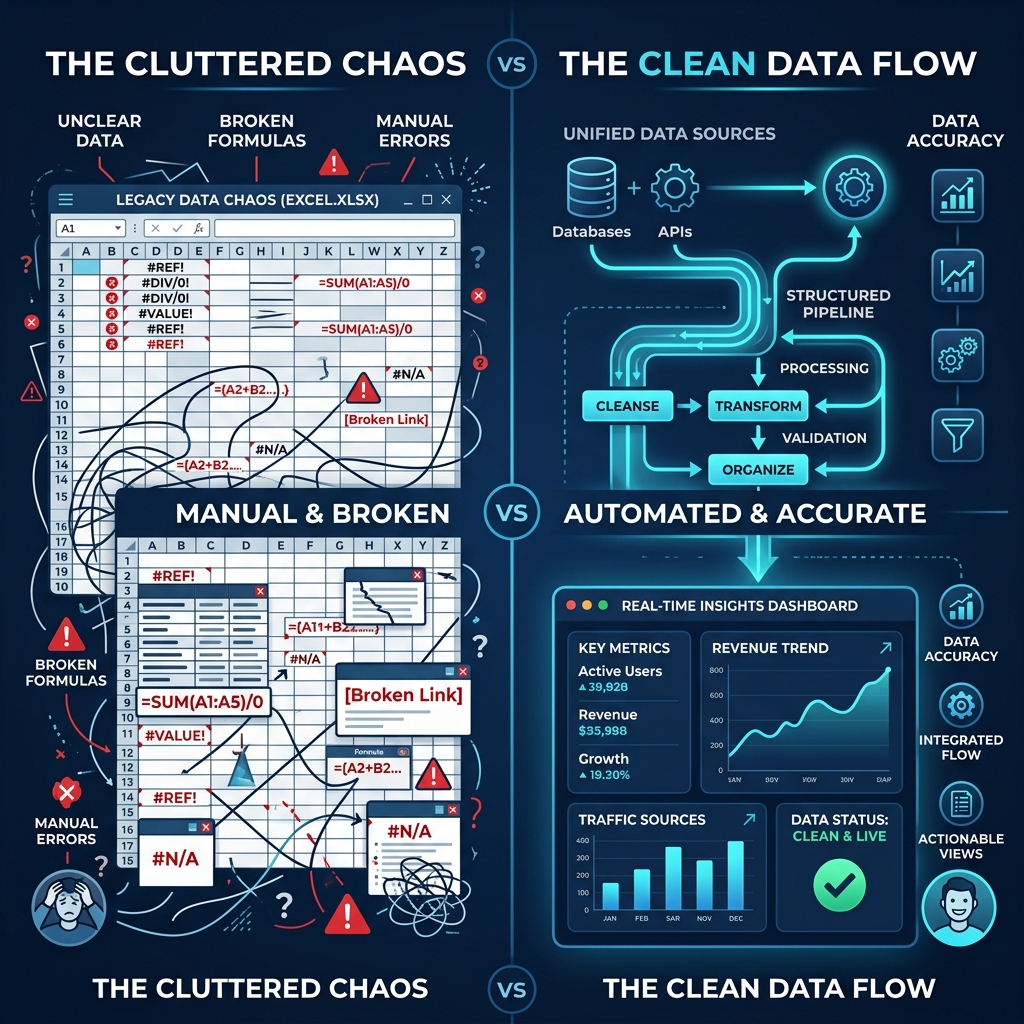
Try Our Interactive Demo Instantly
Want to see how an offline-capable, client-side payslip generator works in practice? Try our brand-new interactive demo right in your browser. Upload a sample CSV, map your columns, and generate beautifully designed PDF payslips—with zero data ever being transmitted to our servers.
Launch Free Demo NowChapter 1: The Non-Cash Fringe Benefit Trap: Why "Free Perks" Break Employee Paychecks
To understand why fringe benefit accounting requires specialized payroll engineering, we must first examine the legal definition of compensation under federal tax law.
The Broad Reach of IRC § 61 and IRS Publication 15-B
Section 61(a)(1) of the Internal Revenue Code defines gross income as "all income from whatever source derived, including... compensation for services, including fees, commissions, fringe benefits, and similar items." The IRS enforces a strict default rule: every fringe benefit is 100% taxable as ordinary wages unless an explicit statutory exemption exists in the tax code.
Common non-cash fringe benefits that trigger mandatory payroll reporting include:
- Personal Use of Employer-Provided Vehicles: Driving a company-owned or leased car for personal errands, weekend trips, or daily commuting between home and work.
- Executive Relocation Assistance: Moving expense reimbursements or direct vendor payments (taxable under the Tax Cuts and Jobs Act for non-military personnel).
- Gym Memberships & Wellness Stipends: Employer-paid gym access or fitness allowances located outside employer-owned physical premises.
- Educational Assistance Exceeding IRC § 127: Tuition or education payments exceeding the annual $5,250 tax-free statutory limit.
- Executive Life Insurance (GTL): Employer-provided Group-Term Life Insurance coverage in excess of $50,000 (valued via IRS Table I rates).
- Prizes, Awards, and Gift Cards: Non-cash performance awards, cash equivalents, and gift cards of any dollar amount (which never qualify as tax-free de minimis perks).
The "Working Condition Fringe" Distinction
Under IRC § 132(d), property or services provided to an employee qualify as a tax-free Working Condition Fringe only to the extent the employee would have been allowed to deduct the cost as a business expense under IRC § 162 if they had paid for it themselves. When an employee uses a company car for documented business client visits, that portion is 100% tax-free. However, the moment that car is driven home at the end of the day, that commuting mileage instantly shifts from a tax-free business expense to a taxable personal fringe benefit.
The Cash Drain Scenario: What Happens When You Forget the Gross-Up
Consider a Senior Director of Sales, Marcus, who earns a base salary of $8,000 per semi-monthly pay period ($192,000 annually). Marcus is assigned a company vehicle with an evaluated personal-use taxable benefit of $1,000 for the pay period.
If the payroll department simply adds $1,000 to Marcus's taxable wage base without calculating a gross-up:
| Payroll Item | Standard Paycheck (No Car Benefit) | With Car Benefit (NO Gross-Up) | Variance / Impact on Employee |
|---|---|---|---|
| Cash Base Salary | $8,000.00 | $8,000.00 | $0.00 |
| Non-Cash Auto Fringe Benefit | $0.00 | $1,000.00 | +$1,000.00 (Non-Cash) |
| Total Taxable Gross Pay | $8,000.00 | $9,000.00 | +$1,000.00 Tax Basis |
| Federal Income Tax Withholding (22%) | $1,760.00 | $1,980.00 | +$220.00 extra tax |
| Social Security (6.2%) | $496.00 | $558.00 | +$62.00 extra tax |
| Medicare (1.45%) | $116.00 | $130.50 | +$14.50 extra tax |
| State Income Tax (6.6%) | $528.00 | $594.00 | +$66.00 extra tax |
| Total Tax Deductions | -$2,900.00 | -$3,262.50 | -$362.50 out-of-pocket |
| Non-Cash Fringe Offset | $0.00 | -$1,000.00 | -$1,000.00 (Non-Cash Removal) |
| Net Cash Take-Home Pay | $5,100.00 | $4,737.50 | -$362.50 Cash Loss! |
Marcus expected his normal $5,100.00 direct deposit to pay his mortgage and bills. Instead, his bank account received $4,737.50—a sudden $362.50 cash reduction solely because the employer provided a vehicle perk. To solve this, the employer must implement an automated Tax Gross-Up.
Chapter 2: Company Vehicle Valuation Rules under IRS Publication 15-B
Before an employer can calculate a tax gross-up, they must first establish the exact taxable Fair Market Value of the vehicle's personal use. IRS Publication 15-B provides three official special valuation methods. An employer cannot invent an arbitrary figure; they must adopt one of these three statutory frameworks.
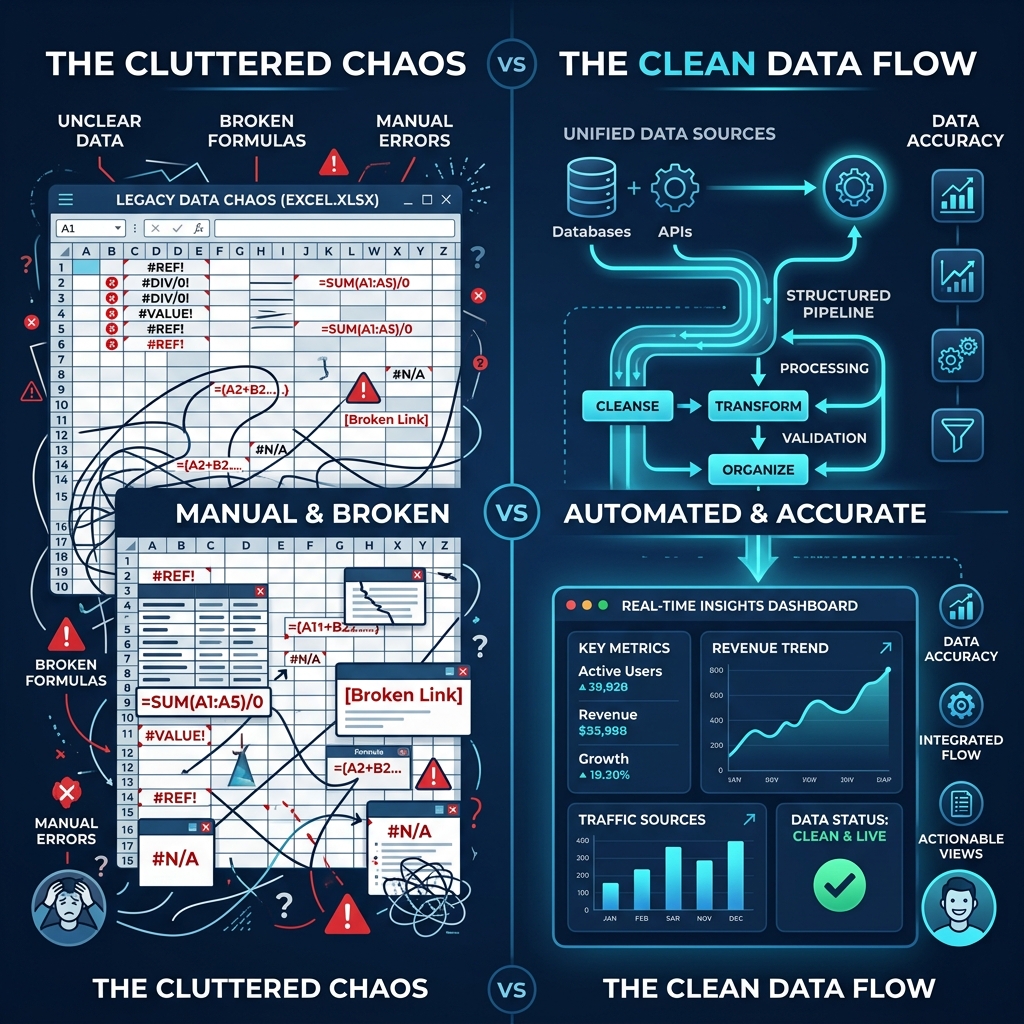
Method 1: The Cents-per-Mile Valuation Rule
Under the Cents-per-Mile rule (Treas. Reg. § 1.61-21(e)), the taxable value of personal vehicle use equals the total number of personal miles driven during the calendar year multiplied by the official IRS standard mileage rate (e.g., $0.67 per mile).
Statutory Requirements to Qualify:
- Regular Business Use: The employer must reasonably expect the vehicle to be regularly used in the employer's trade or business throughout the calendar year (at least 50% of the total annual mileage is business-related), OR the vehicle must be driven at least 10,000 miles during the year primarily by employees.
- Fair Market Value Cap: The vehicle's Fair Market Value when first made available for employee use cannot exceed the statutory luxury vehicle ceiling set annually by the IRS (typically indexed around $60,800 to $62,000). If the vehicle exceeds this FMV ceiling, the employer is legally prohibited from using the Cents-per-Mile method and must use the ALV rule.
- Fuel Adjustment: If the employer does not supply fuel for personal driving, the standard rate is reduced by $0.055 (5.5 cents) per mile.
Cents-per-Mile Calculation Formula:
Taxable Fringe Benefit = Personal Miles Driven × IRS Standard Rate ($0.67)
Example: 6,000 personal miles × $0.67/mile = $4,020.00 annual taxable benefit ($335.00/month).
Method 2: The Commuting Valuation Rule
The Commuting Valuation Rule (Treas. Reg. § 1.61-21(f)) is a simplified statutory method designed for service vehicles, utility trucks, and fleet cars where an employee is required to drive the vehicle home for business necessity.
Under this rule, the employer values personal use at a flat rate of $1.50 per one-way commute ($3.00 per round-trip work day) per employee, regardless of the actual distance driven.
Strict Eligibility Conditions:
- Bona Fide Noncompensatory Business Reason: The vehicle must be provided for genuine operational requirements (e.g., 24/7 on-call emergency technician, security requirements, or lack of secure parking at the job site).
- Written Anti-Personal Use Policy: The employer must maintain and enforce a written corporate policy strictly prohibiting the employee (and family members) from using the vehicle for any personal purpose other than commuting or de minimis personal stops (e.g., stopping for lunch between job sites).
- The "Control Employee" Prohibition: The commuting rule CANNOTbe used for any "Control Employee." A control employee is defined as:
- A corporate officer whose annual compensation equals or exceeds $135,000 (indexed).
- A corporate director.
- An employee whose compensation equals or exceeds $275,000 (indexed).
- An individual owning a 1% or greater equity, capital, or profit interest in the employer.
Commuting Valuation Formula:
Taxable Fringe Benefit = (Number of One-Way Commute Trips) × $1.50
Example: An on-call field technician commutes to work 220 days per year (440 one-way trips). 440 × $1.50 = $660.00 annual taxable benefit ($55.00/month).
Method 3: The Annual Lease Value (ALV) Rule
The Annual Lease Value (ALV) Rule (Treas. Reg. § 1.61-21(d)) is the standard valuation framework for executive vehicles, luxury company cars, and situations where personal use extends beyond simple commuting.
Under the ALV rule, the vehicle's total annual value is determined by mapping its Fair Market Value (FMV) to the IRS Annual Lease Value Table published in IRS Pub 15-B. That total lease value is then prorated based on the percentage of personal miles driven vs. total miles.
The 6-Step ALV Execution Framework:
- Step 1: Determine Fair Market Value (FMV): Calculate the FMV on the first day the vehicle is made available to the employee. For an employer-purchased vehicle, FMV is the employer's purchase cost including sales tax, title, and licensing. For a leased vehicle, FMV is the manufacturer's suggested retail price (MSRP) minus 8%, or the retail purchase price established by independent pricing guides.
- Step 2: Map to IRS ALV Table: Find the vehicle's statutory Annual Lease Value in the official IRS table.
- Step 3: Calculate Personal Use Percentage: Divide personal miles driven by total miles driven during the calendar year:Personal Use % = Personal Miles ÷ Total Miles
- Step 4: Compute Prorated Lease Value: Multiply the Annual Lease Value by the Personal Use Percentage.
- Step 5: Account for Fuel Costs: The ALV table covers maintenance and insurance, but does NOT include fuel.
- If the employer pays for personal fuel, add 5.5 cents ($0.055) per personal mile, or the actual reimbursed fuel cost.
- If the employee pays for all personal fuel out of pocket, no fuel addition is required.
- Step 6: Lock in for 4 Calendar Years: Under IRS rules, the established ALV must remain in effect for four full calendar years (48 months) before the vehicle's FMV can be recalculated.
| Vehicle Fair Market Value (FMV) | Annual Lease Value (ALV) | Monthly Base Value (ALV ÷ 12) |
|---|---|---|
| $28,000 to $29,999 | $7,750.00 | $645.83 |
| $34,000 to $35,999 | $9,250.00 | $770.83 |
| $40,000 to $41,999 | $10,750.00 | $895.83 |
| $50,000 to $51,999 | $13,250.00 | $1,104.17 |
| $60,000 to $63,999 | $16,250.00 | $1,354.17 |
| $70,000 to $74,999 | $19,250.00 | $1,604.17 |
| $85,000 to $89,999 | $23,250.00 | $1,937.50 |
ALV Worked Example: Executive Luxury SUV
An executive is provided a company SUV with an FMV of $51,000 (IRS ALV = $13,250.00). During the year, the executive logs 20,000 total miles, of which 6,000 are personal miles (30% personal use). The company pays for all fuel via a corporate fleet card.
• Prorated Lease Value: $13,250 × 30% = $3,975.00
• Employer Fuel Addition: 6,000 personal miles × $0.055 = $330.00
• Total Annual Taxable Fringe Benefit: $3,975.00 + $330.00 = $4,305.00 ($358.75/month).
Chapter 3: The Mathematical Engine of Tax Gross-Ups
Once the taxable value of the fringe benefit is determined ($4,305.00 annually or $358.75 monthly), the employer must decide how to handle the resulting tax liabilities. If the company wants the perk to be 100% net cost-free to the employee, it must pay the taxes on behalf of the employee.
However, under federal tax law, when an employer pays an employee's tax liability, that tax payment is itself taxable cash compensation. This creates a recursive "tax on tax" loop that can only be solved using the statutory algebraic gross-up formula.
The Algebraic Gross-Up Formula Derivation
Let:
V= Taxable Value of the Fringe Benefit (e.g. $1,000.00)T= Combined Marginal Supplemental Tax Rate (Federal + FICA + State)G= Total Grossed-Up Compensation needed to yield net valueVC= Additional Cash Gross-Up payment disbursed to cover taxes
The Four Statutory Tax Components
To determine the Combined Marginal Supplemental Tax Rate (T), payroll accountants must aggregate four distinct statutory tax rates:
1. Federal Supplemental Income Tax
Under IRS Publication 15, non-cash fringe benefits and gross-up payments are classified as supplemental wages. Employers use the flat supplemental withholding rate of 22.0% (for supplemental wages up to $1,000,000 in a calendar year; 37.0% for amounts over $1M).
2. Social Security Tax (FICA-OASDI)
Fixed statutory rate of 6.2% on all wages up to the annual Social Security Wage Base cap ($168,600 / $176,100 indexed). If the employee's Year-to-Date (YTD) wages already exceed the cap, this rate drops to 0.0%.
3. Medicare Tax (FICA-HI)
Statutory rate of 1.45% with no wage cap. If an employee's total compensation exceeds $200,000 ($250,000 for married filing jointly), an Additional Medicare Tax of 0.9% applies to wages above the threshold (total 2.35%).
4. State Supplemental Withholding
State supplemental or marginal tax rate depending on employee work state (e.g., California flat supplemental rate 6.6% / standard 10.23%; New York 9.62% / 11.7%; Texas/Florida/Washington 0.0%; Illinois 4.95%).
Step-by-Step Gross-Up Mathematical Example
Let us calculate the exact gross-up for an employee who receives a $1,000.00 taxable company car benefit in California (where the state supplemental withholding rate is 6.6%, and the employee has not yet reached the Social Security wage cap).
- Federal Supplemental Income Tax: 22.00%
- Social Security Tax: 6.20%
- Medicare Tax: 1.45%
- California State Supplemental Tax: 6.60%
- Combined Tax Rate (T): 22.00% + 6.20% + 1.45% + 6.60% = 36.25% (0.3625)
Applying the Gross-Up Formula:
Verification Proof (Audit Trail):
When the payroll system processes the $1,568.63 total taxable addition:
- Federal Withholding (22.0% of $1,568.63) = $345.10
- Social Security (6.2% of $1,568.63) = $97.25
- Medicare (1.45% of $1,568.63) = $22.75
- California Tax (6.6% of $1,568.63) = $103.53
- Total Taxes Withheld: $345.10 + $97.25 + $22.75 + $103.53 = $568.63
The employer-provided gross-up cash of $568.63 exactly matches the total tax liability of $568.63. The taxes on the $1,000 car benefit are 100% satisfied without costing the employee a single cent from their regular paycheck!
Chapter 4: Compliant Paystub Itemization: The "In-and-Out" Accounting Mechanism
While calculating the mathematical gross-up is straightforward, presenting it on an employee paystub requires a specific accounting architecture known as the "In-and-Out" Fringe Benefit Mechanism.
Why is this required? Because the employee did notreceive $1,000.00 in cash—they received $1,000.00 in physical vehicle usage. If payroll adds $1,568.63 to the gross pay line, deducts $568.63 in taxes, and stops there, the direct deposit engine would mistakenly disburse an extra $1,000.00 in cash to the employee's bank account!
The 4-Stage "In-and-Out" Architecture
Stage 1: Taxable Gross Additions ("The IN")
Add two distinct line items under the Earnings section: (1) "Taxable Fringe Benefit - Personal Auto Use" ($1,000.00) and (2) "Fringe Benefit Tax Gross-Up" ($568.63). This establishes the total legal taxable gross base of $9,568.63 ($8,000 base salary + $1,568.63).
Stage 2: Statutory Tax Calculations
Compute statutory withholding taxes on the full $9,568.63 gross amount. The regular salary generates $2,900.00 in tax deductions, while the grossed-up fringe benefit generates $568.63 in tax deductions (Total Taxes = $3,468.63).
Stage 3: Post-Tax Non-Cash Deduction ("The OUT")
Under the Post-Tax Deductions section, apply a line item titled "Non-Cash Fringe Benefit Offset" in the exact amount of -$1,000.00. This offsets the non-cash vehicle valuation that was previously introduced in Stage 1.
Stage 4: Net Cash Equilibrium
Calculate Net Cash Disbursed: $9,568.63 (Gross) - $3,468.63 (Taxes) - $1,000.00 (Non-Cash Offset) = $5,100.00. Marcus receives his exact expected $5,100.00 direct deposit!
Side-by-Side Paystub Comparison: Broken vs Compliant Architecture
| Paystub Section / Line Item | Broken Paystub (No Gross-Up) | Compliant Grossed-Up Paystub |
|---|---|---|
| Regular Base Salary | $8,000.00 | $8,000.00 |
| Taxable Auto Fringe (In) | $1,000.00 | $1,000.00 |
| Fringe Benefit Tax Gross-Up | $0.00 (MISSING!) | +$568.63 |
| Total Gross Earnings | $9,000.00 | $9,568.63 |
| Federal Income Tax (FIT) | -$1,980.00 | -$2,105.10 |
| Social Security Tax (OASDI) | -$558.00 | -$593.25 |
| Medicare Tax (HI) | -$130.50 | -$138.75 |
| State Income Tax (SIT) | -$594.00 | -$631.53 |
| Total Tax Deductions | -$3,262.50 | -$3,468.63 |
| Non-Cash Fringe Offset (Out) | -$1,000.00 | -$1,000.00 |
| Net Direct Deposit Disbursed | $4,737.50 (-$362.50 Penalty) | $5,100.00 (100% Balanced!) |
Chapter 5: Master Spreadsheet Architecture: Building the Fringe Benefit Gross-Up Engine in Excel
To eliminate the risk of manual calculation errors, payroll departments and HR managers can implement an automated master Excel workbook. Below is the complete column blueprint and exact formula syntax for automating vehicle valuation, tax gross-up calculations, and W-2 box mapping.
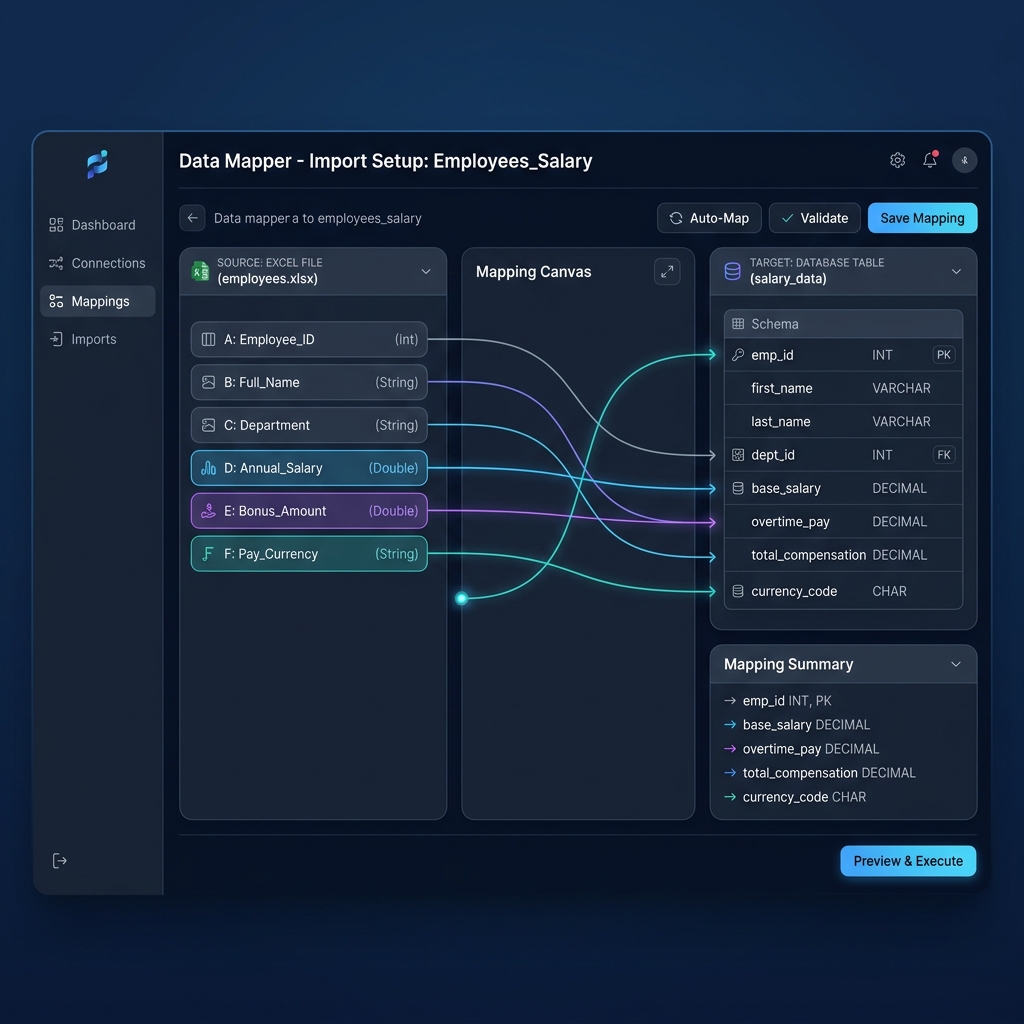
The Master Spreadsheet Column Schema (Columns A through R)
| Col | Header Name | Data Type / Description | Excel / Google Sheets Formula |
|---|---|---|---|
| A | Employee_ID | Unique Worker ID | EMP-1042 |
| B | Employee_Name | Full Legal Name | Marcus Vance |
| C | Base_Salary | Period Gross Cash Pay | 8000.00 |
| D | Vehicle_FMV | Vehicle Fair Market Value | 51000.00 |
| E | IRS_Annual_Lease_Val | ALV from IRS Table | =VLOOKUP(D2, ALV_Table, 2, TRUE) |
| F | Annual_Total_Miles | Total Odometer Miles | 20000 |
| G | Annual_Personal_Miles | Personal + Commute Miles | 6000 |
| H | Personal_Ratio | Personal Use % | =G2 / F2 |
| I | Period_Fringe_Val | Semi-Monthly Fringe Benefit | =ROUND(((E2*H2) + (G2*0.055))/24, 2) |
| J | Fed_Supp_Rate | Federal Supplemental (22%) | 0.2200 |
| K | FICA_Rate | SS (6.2%) + Medicare (1.45%) | =IF(YTD_Wages>=176100, 0.0145, 0.0765) |
| L | State_Supp_Rate | State Supplemental Rate | 0.0660 |
| M | Total_Tax_Rate | Combined Marginal Rate | =SUM(J2:L2) |
| N | Gross_Up_Amount | Supplemental Cash Gross-Up | =ROUND(I2/(1-M2)-I2, 2) |
| O | Total_Taxable_Gross | Total Tax Basis | =C2 + I2 + N2 |
| P | Total_Taxes_Withheld | FIT + FICA + SIT | =ROUND(C2*0.3625 + (I2+N2)*M2, 2) |
| Q | Non_Cash_Offset | Post-Tax Offset Line | =-I2 |
| R | Net_Cash_Disbursed | Direct Deposit Amount | =O2 - P2 + Q2 |
Year-End W-2 Box Mapping Rules
When closing the tax year, fringe benefits and tax gross-up amounts must flow correctly into Form W-2:
- Box 1 (Wages, Tips, Other Compensation): Must include Base Salary + Total Taxable Fringe Benefit Values + Total Gross-Up Cash Amounts paid during the year.
- Box 3 (Social Security Wages): Must include Base Salary + Fringe Benefit + Gross-Up, capped at the statutory annual limit ($168,600 / $176,100).
- Box 5 (Medicare Wages and Tips): Must include Base Salary + Fringe Benefit + Gross-Up (uncapped).
- Box 14 (Other Informational Disclosures): While optional under federal law for auto fringe benefits if already included in Box 1, it is highly recommended to provide an informational breakdown labeled
AUTO FRINGE $4,305.00orTAX GROSS-UP $2,445.00to assist the employee's CPA during individual tax preparation.
Chapter 6: Batch PDF Generation via PayslipGen: Creating Audit-Proof Compensation Statements Without SaaS Costs
Executing complex gross-up formulas in Excel is only half the battle. The final challenge is converting those raw spreadsheet rows into professional, branded, password-protected PDF payslips and fringe benefit vouchers that employees can securely access and store.
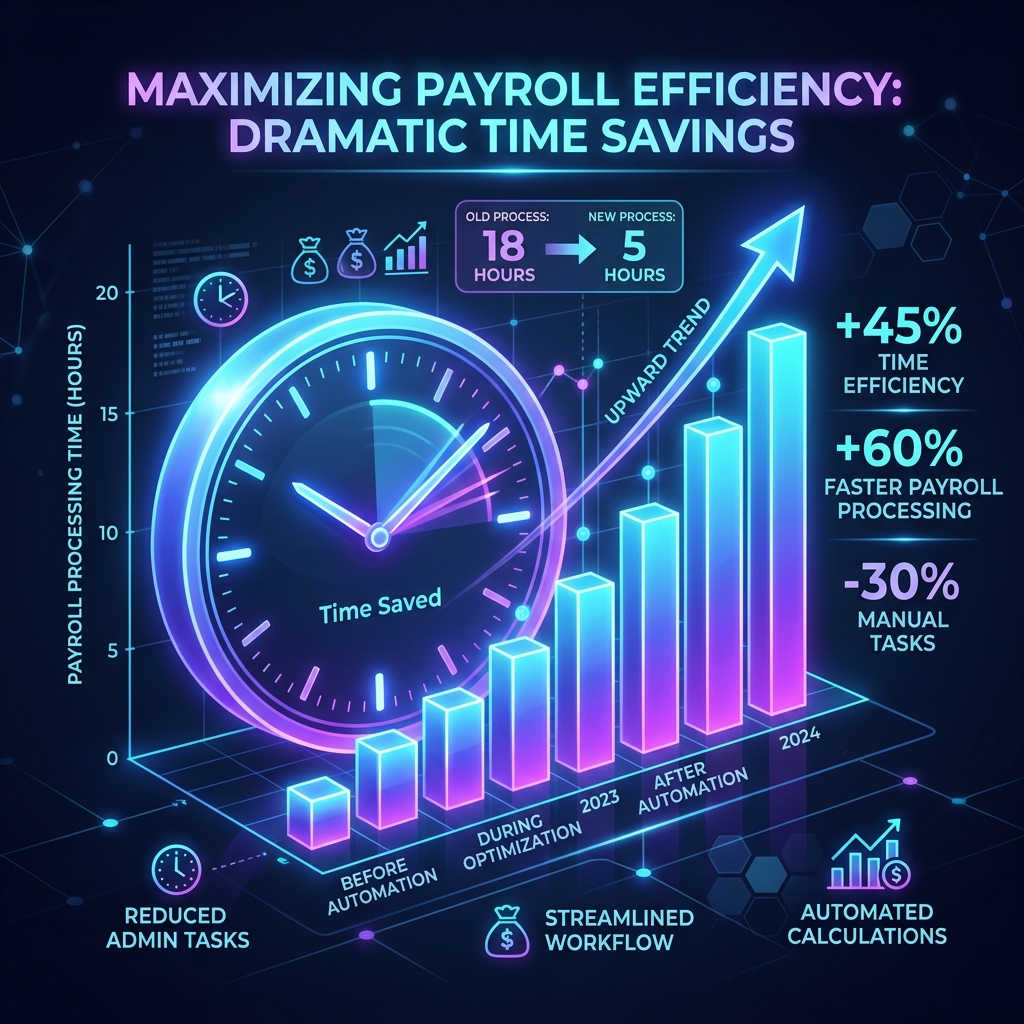
The Failure of Cloud Payroll SaaS Platforms
Mainstream cloud payroll platforms like Gusto, Rippling, Deel, and ADP are built for standardized, cookie-cutter payroll. When you attempt to run multi-line fringe benefit gross-ups with custom post-tax offsets:
- Rigid Line-Item Restrictions: Many SaaS platforms prohibit custom "In-and-Out" offsetting line items, forcing payroll managers to perform awkward manual overrides every single cycle.
- Exorbitant Monthly SaaS Fees: Charging $40 to $150 per month base fees plus $6 to $12 per employee per month—costing a 50-person organization $4,000 to $8,000 every single year merely to generate PDF files.
- Executive Privacy Leaks: Uploading sensitive executive vehicle lease values, home addresses, and personal mileage logs to multi-tenant cloud servers creates unnecessary cybersecurity and GDPR/CCPA compliance risks.
The PayslipGen Solution: Local, Offline, Unlimited Batch Processing
PayslipGen is a professional desktop payroll automation application engineered specifically for finance teams, accountants, and business owners who manage payroll in Excel or Google Sheets.
100% Local Data Sovereignty
Runs entirely on your local Windows or macOS machine. Your employee salaries, Social Security numbers, vehicle lease records, and gross-up calculations never touch an external cloud server.
Dynamic Multi-Line Column Mapping
Easily map unlimited custom earnings lines (Auto Fringe, Gross-Up), statutory tax withholdings, and post-tax non-cash deductions directly from your Excel or CSV columns to professional PDF templates.
Per-File AES-256 PDF Encryption
Automatically password-protect each individual employee payslip (e.g., using Last 4 SSN, Date of Birth, or Custom PIN) so confidential executive compensation statements remain secure in transit.
Integrated Custom SMTP Dispatch
Dispatch batch encrypted PDF payslips directly to employee inboxes using your own private SMTP server (Amazon SES, SendGrid, Mailgun, or corporate Exchange) with zero per-email fees.
Frequently Asked Questions (FAQs)
Can an employer choose NOT to withhold Federal Income Tax on company car personal use?
Yes. Under Internal Revenue Code § 3402(s), an employer can formally elect not to withhold Federal Income Tax on the taxable value of an employee's personal use of an employer-provided vehicle. However, the employer MUST still withhold Social Security and Medicare (FICA) taxes, report the full taxable fringe benefit value in W-2 Boxes 1, 3, and 5, and provide written notice of this election to the employee by January 31 of the election year (or within 30 days of vehicle assignment).
What is the IRS "Special Accounting Rule" for year-end vehicle reporting?
Under IRS Pub 15-B, employers can treat non-cash fringe benefits provided during the last two months of the calendar year (November 1 through December 31) as having been provided in the subsequent calendar year. This "Special Accounting Rule" allows payroll departments to close out annual personal mileage calculations based on a November 1 to October 31 accounting period, preventing frantic last-minute December W-2 adjustments.
What documentation is legally required to substantiate business vs. personal mileage?
Under IRC § 274(d), strict substantiation rules apply. Employees must maintain contemporaneous written or digital mileage logs recording: (1) Date of each trip, (2) Start and end odometer readings or total trip mileage, (3) Business purpose / client visited, and (4) Job location. If an employee fails to maintain contemporaneous records, the IRS auditor will classify 100% of the vehicle's annual mileage as taxable personal income.
How do you calculate gross-ups when an employee crosses the Social Security wage cap?
When an employee's cumulative Year-to-Date taxable wages exceed the annual Social Security Wage Base limit ($168,600 / $176,100), the 6.2% OASDI tax rate drops to 0.0%. In your Excel formula, use a conditional check: =IF(YTD_Wages >= 176100, 0.0145, 0.0765). This reduces the Combined Tax Rate (T), lowering the required gross-up payment and saving the company cash.
Can the $1.50 Commuting Rule be used for company executives or board members?
No. IRS Treasury Regulation § 1.61-21(f) strictly prohibits using the $1.50 Commuting Valuation Rule for any "Control Employee" (officers earning $135k+, directors, 1%+ equity owners, or highly compensated employees earning $275k+). Executive vehicles must be evaluated using either the Annual Lease Value (ALV) Rule or the Cents-per-Mile Rule (if the vehicle FMV does not exceed the statutory luxury ceiling).
How are Electric Vehicles (EVs) valued under IRS Publication 15-B?
Employer-provided Electric Vehicles (EVs) follow the exact same valuation frameworks (ALV, Cents-per-Mile, Commuting) as combustion vehicles. However, for the ALV fuel addition, because electricity cannot be measured in gallons, employers may use the statutory 5.5 cents ($0.055) per personal mile rule, or track actual kilowatt-hour charging reimbursement costs if an employer-provided home charging station is utilized.
What happens if an employee reimburses the company for personal vehicle usage?
If an employee directly reimburses the employer (or has an after-tax payroll deduction) for their personal vehicle usage, the reimbursed amount directly reduces the taxable fringe benefit dollar-for-dollar. For example, if Marcus's personal car use is valued at $1,000.00 and Marcus pays the company $400.00, only the remaining $600.00 is reported as taxable compensation and grossed up.
Master Fringe Benefit Payroll Without SaaS Subscriptions
Generate audit-proof, password-protected PDF payslips and fringe benefit compensation vouchers directly from your Excel spreadsheets in bulk. 100% offline, zero data leaks, zero monthly fees.
Get PayslipGen TodayConclusion
Providing company vehicles and executive fringe benefits should be an inspiring incentive that strengthens employee loyalty—not an administrative headache that triggers payroll errors, IRS audit penalties, and unexpected paycheck deductions.
By mastering the statutory valuation rules in IRS Publication 15-B, implementing the algebraic tax gross-up formula, and configuring the compliant "In-and-Out" paystub architecture, your organization can deliver world-class executive perks with zero out-of-pocket tax friction.
Coupling your master spreadsheet with the desktop processing power of PayslipGen gives your finance team enterprise-grade payroll generation capabilities, total data sovereignty, per-file encryption, and complete freedom from recurring cloud SaaS subscription fees.
(Looking to optimize other complex payroll workflows? Explore our in-depth guides on Expense Reimbursements under IRS Accountable Plans, S-Corp Owner Reasonable Salary Paystubs, or how to Convert CSV Payroll Data to PDF Payslips.)