
How to Show Non-Taxable Expense Reimbursements on Paystubs Under an IRS Accountable Plan
Key Takeaways
- ✓The Statutory Accountable Plan Test: Under Internal Revenue Code (IRC) § 62(a)(2)(A) and Treasury Reg § 1.62-2, expense reimbursements are 100% tax-free to employees and tax-deductible for employers only if they satisfy the 3-part test: business connection, proper substantiation, and prompt return of excess funds.
- ✓The Accidental Payroll Withholding Trap: Adding out-of-pocket reimbursements (mileage, cell phone, tooling, travel per diem) to gross wages causes automated payroll systems to wrongfully withhold 25% to 42% in FICA and income taxes—penalizing employees and inflating employer payroll tax liabilities.
- ✓Paystub Layout Architecture: Compliant payslips must structurally segregate Gross Taxable Earnings from Non-Taxable Additions / Post-Tax Reimbursements. Accountable plan payments are added after statutory tax withholdings are computed.
- ✓W-2 Exclusion vs Box 12 (Code L): True accountable reimbursements are completely excluded from W-2 Boxes 1, 3, and 5. Only standard mileage or per diem paid at rates exceeding federal standard benchmarks require Box 12 (Code L) or supplemental wage reporting.
- ✓Automated Local Batching: Using PayslipGen, finance teams can map custom non-taxable reimbursement columns directly from Excel to generate pixel-perfect, password-encrypted PDF paystubs in bulk without paying monthly SaaS subscriptions.
In modern distributed and hybrid companies, employees constantly incur out-of-pocket business expenses. Field technicians pay for regional vehicle mileage; remote software engineers purchase ergonomic monitors and high-speed home fiber internet; sales executives entertain clients over dinner and book cross-country travel; and construction leads purchase specialized tools on behalf of the company.
When pay day arrives, reimbursing these legitimate business costs seems straightforward. Yet, inside thousands of small business accounting departments, a pervasive and costly error happens every single pay cycle: the payroll operator dumps expense reimbursements directly into the gross earnings line item on the employee's paystub.
The consequences of this single administrative oversight are catastrophic. The payroll software treats the reimbursement as taxable compensation, deducting Federal Income Tax (FIT), Social Security (6.2%), Medicare (1.45%), and State Income Tax (SIT). An employee who spent $500 of their own personal cash on client supplies suddenly receives only $320 back in their paycheck. Simultaneously, the business overpays its matching 7.65% employer FICA liability and state unemployment insurance (SUTA) taxes on funds that should have been 100% tax-exempt.
In this definitive guide, we will unpack the legal mechanics of the IRS Accountable Plan, illustrate exactly how to calculate and display non-taxable additions on professional paystubs, dissect W-2 year-end reporting rules, and demonstrate how to automate itemized reimbursement paystubs using PayslipGen and your existing spreadsheets.
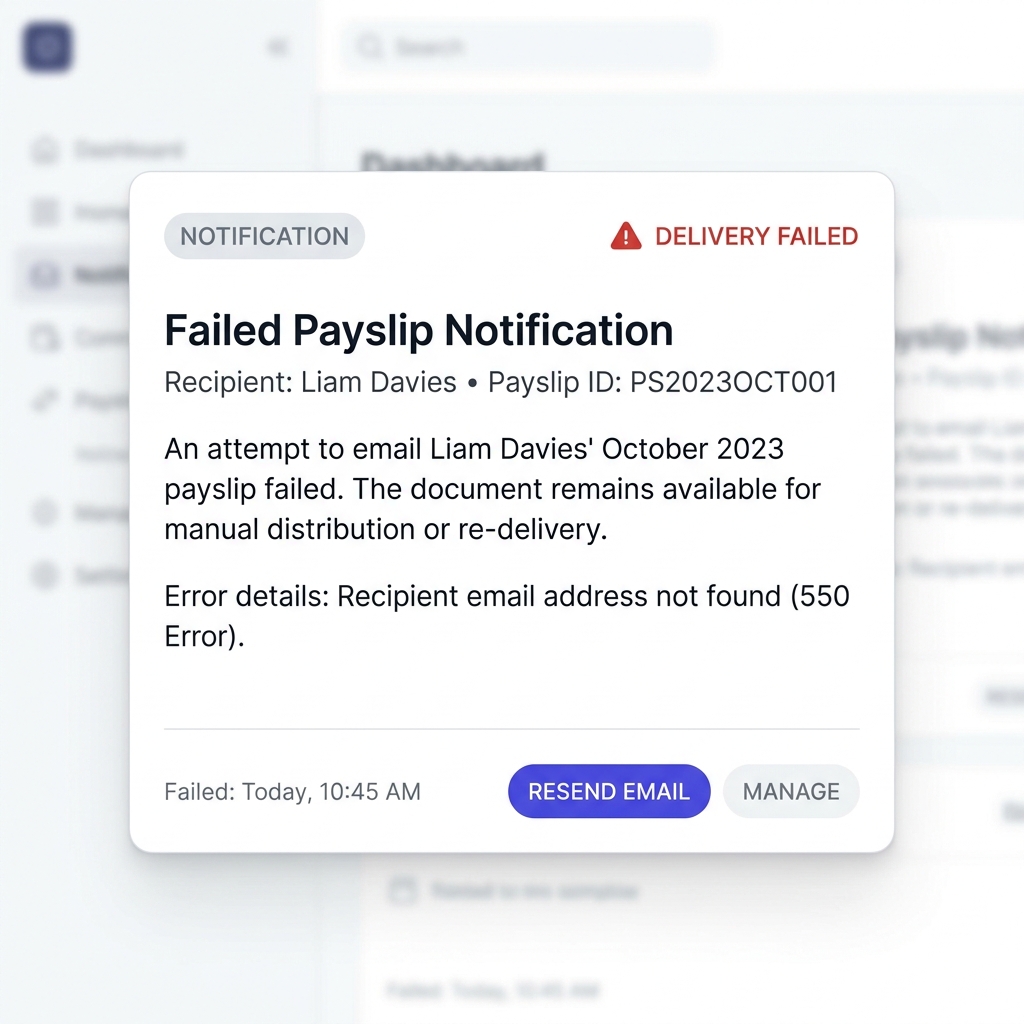
Try Our Interactive Demo Instantly
Want to see how an offline-capable, client-side payslip generator works in practice? Try our brand-new interactive demo right in your browser. Upload a sample CSV, map your columns, and generate beautifully designed PDF payslips—with zero data ever being transmitted to our servers.
Launch Free Demo NowChapter 1: The Anatomy of the Expense Reimbursement Trap
To understand why expense reimbursements create such widespread friction, we must look at how standard automated payroll engines process earnings. When you input a dollar amount into a payroll system, the software follows a deterministic statutory sequence:
- Step 1: Calculate Gross Earnings = Base Pay + Overtime + Bonuses + Commissions + Any Unclassified Additions.
- Step 2: Deduct Pre-Tax Benefits = Section 125 Health Insurance + 401(k) / 403(b) Retirement + HSA/FSA Contributions.
- Step 3: Compute Adjusted Taxable Wages = Gross Earnings − Pre-Tax Deductions.
- Step 4: Calculate Mandatory Statutory Tax Withholdings = Federal Income Tax (FIT) + FICA (Social Security & Medicare) + State & Local Income Taxes.
- Step 5: Deduct Post-Tax Voluntary Items = Roth 401(k), Wage Garnishments, Union Dues.
- Step 6: Compute Net Take-Home Pay.
If an employee's $600 vehicle mileage reimbursement is added in Step 1 as general earnings, the system treats that $600 as supplemental taxable income. Look at the real-world financial damage this creates for both parties:
| Payroll Item | Incorrect Method (Taxable Gross Earning) | Correct Method (IRS Accountable Plan Addition) |
|---|---|---|
| Employee Base Salary (Bi-weekly) | $3,000.00 | $3,000.00 |
| Out-of-Pocket Expense Incurred | $600.00 (Mileage & Field Supplies) | $600.00 (Mileage & Field Supplies) |
| Gross Taxable Wages Reported | $3,600.00 | $3,000.00 |
| Employee FICA Withholding (7.65%) | -$275.40 (Over-withheld by $45.90) | -$229.50 (Calculated only on $3,000) |
| Federal Income Tax Withheld (~22%) | -$792.00 (Over-withheld by $132.00) | -$660.00 |
| State Income Tax Withheld (~5%) | -$180.00 (Over-withheld by $30.00) | -$150.00 |
| Non-Taxable Addition Line Item | $0.00 (Erroneously put in Gross) | +$600.00 (Added post-tax) |
| Final Disbursed Net Pay | $2,352.60 | $2,560.50 (+$207.90 Difference!) |
| Employer Matching FICA Overpayment | $45.90 wasted tax per pay period | $0.00 (100% Tax Efficient) |
In this single bi-weekly pay cycle, the employee was shortchanged by $207.90—meaning they paid 34.6% in taxes on money they spent out of their own bank account to do their job! Concurrently, the employer threw away $45.90 in unnecessary payroll taxes. Scaled across a team of 15 employees submitting monthly expense reports, this administrative blunder drains tens of thousands of dollars each year.
Chapter 2: Deep Dive into the IRS Accountable Plan (IRC § 62)
Why does the Internal Revenue Service allow employers to reimburse expenses tax-free, and what are the strict statutory rules governing this privilege?
Under Internal Revenue Code (IRC) Section 62(a)(2)(A) and Treasury Regulation § 1.62-2, an employee expense reimbursement arrangement is classified as either an Accountable Plan or a Non-Accountable Plan.
The Mandatory 3-Part IRS Accountable Plan Test
For an expense reimbursement to remain completely exempt from Federal Income Tax, Social Security, Medicare, FUTA, and state withholdings, the arrangement must simultaneously satisfy three statutory requirements:
- 1.Business Connection:The expenses must have a direct connection to the employer's trade or business and be paid or incurred by the employee while performing services as an employee (IRC § 162 ordinary and necessary business expenses). Personal, living, or commuting expenses never qualify.
- 2.Adequate Substantiation: The employee must verify the expense by providing documentary evidence (itemized receipts, paid invoices, electronic logs, or mileage logs) detailing the amount, date, place, and specific business character of the expense within a reasonable period of time.
- 3.Return of Excess Amounts: If the employer provides an expense advance or per-diem allowance that exceeds actual substantiated expenses, the employee must be legally required to return the excess advance within a reasonable period of time.
IRS Safe Harbor Timelines for Substantiation
Treasury Regulation § 1.62-2(g) provides explicit "safe harbor" deadlines that automatically satisfy the IRS requirement for a "reasonable period of time" under the fixed-date method:
- Expense Advances: An advance may be provided no earlier than 30 days before the employee incurs the anticipated business expense.
- Substantiation Deadline: The employee must submit receipts and substantiate the expense within 60 days after the expense was paid or incurred.
- Return of Excess Funds: The employee must return any unspent or unsubstantiated advance funds within 120 days after the expense was incurred.
- Periodic Billing Statements: Alternatively, if the employer issues periodic statements (at least quarterly) showing unsubstantiated amounts, the employee has 120 days from the statement date to respond or return excess funds.
The Penalty: Reclassification into a Non-Accountable Plan
If a company fails any single prong of the 3-part test—such as giving employees a flat $400/month "tool stipend" or "car allowance" without requiring receipts, or allowing workers to keep unspent advances—the entire arrangement is classified as a Non-Accountable Plan under IRC § 62(c).
Under a Non-Accountable Plan, the IRS mandates that:
- Every dollar disbursed must be treated as taxable supplemental wages.
- The employer must withhold Federal Income Tax, Social Security tax (6.2%), and Medicare tax (1.45%).
- The employer must pay matching FICA and federal/state unemployment taxes.
- The entire amount must be reported in Box 1 (Wages, tips, other comp) of the employee's annual Form W-2.
- Crucial Note for Employees: Following the Tax Cuts and Jobs Act (TCJA), employees can no longer deduct unreimbursed employee business expenses as miscellaneous itemized deductions on Schedule A. Thus, receiving taxable stipends results in a permanent, non-recoverable tax burden for workers!
Chapter 3: Paystub Architecture - Taxable Earnings vs Non-Taxable Additions
To maintain audit-proof accounting and ensure employees receive 100% of their legitimate reimbursements, a paystub must be architected with clear structural boundaries between taxable compensation, statutory tax deductions, and non-taxable additions.
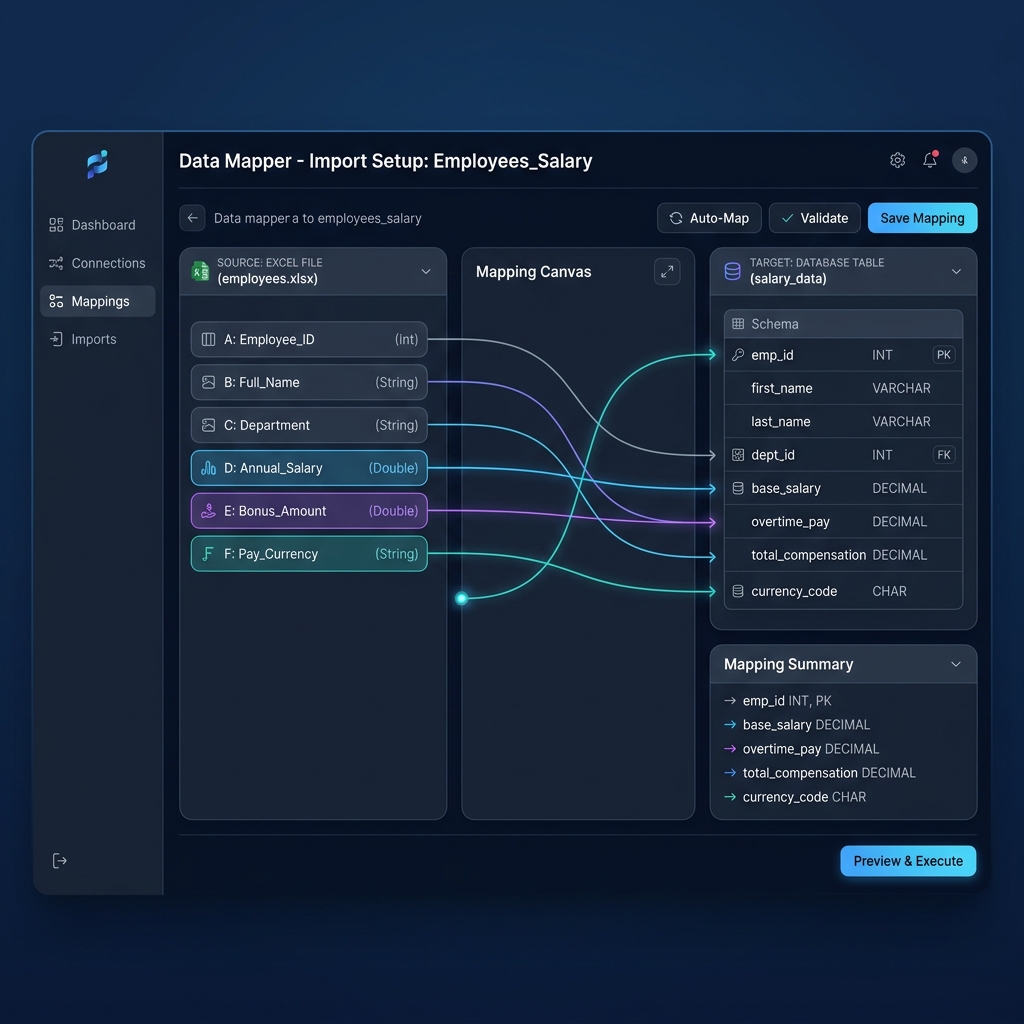
The Three Essential Mathematical Tiers on a Compliant Paystub
A legally compliant paystub follows a three-box structural formula:
By calculating taxes exclusively on Tier 1 and adding reimbursements in Tier 3, the employee receives the exact penny-for-penny reimbursement they submitted, zero false taxes are withheld, and the paystub provides an unassailable audit trail for IRS and state labor audits.
Chapter 4: Comprehensive Expense Type Comparison Matrix
Different types of employee expenses have unique substantiation rules, standard federal benchmark rates, and W-2 reporting nuances. Refer to this comprehensive reference matrix when configuring your payroll spreadsheet:
| Expense Category | Tax Treatment | Substantiation Required | Paystub Location | W-2 Reporting Rule |
|---|---|---|---|---|
| Business Mileage (Standard IRS Rate: 67¢/mi) | 100% Non-Taxable | Date, starting/ending destination, business purpose, exact miles logged. | Non-Taxable Addition | None (Completely excluded from W-2). |
| Excess Mileage (Paid above IRS standard rate, e.g. 80¢/mi) | Split: Base 67¢ is Non-Taxable; Excess 13¢ is Taxable Wage | Standard mileage log. Excess is automatically computed. | Split: Base in Non-Taxable Addition; Excess in Gross Earnings. | Base in Box 12 (Code L); Excess in Box 1, 3, 5. |
| Travel Lodging & Meals (GSA Per Diem Rates) | 100% Non-Taxable | Proof of business travel dates, location, overnight stay requirement. | Non-Taxable Addition | None if at or below federal per diem rate; Box 12 (Code L) if required. |
| Cell Phone & Home Internet (Business Percentage) | 100% Non-Taxable (IRS Notice 2011-72) | Copy of carrier bill, written policy establishing substantial business need. | Non-Taxable Addition | None (Treated as non-taxable working condition fringe benefit). |
| Tools, Equipment & Safety Gear | 100% Non-Taxable | Itemized purchase receipt showing vendor, items, and cost. | Non-Taxable Addition | None (Completely excluded from W-2). |
| Unsubstantiated Monthly Allowance (e.g. $200 Gym / Car Stipend) | 100% Taxable Supplemental Wage | None (Non-Accountable Plan status). | Gross Taxable Wages | Included in Box 1, 3, and 5. |
Chapter 5: Designing the Master Payroll & Reimbursement Spreadsheet
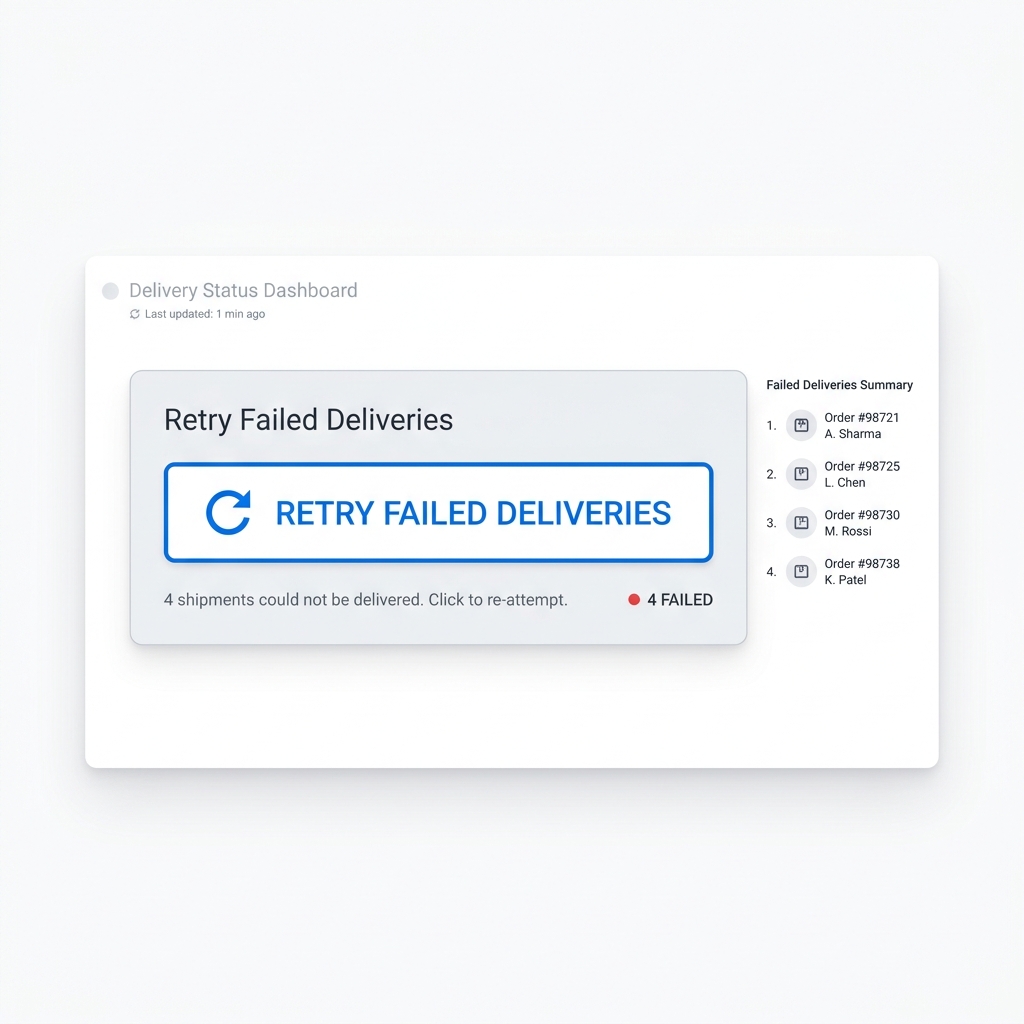
To automate your payroll and generate compliant payslips, you don't need expensive enterprise software. A well-architected Excel or Google Sheets spreadsheet serves as your single source of truth.
Below is the exact schema and formula architecture recommended for managing taxable wages alongside accountable plan reimbursements:
| Column Header | Sample Value | Formula / Definition | Classification |
|---|---|---|---|
| Employee_ID | EMP-104 | Unique identifier | Metadata |
| Employee_Name | Sarah Jenkins | Full legal name | Metadata |
| Base_Salary | 3500.00 | Bi-weekly base wage | Taxable Earning |
| Overtime_Pay | 250.00 | FLSA 1.5x hours | Taxable Earning |
| Gross_Taxable_Wages | 3750.00 | =C2+D2 | Tax Base |
| Federal_Tax_FIT | 520.00 | W-4 withholding bracket | Tax Deduction |
| Social_Security_Tax | 232.50 | =E2*0.062 | Tax Deduction |
| Medicare_Tax | 54.38 | =E2*0.0145 | Tax Deduction |
| State_Tax_SIT | 150.00 | State income tax withholding | Tax Deduction |
| Net_Taxable_Earnings | 2793.12 | =E2-SUM(F2:I2) | Subtotal |
| Reimburse_Mileage_NonTax | 268.00 | 400 miles @ $0.67/mi (IRS log) | Non-Tax Addition |
| Reimburse_Phone_NonTax | 75.00 | Business cell bill allowance | Non-Tax Addition |
| Reimburse_Tools_NonTax | 142.50 | Safety equipment receipt | Non-Tax Addition |
| Total_NonTax_Reimbursements | 485.50 | =SUM(K2:M2) | Subtotal |
| Final_Net_Disbursed | 3278.62 | =J2+N2 | Final Net Pay |
| PIN_Password | SJ94104! | Dynamic key for PDF encryption | Security |
Chapter 6: Step-by-Step Implementation with PayslipGen
Once your master payroll spreadsheet is structured with separate columns for taxable earnings and accountable additions, using PayslipGen to generate 50, 200, or 1,000+ itemized, password-encrypted PDF payslips takes under two minutes.
Step 1: Adopt a Written Accountable Plan Document
While the IRS does not require a formal IRS filing to create an Accountable Plan, having a signed corporate policy on file is essential in case of an IRS or state labor audit. The document must state:
- The specific categories of eligible business expenses (mileage, travel, lodging, tools, phone).
- The required substantiation procedure (receipts submitted within 60 days).
- The explicit requirement that any excess advance must be returned within 120 days.
Step 2: Collect & Audit Digital Substantiation
Set up a simple workflow (e.g., Google Form, shared Dropbox folder, or expense tracking app) where employees upload itemized receipts and mileage logs before each payroll cutoff. Sum the verified non-taxable reimbursements into the Reimburse_* columns in your master spreadsheet.
Step 3: Import Your Spreadsheet into PayslipGen
Launch PayslipGen on your Mac or Windows PC. Click Import File and select your .xlsx or .csv payroll file. Because PayslipGen is a native desktop application, your payroll data never leaves your computer or uploads to an unencrypted cloud server.
Step 4: Map Earnings, Deductions, and Non-Taxable Additions
In the intuitive Column Mapping screen:
- Map
Base_SalaryandOvertime_Payto the Earnings & Allowances section. - Map
Federal_Tax_FIT,Social_Security_Tax,Medicare_Tax, andState_Tax_SITto the Statutory Deductions section. - Map
Reimburse_Mileage_NonTax,Reimburse_Phone_NonTax, andReimburse_Tools_NonTaxto the Non-Taxable Additions / Reimbursements section. - Map
Final_Net_Disbursedto the Net Pay header.
Step 5: Apply Dynamic AES-256 PDF Password Protection
To safeguard confidential employee compensation and reimbursement data, link the PIN_Password column in the Encryption tab. PayslipGen will automatically secure every generated PDF with individual AES-256 password encryption (e.g., Initials + Last 4 of SSN).
Step 6: One-Click Local Batch Generation & SMTP Dispatch
Click Generate All Payslips. Within seconds, PayslipGen renders crisp, high-resolution vector PDF payslips with your company branding, transparent digital signatures, and itemized reimbursement sections.
Switch to the Email Dispatchmodule to send each encrypted payslip directly to the employee's inbox using your company's own SMTP server (Google Workspace, Microsoft 365, Amazon SES, or SendGrid) with 99.9% inbox deliverability.
Chapter 7: Year-End W-2 Reporting & Audit Compliance
One of the greatest advantages of a properly executed Accountable Plan is the massive simplification of year-end IRS Form W-2 preparation:
IRS Form W-2 Accountable Plan Rules at a Glance
- ✓Box 1, 3, and 5 (Wages, Social Security & Medicare Wages): 100% of accountable plan reimbursements are COMPLETELY EXCLUDED. Do not add them to gross taxable wages on Form W-2.
- ✓Box 12 (Code L - Substantiated Employee Business Expense): Only used if you pay per diem or mileage at a rate higher than the federal standard benchmark rate. The amount up to the federal rate is reported in Box 12 with Code L, while the excess above the federal rate is added into Boxes 1, 3, and 5.
- ✓Audit Documentation Retention: Retain employee expense reports, mileage logs, and digital receipts for at least 3 years from the date the corresponding tax return was filed (IRC § 6501).
Chapter 8: Solution Comparison - Cloud SaaS vs Local Offline Automation
When managing complex payroll with non-taxable additions, businesses generally evaluate three primary pathways:
| Feature / Capability | Manual Word / Excel PDF Export | Cloud Payroll SaaS (Gusto / ADP / Rippling) | PayslipGen (Local Desktop Automator) |
|---|---|---|---|
| Pricing Model | Free (High labor cost) | $40 base + $6–$12/employee/mo ($2,000+/yr) | One-time purchase ($49 forever) |
| Non-Taxable Addition Segregation | Manual typing per stub | Requires custom earning code setup | Automatic Spreadsheet Column Mapping |
| Batch Processing Speed (100 staff) | 8+ hours manual editing | Cloud batch run | < 30 seconds local batch |
| Data Privacy & PII Storage | Local disk | Multi-tenant US cloud servers | 100% Offline (Zero cloud leakage) |
| Per-File Dynamic AES-256 Encryption | No | Requires portal login | Yes (Automated per-employee PIN) |
| Direct SMTP Email Dispatch | Manual attachment | Generic system emails | Custom SMTP (SES, Gmail, Outlook) |
Frequently Asked Questions (FAQs)
Is a written Accountable Plan document legally required by the IRS?
While the Internal Revenue Code does not strictly mandate a formal document to be filed with the government, Treasury Regulation § 1.62-2 requires employers to prove that their expense arrangement satisfies all three prongs of the Accountable Plan test. In an IRS audit, having a formally drafted, signed corporate policy document is the primary evidence that protects the tax-exempt status of your reimbursements.
Can an S-Corporation owner-employee reimburse their own expenses under an Accountable Plan?
Yes! In fact, an Accountable Plan is one of the most powerful tax-saving strategies for S-Corp shareholder-employees. Without an Accountable Plan, an owner who pays business expenses from personal funds cannot deduct them on their personal 1040 Schedule A (due to TCJA restrictions). By reimbursing themselves through an S-Corp Accountable Plan, the S-Corp takes a 100% business deduction, and the owner receives the cash completely tax-free without paying income tax or FICA.
What is the difference between an Accountable Plan addition and a Pre-Tax Deduction?
A Pre-Tax Deduction (such as 401k or Section 125 health insurance) subtracts money from gross wages before tax withholding is calculated, lowering taxable income. A Non-Taxable Accountable Addition is a dollar amount added to the employee's paycheck aftertaxes have been computed on base wages. It represents a reimbursement of the employee's own capital, not earned income.
What happens if an employee submits receipts after the 60-day safe harbor window?
Under IRS rules, if an expense is not substantiated within a reasonable period of time (typically 60 days under safe harbor), the reimbursement must be treated as paid under a Non-Accountable Plan. The employer must classify the payment as taxable supplemental wages, withhold FICA and income taxes, and report the amount in Box 1 of Form W-2.
Can we reimburse remote workers for cell phone and home internet bills tax-free?
Yes. Under IRS Notice 2011-72, when an employer requires employees to maintain cell phones or home internet for substantial non-compensatory business reasons, the reimbursement is treated as a non-taxable working condition fringe benefit. The employer must require a reasonable substantiation method (e.g., submitting a monthly carrier bill) to verify the cost.
How does PayslipGen protect employee banking and compensation data?
Unlike cloud-based payroll web apps that store sensitive employee social security numbers, banking details, and salary histories on remote multi-tenant servers, PayslipGen operates 100% locally on your desktop. It processes spreadsheets in-memory and applies military-grade AES-256 password encryption to every generated PDF payslip before emailing.
Automate Accountable Plan Payslips Without Monthly SaaS Fees
Map custom non-taxable additions from Excel, generate pixel-perfect password-encrypted PDF payslips, and email them to your entire team in seconds.
Get PayslipGen TodayConclusion
Managing employee expense reimbursements doesn't have to be a high-stakes administrative headache. By establishing a compliant IRS Accountable Plan, enforcing timely substantiation, and segregating non-taxable additions on your payroll stubs, you protect your business from costly IRS audit penalties while ensuring your workers receive every single dollar they are owed tax-free.
Combining a clear spreadsheet formula architecture with the offline processing power of PayslipGen gives your finance team complete control over your payroll pipeline—without paying hundreds of dollars each month in bloated SaaS subscription fees.
(Looking to optimize other areas of your payroll? Check out our guides on 1099 Contractor Paystub Generation, Hourly Overtime Payroll Automation, and Bulk PDF Payslip Generation from Google Sheets.)