
How to Generate Bulk PDF Payslips from Google Sheets (Without Script Errors or Quota Limits)
Key Takeaways
- ✓Google Apps Script Bottlenecks: Free Google accounts are hard-capped at 100 emails/day, standard Google Workspace at 1,500/day, with a strict 6-minute maximum script execution timeout that causes silent batch payroll failures.
- ✓Data Sanitization Architecture: Structuring Google Sheets with strict numeric typing, calculated fields via
ARRAYFORMULA, and explicit text column headers prevents formatting corruption during automated PDF conversion. - ✓Zero-Cloud Local Ingestion: Exporting Google Sheets to standard CSV and processing via local software like PayslipGen allows 1,000+ payslips to be rendered in under 30 seconds without cloud upload risks.
- ✓Per-Employee Cryptographic Security: Local batch generation applies true AES-256 file-level encryption using dynamic keys (e.g., Birth Year + Last 4 of National ID), ensuring 100% GDPR and PII compliance during SMTP dispatch.
Google Sheets is arguably the most versatile collaboration tool in the modern office. From dynamic financial models to real-time project trackers, millions of small businesses, agile startups, and scaling enterprises rely on Google Workspace as their operational spine. When it comes to payroll, Google Sheets seems like an obvious choice: multiple managers can input shift hours simultaneously, financial controllers can audit formulas in real time, and revision history tracks every single cell edit.
However, when the time comes to transform that master payroll spreadsheet into individual, professional, password-protected PDF payslips and email them to 50, 200, or 1,000 employees, the collaborative dream quickly devolves into an administrative nightmare.
Most teams attempt to bridge this gap by writing custom Google Apps Scripts (GAS) or installing unvetted third-party Google Workspace add-ons. What begins as a clever hack soon collapses under the weight of Google's hard daily quotas, script execution timeouts, broken PDF rendering APIs, and severe data privacy exposures.
In this definitive guide, we will dissect exactly why Google Apps Script fails for payroll distribution, how to properly format your master Google Sheet, and how to execute lightning-fast, cryptographically secure batch payslip generation using local desktop automation with PayslipGen.
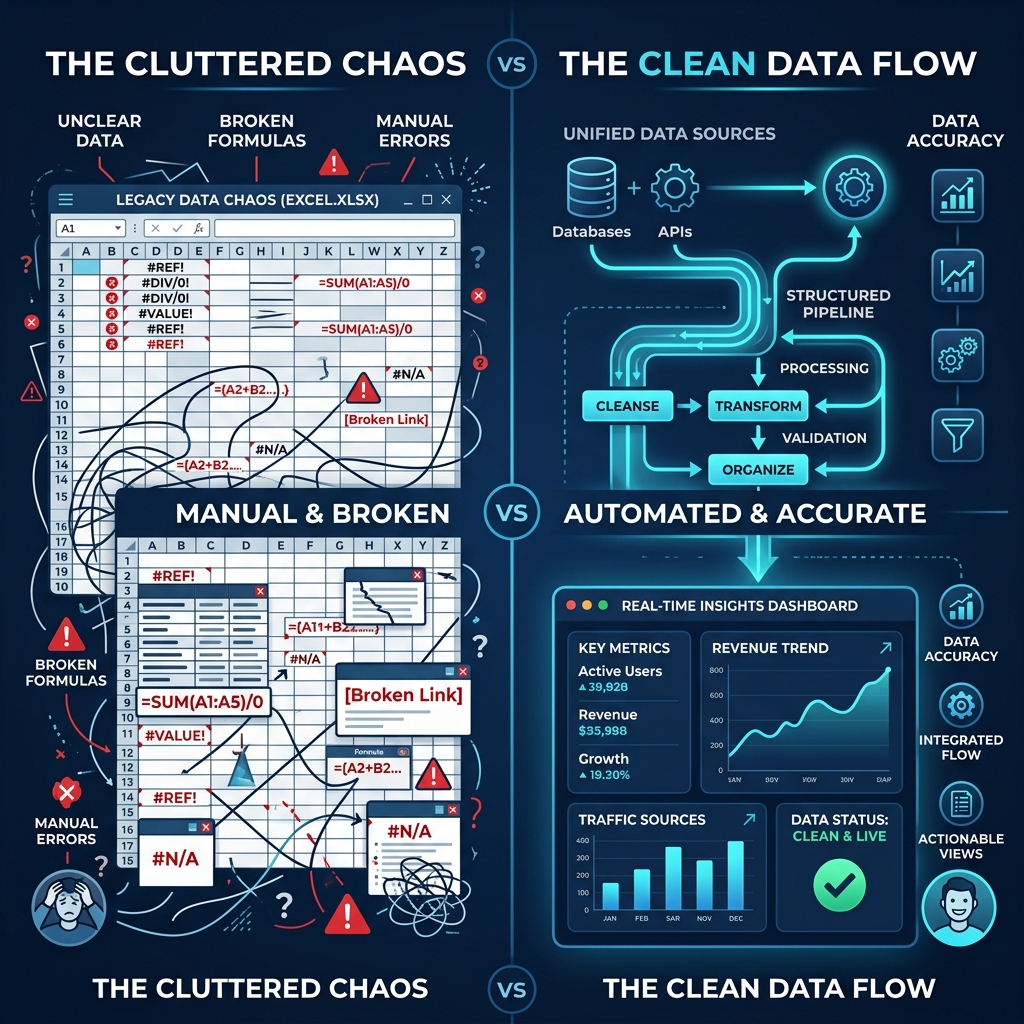
Try Our Interactive Demo Instantly
Want to see how an offline-capable, client-side payslip generator works in practice? Try our brand-new interactive demo right in your browser. Upload a sample CSV, map your columns, and generate beautifully designed PDF payslips—with zero data ever being transmitted to our servers.
Launch Free Demo NowChapter 1: The Hidden Failure Modes of Google Apps Script for Payroll
When engineers or tech-savvy HR managers look at Google Sheets, their first instinct is to open Extensions → Apps Script and write a JavaScript loop utilizing SpreadsheetApp, DriveApp, and MailApp.sendEmail(). While this works seamlessly for a test batch of three dummy employees, running it in a production payroll environment exposes fatal infrastructure limitations built into Google's cloud ecosystem.
1. The 6-Minute Script Execution Timeout
Google Cloud enforces a rigid 6-minute execution ceiling (360 seconds) on any single Apps Script invocation for standard consumer and Google Workspace accounts. When a script generates a PDF, it must:
- Duplicate a Google Docs or HTML template in Google Drive.
- Perform text replacements (e.g., replacing
{{Gross_Pay}}with cell values). - Call
doc.getAs('application/pdf'), which queues a server-side headless document conversion on Google servers. - Save the temporary PDF blob to Google Drive.
- Invoke
GmailApp.sendEmail()with the attachment. - Delete the temporary file from Google Drive to avoid clutter.
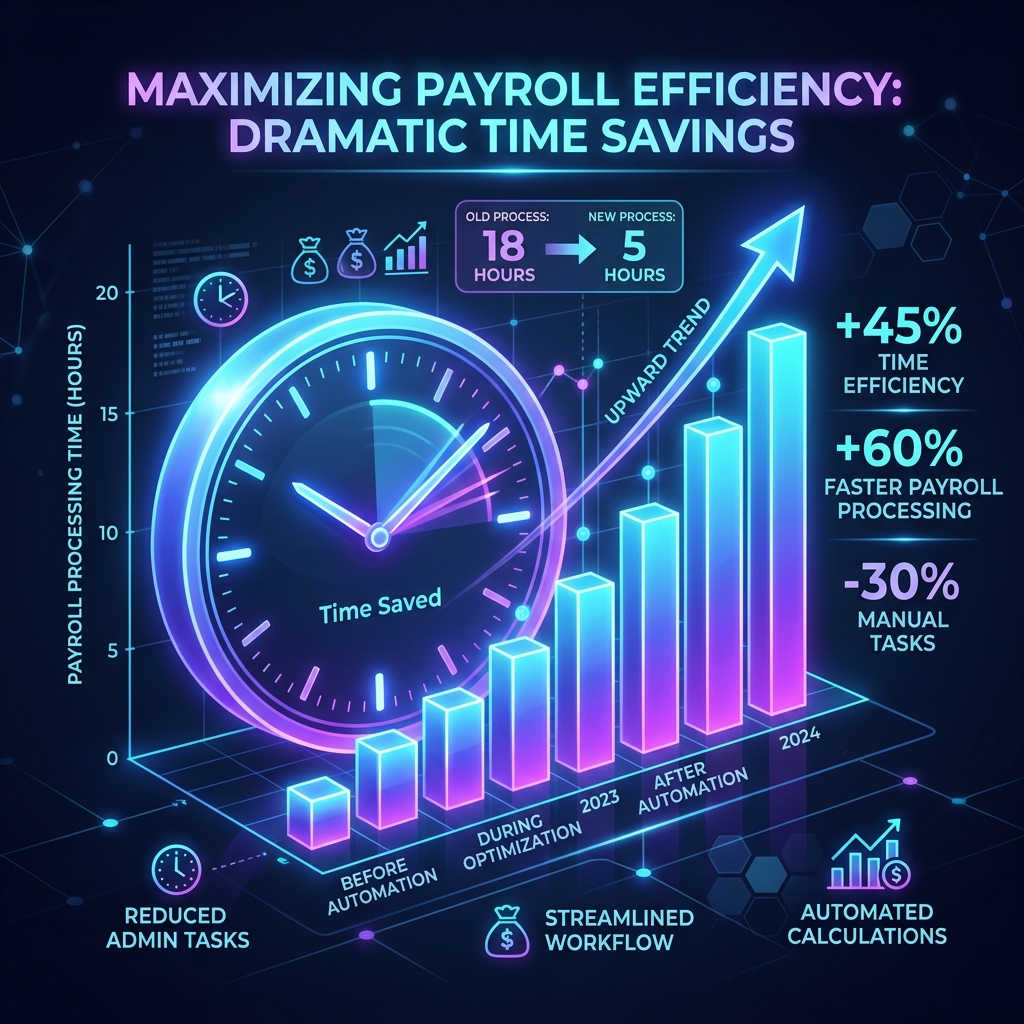
This multi-step API chain takes an average of 4.5 to 8 seconds per employee depending on Google Cloud server load. If you have 60 employees:
➔ Result: Error: "Exceeded maximum execution time" at Employee #54.
When the script aborts mid-execution, your spreadsheet is left in an inconsistent state. Half your team received their payslips; the other half did not. Because the script died without returning state, rerunning it blindly risks emailing duplicate salary slips to the first 53 employees—creating severe confusion and panic across your workforce.
2. Hard Daily Email Quotas
Google imposes strict daily recipient limits to prevent spam on its mail servers:
- Free Gmail Accounts (@gmail.com): 100 email recipients per rolling 24-hour window.
- Google Workspace Individual / Starter / Standard: 1,500 email recipients per rolling 24-hour window (frequently throttled down to 500 for newly created domains or accounts without high reputation).
If your business processes bi-weekly payroll for 80 contractors and employees, sending reminders, update notices, or payslips in quick succession will trigger Exception: Service invoked too many times for one day: email. Once triggered, your entire company Gmail account is blocked from dispatching automated emails for 24 hours.
3. Unmanaged Google Drive PII Exposure (GDPR & CCPA Liability)
When Apps Script generates PDFs via DriveApp.createFile(blob), those PDF files are created inside Google Drive folders. If folder sharing permissions are improperly configured—or if your Google Workspace administrator enables domain-wide sharing—sensitive employee salary slips become indexed and searchable across the entire internal company Google Drive.
An intern searching for "Q3 Financial Plan" in Google Drive can inadvertently view the executive team's unencrypted PDF payslips. Under GDPR Article 32, failing to implement technical safeguards (like document-level encryption) for Personally Identifiable Information (PII) exposes organizations to fines up to €20 million or 4% of global turnover.
Chapter 2: Formatting Your Google Sheets Master Payroll Template
Whether you are paying full-time salaried staff, hourly workers with overtime, or overseas contractors, a clean, structured Google Sheets layout is vital. Spreadsheet errors occur when data types are mixed—such as entering currency strings ($4,500.00) into numerical cells or mixing date formats across different regional locales.
Standard Master Schema Architecture
To ensure 100% deterministic parsing, structure your primary payroll tab (e.g., Payroll_August_2026) with single-row headers in Row 1. Never merge header cells across multiple columns.
| Header Name | Data Type | Sample Value | Validation / Formula |
|---|---|---|---|
| Employee_ID | Plain Text | EMP-8042 | Must be unique per row |
| Full_Name | Plain Text | Sarah Jenkins | Legal employee name |
| Email Address | sarah.j@company.com | Data validation: Is valid email | |
| Pay_Period | Plain Text | Aug 01, 2026 - Aug 31, 2026 | Text format to avoid date auto-cast |
| Base_Salary | Numeric (Float) | 6250.00 | Raw number without currency glyphs |
| Overtime_Pay | Numeric (Float) | 450.00 | =Hours_OT * (Rate * 1.5) |
| Gross_Pay | Calculated | 6700.00 | =SUM(E2:F2) |
| Tax_Deductions | Numeric (Float) | 1340.00 | Federal/State/PAYE withholding |
| Retirement_Pension | Numeric (Float) | 335.00 | 5% pre-tax employee match |
| Net_Pay | Calculated | 5025.00 | =Gross_Pay - Total_Deductions |
| Password_Key | Plain Text | SJ19918042 | =CONCATENATE(LEFT(B2,2), Year(DOB), RIGHT(A2,4)) |
Essential Google Sheets Formulas for Payroll Sanitization
To maintain absolute mathematical integrity across hundreds of rows without manually dragging formulas down, leverage Google Sheets dynamic array functions:
1. Dynamic Array Net Pay Calculation
Placing this single formula in cell J2 automatically computes the Net Pay for all rows containing an Employee ID. If an employee is added or removed, the calculations adjust instantly without dragging or copy-paste errors.
2. Automated Dynamic Password Generation
This generates a cryptographically sound, high-entropy password unique to each employee (e.g., First 2 letters of name + Birth Year + Last 4 digits of Employee ID).
Chapter 3: The Flawless Local Bridge - Exporting & Ingesting in Seconds
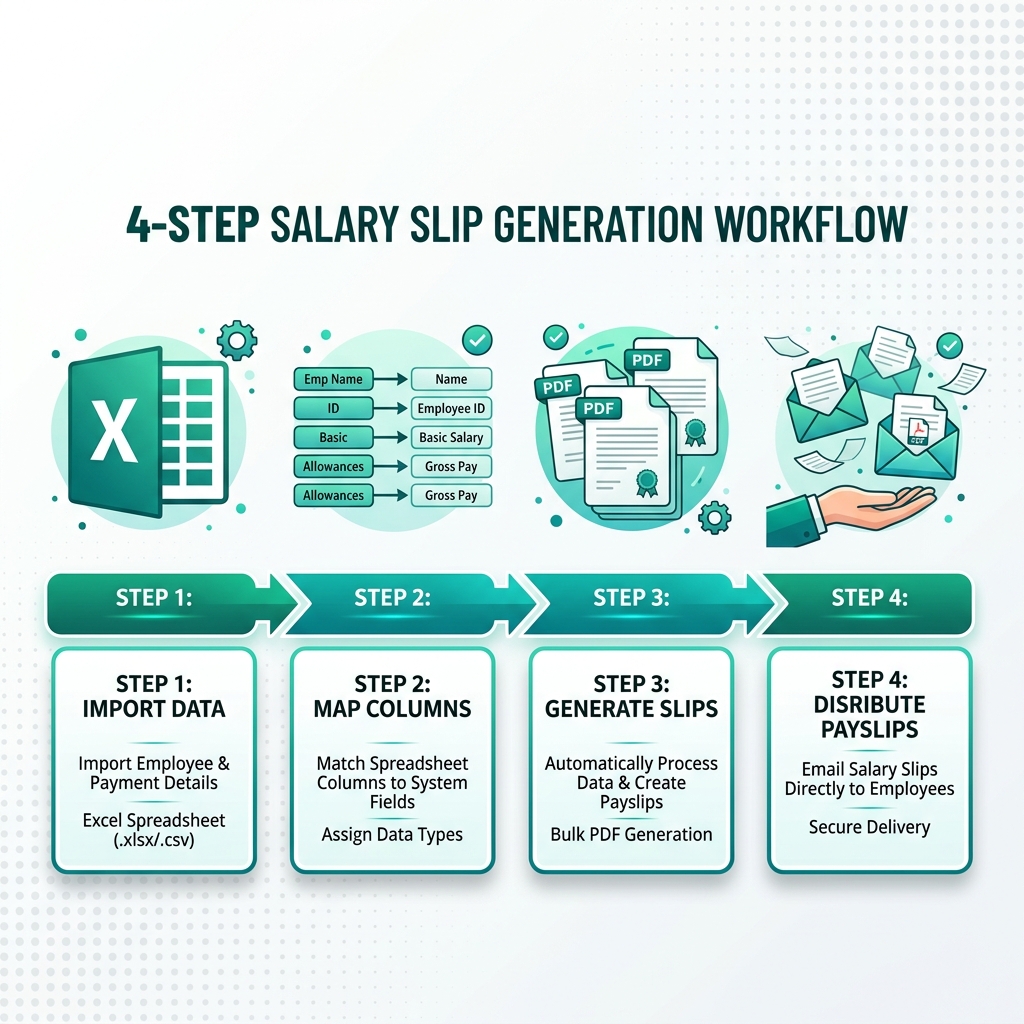
Instead of forcing Google Cloud to execute heavy PDF rendering pipelines and email dispatching through throttled APIs, the professional architecture separates concerns:
- Google Sheets: Used exclusively for collaborative data entry, auditing, and formula calculations.
- Local Desktop Automator (PayslipGen): Used for high-speed local PDF compilation, AES-256 cryptographic encryption, and direct SMTP dispatch.
Step 1: Exporting Clean CSV / XLSX from Google Sheets
Once your payroll calculations are verified for the month:
- Open your Google Sheet.
- Navigate to File → Download → Comma Separated Values (.csv) (or Microsoft Excel .xlsx).
- Save the file directly onto your secure HR workstation.
Pro-Tip: If you manage recurring bi-weekly payroll, you can also use Google Drive for Desktop to automatically synchronize your payroll export folder directly with your local file system.
Step 2: Instant Bulk Ingestion in PayslipGen
Launch PayslipGen on your Mac, Windows, or Linux system. Click Upload Data and select your downloaded .csv file.
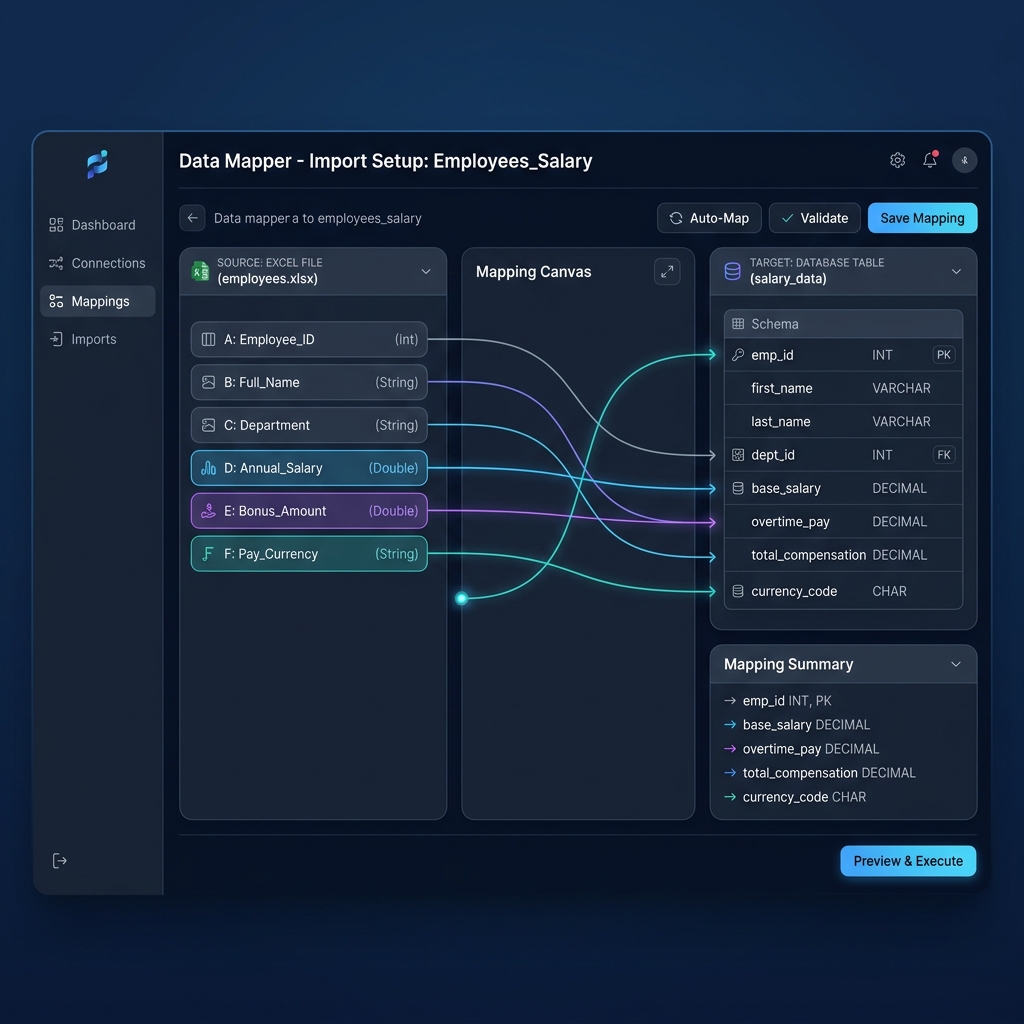
PayslipGen’s intelligent header matching engine automatically scans your column names and suggests pairings:
Full_NameorEmployee Name➔ Recipient NameEmailorWork_Email➔ Recipient EmailGross_Pay➔ Total EarningsNet_Pay➔ Take-Home CompensationPassword_Key➔ PDF Encryption Key
You can preview the data mapping in real-time. If you have custom allowance columns (such as "Remote Work Stipend" or "Medical Allowance"), you can map them directly into dynamic line items on the payslip template with a single click.
Chapter 4: Industrial-Grade AES-256 Encryption (Zero Cloud Exposure)
Standard PDF password protection tools found online often use outdated 40-bit or 128-bit RC4 encryption algorithms that can be cracked in milliseconds using free automated brute-force tools.
Because PayslipGen runs locally on your workstation's native CPU rather than inside a sandboxed cloud browser environment, it utilizes hardware-accelerated AES-256 bit document container encryption conforming to ISO 32000-2 standards.
How Local Encryption Protects Employee PII
When you click "Generate Payslips", PayslipGen compiles each employee's earnings table, watermarks your company logo, renders the vector PDF, and locks the file with the designated employee password in memory before writing it to disk. At no point does raw, unencrypted salary data travel across the public internet or reside unencrypted in temporary cloud buckets.
Chapter 5: Enterprise SMTP Email Delivery (Bypassing Gmail Limits)
Once your 500 password-protected PDF payslips are generated, how do you deliver them without getting flagged by spam filters or hitting Google daily quotas?
PayslipGen includes a built-in, industrial-strength SMTP email engine. You are not locked into Gmail's web interface. You can connect any standard enterprise mail relay:
- Amazon SES (Simple Email Service): Send up to 50,000 payslips for mere pennies ($0.10 per 1,000 emails) with 99.9% inbox delivery rates.
- SendGrid / Mailgun / Postmark: Dedicated transactional email pipelines with full bounce tracking and TLS encryption.
- Microsoft 365 / Exchange SMTP: Direct authenticated SMTP delivery via your corporate Outlook tenant.
- Google Workspace SMTP Relay: Configure Google's enterprise SMTP relay (which supports up to 10,000 emails/day per domain) using an App Password.
Customizable HTML Email Body with Dynamic Merge Tags
You can design rich, professional email templates directly in PayslipGen using dynamic variables extracted from your Google Sheets data:
Subject: Confidential: Payslip for {{Pay_Period}} - {{Full_Name}}

Dear {{Full_Name}},

Please find attached your official password-protected payslip for the pay period ending {{Pay_Period}}.

🔒 SECURITY NOTICE:
For your privacy, this PDF is encrypted with your personal security key.
Password format: First 2 letters of your First Name (UPPERCASE) + Your 4-digit Birth Year + Last 4 digits of your Employee ID.
Example: Sarah Jenkins (Born 1991, ID: EMP-8042) -> SJ19918042

If you notice any discrepancies, please reach out to HR at payroll@yourcompany.com.

Best regards,
Human Resources & Finance Team
{{Company_Name}}
Chapter 6: Comprehensive Architectural Comparison
Let's examine how local batch processing compares across all major payslip generation methodologies:
| Feature / Capability | Google Apps Script | MS Word / Excel Mail Merge | Cloud SaaS (Gusto/Deel) | PayslipGen (Local) |
|---|---|---|---|---|
| Cost Structure | Free (High dev labor) | Included in MS Office | $300 - $1,200/mo | One-Time Fee ($49) |
| Execution Speed (100 slips) | 6+ mins (Times out) | 15–25 mins manual | Instant (Cloud) | < 5 seconds |
| Email Limits | 100–1,500/day hard cap | Outlook rate limits | Vendor portal notifications | Unlimited (Custom SMTP) |
| Per-PDF AES-256 Encryption | No (Requires Java bridge) | No (Plaintext PDF) | Portal login required | Yes (Automated per row) |
| Data Privacy & Sovereignty | Stored on Google Cloud Drive | Local disk | Third-party multi-tenant cloud | 100% Offline / Local |
| Maintenance Overhead | Frequent script breakage | High manual labor | Low | Zero maintenance |
Chapter 7: Troubleshooting Common Google Sheets Payroll Export Errors
When exporting tabular payroll data from Google Sheets, keep these critical pitfalls in mind:
1. Scientific Notation on Bank Account & National ID Numbers
Google Sheets often auto-formats long numerical strings (e.g., a 16-digit bank account number 4012883920194820) into scientific notation (4.01288E+15). When exported to CSV, the underlying precision is permanently lost.
Fix: Prepend an apostrophe (') before the number or select the entire column and navigate to Format → Number → Plain Text before entering account numbers.
2. Currency Formatting Ingestion Glitches
If your sheet displays $1,450.00, some rudimentary parsers might import this as a text string instead of a floating-point number, causing tax totals to compute as NaN or zero.
Fix: In Google Sheets, ensure the raw underlying value in the formula bar is 1450.00 while the display formatting is managed via Format → Number → Currency. PayslipGen natively strips currency symbols and commas during parsing, preserving the raw float value automatically.
3. Mixed Date Locales
If your HR team is distributed globally, an administrator in London might type 08/09/2026 (Sept 8) while an administrator in New York interprets it as August 9.
Fix: Standardize on explicit month strings in your Pay Period column (e.g., Aug 01 - Aug 31, 2026) rather than slash-delimited date objects.
Frequently Asked Questions (FAQs)
Can I generate payslips from Google Sheets without writing any Apps Script code?
Yes, absolutely. By downloading your Google Sheet as a CSV or Excel file and loading it into PayslipGen, you completely eliminate the need for Google Apps Script. PayslipGen parses the columns, renders the PDF payslips locally, applies password encryption, and sends them via SMTP in a single automated workflow.
How do I bypass Google's 100 email daily sending quota?
Google enforces hard daily limits when sending emails via MailApp or GmailApp. By using PayslipGen with an external SMTP relay such as Amazon SES, SendGrid, Mailgun, or your company's dedicated mail server, you can dispatch thousands of payslips instantly without hitting Google account throttles or risking your main inbox reputation.
Is it legal to send employee payslips as PDF email attachments?
Yes, sending digital payslips via email is legally permitted in the US (under FLSA and state guidelines), the UK (HMRC), Canada, and the EU (GDPR). However, under GDPR Article 32 and major privacy laws, employers must ensure appropriate technical safeguards—specifically file-level AES encryption—so that intercepted or misdirected emails cannot expose unencrypted salary and banking details.
How does PayslipGen assign unique passwords to each PDF?
You simply include a password column in your Google Sheet (e.g., calculated dynamically using a formula like =UPPER(LEFT(Name,2)) & Year(DOB) & Right(ID,4)). When mapping columns in PayslipGen, link that column to the "Password Key" field. The software will encrypt each employee's PDF with their individual password during generation.
Does PayslipGen store or upload my Google Sheets payroll data to the cloud?
No. PayslipGen is 100% offline desktop software. Your spreadsheets, employee PII, salary amounts, and banking details are processed strictly in your local workstation memory. No data is ever uploaded to external servers, cloud databases, or third-party tracking services.
Automate Your Google Sheets Payroll Today
Ditch fragile Apps Scripts, eliminate Gmail quota errors, and generate military-grade encrypted PDF payslips in seconds with PayslipGen.
Download PayslipGen NowConclusion
Google Sheets remains an unparalleled tool for collaborative data modeling and monthly payroll reconciliation. However, treating it as a document generation and bulk email distribution platform is a recipe for operational failure, security leaks, and administrative burnout.
By pairing the flexibility of Google Sheets with the blazing speed, encryption capabilities, and SMTP independence of PayslipGen, you achieve the gold standard in payroll operations: flawless automation, zero monthly subscription fees, and total data sovereignty.
(Looking to explore more offline payroll workflows? Check out our guides on Excel Payroll Without Macros and Password Protection Standards.)