
How to Convert CSV Payroll Data into Employee Payslips: A Comprehensive Guide
Key Takeaways
- ✓Converting CSV payroll files into PDF payslips requires intelligent schema mapping to bind variable earnings and deductions to compliant templates.
- ✓Pre-generation data validation detects missing values, formatting anomalies, and invalid emails before files are generated or dispatched.
- ✓Automated batch processing replaces brittle Word mail merge workflows, cutting generation time for 800+ payslips from three days to under 90 seconds.
- ✓Payslip generation tools automatically enforce AES-256 PDF encryption using unique employee identifiers like birth dates or employee IDs.
The end of the pay period often brings a familiar, recurring sense of administrative dread for human resources and payroll professionals worldwide. When your core financial software exports compensation data as a sprawling, hundreds-of-columns-wide CSV spreadsheet, transforming that raw, unformatted text into beautifully structured, legally compliant digital payslips for each individual employee can feel like an insurmountable, anxiety-inducing monthly challenge.
This transformation process is not merely a matter of visual aesthetics; it is a critical, foundational operational bridge that connects raw organizational accounting directly to employee satisfaction, morale, and financial transparency. A single, microscopic misalignment in your data mapping—a column shifted one cell to the left, a date format parsed incorrectly, or a decimal point misplaced—can result in catastrophic miscommunications regarding base salary, statutory deductions, or accrued overtime. Such errors can severely damage trust within the workforce, trigger a flood of panicked support tickets, and potentially expose the organization to significant legal or compliance liabilities.
Try Our Interactive Demo Instantly
Want to see how an offline-capable, client-side payslip generator works in practice? Try our brand-new interactive demo right in your browser. Upload a sample CSV, map your columns, and generate beautifully designed PDF payslips—with zero data ever being transmitted to our servers.
Launch Free Demo NowIn this comprehensive, deep-dive guide, we will explore precisely how modern, automated software solutions successfully bridge this complex data gap. We will examine the inherent flaws in legacy approaches, detail the mechanics of intelligent schema mapping, and demonstrate how contemporary platforms enable you to securely convert complex CSV exports into professional digital documents in a tiny fraction of the time traditionally required by manual, error-prone interventions.
1. The Intrinsic Limitations of Mail Merge Workflows
Historically, the default mechanism for converting spreadsheet data into individualized documents has been Microsoft Word's ubiquitous Mail Merge feature, often paired with extensive, fragile Excel macros. While this methodology was entirely adequate for basic correspondence and simple letter generation two decades ago, this legacy approach quickly begins to show its age and structural fragility when tasked with processing sensitive, multi-variable financial data at an enterprise scale in the modern era.
Fundamentally, Mail Merge lacks native support for the complex conditional formatting required by modern payroll structures. It struggles immensely with dynamic data structures—for instance, an employee who receives a specific bonus this month but not the next, or an individual subject to a localized tax deduction that doesn't apply to the rest of the workforce. When you attempt to force these dynamic variables into a static Word template, the resulting documents often contain empty fields, awkwardly shifting layouts, and broken formatting that looks deeply unprofessional to the end recipient.
Furthermore, Mail Merge workflows completely lack robust error-handling during data ingestion and offer absolutely no modern cryptographic standards necessary for securely distributing sensitive financial information across corporate networks. If a data parsing error occurs mid-batch, the software rarely pauses to alert the administrator; it simply proceeds to generate hundreds of flawed documents, leaving the HR professional to manually audit the entire output directory after the fact.
The Hidden Costs of Manual Intervention
Relying on ad-hoc scripts and desktop word processors necessitates extensive manual oversight. Every structural change to your HR system's CSV export—even something as simple as adding a new deduction column—requires an administrator to carefully audit and reconstruct the entire template mapping. This reactive workflow creates massive operational bottlenecks and significantly increases the probability of human error during peak payroll processing windows.
2. The Mechanics of CSV File Structuring for Payroll
Before we delve into the automated conversion process, it is essential to understand the fundamental architecture of the data we are working with. Comma-Separated Values (CSV) files are the universal language of data export because they are incredibly lightweight and universally readable by almost any database or spreadsheet application. However, this simplicity is precisely what makes them challenging to translate into highly structured visual documents.
A standard payroll CSV export typically features a rigid, two-dimensional structure. The first row (the header) contains the distinct labels for every possible data point: Employee ID, First Name, Last Name, Base Salary, Overtime Hours, Federal Tax, State Tax, Health Insurance, 401k Contribution, Net Pay, and so forth. Every subsequent row represents an individual employee's specific financial data for that corresponding pay period.
The complexity arises when organizations must accommodate hundreds of potential variables. A multinational corporation might have a CSV file with upwards of 150 columns to account for every conceivable tax jurisdiction, benefit plan, and compensation tier. When an HR administrator attempts to manually parse this monolithic block of text, the sheer volume of unstructured data overwhelming the visual field inevitably leads to fatigue-induced errors, misalignments, and profound frustration. For secure processing, self-hosted payroll software keeps this sensitive data within organizational boundaries.
3. Intelligent Field Mapping and Schema Recognition
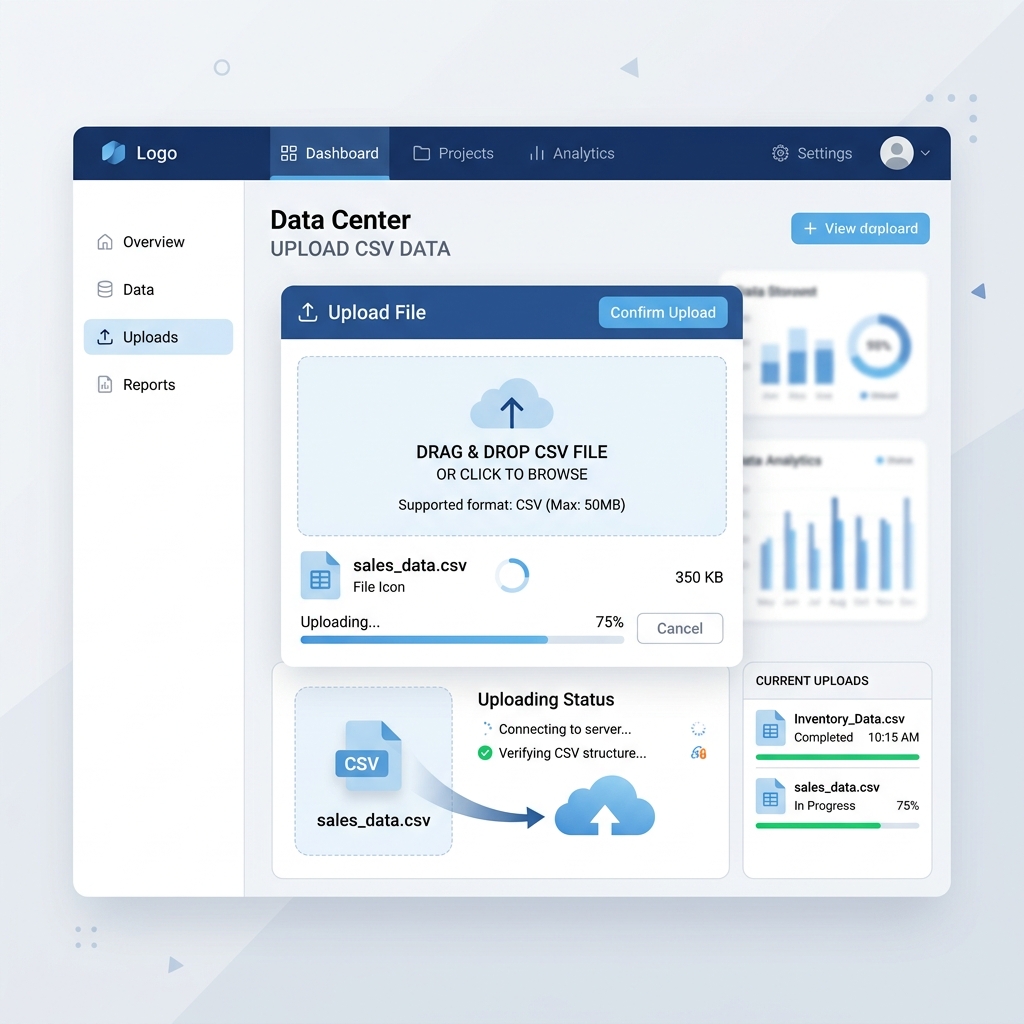
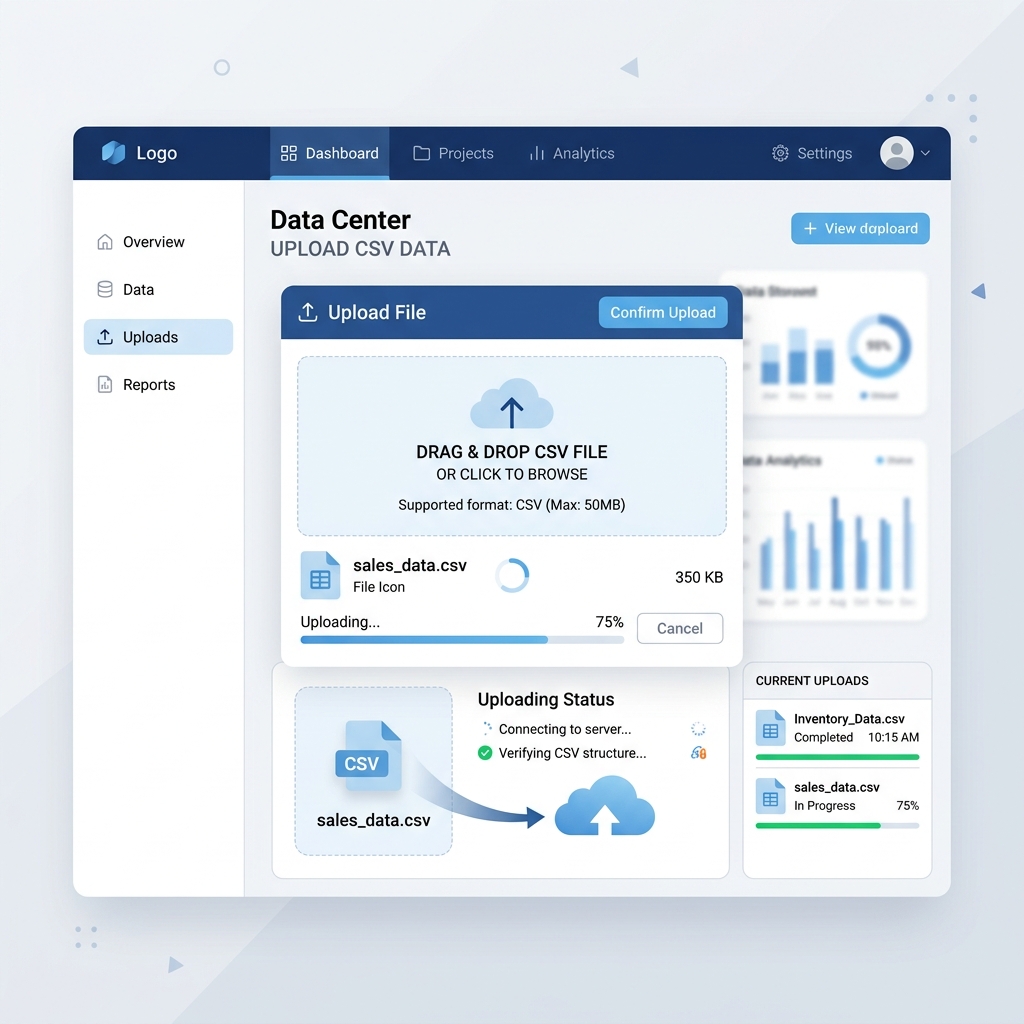
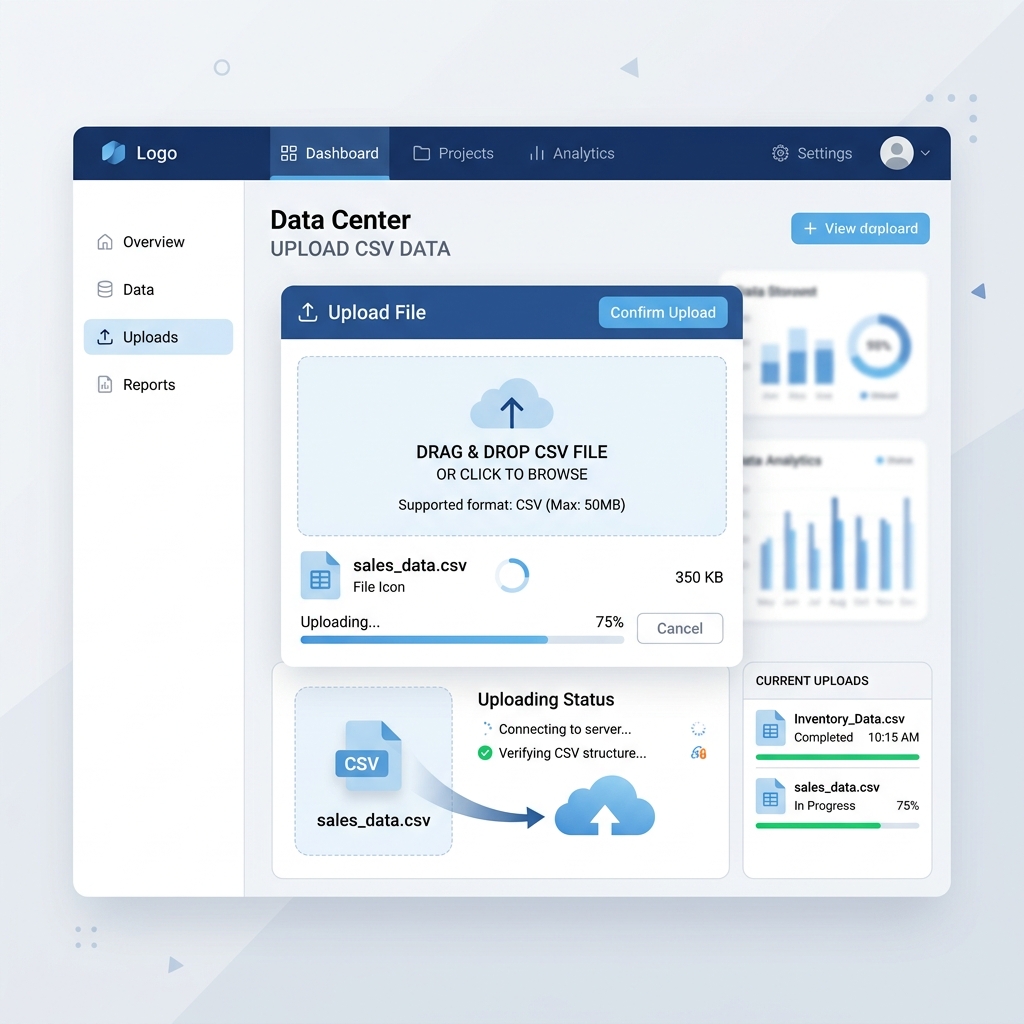
To effectively transcend the severe limitations of legacy desktop publishing tools and raw spreadsheet manipulation, modern payroll generators employ intelligent field mapping and dynamic schema recognition protocols powered by sophisticated algorithmic processing. When you upload a comprehensive CSV file containing your organization's employee compensation metrics, the software system immediately begins analyzing the header row and the subsequent data structures to automatically identify standard financial variables.
This autonomous recognition drastically reduces the initial cognitive load on administrators. The system inherently understands that a column labeled "Net_Pay_Amount" corresponds to the primary "Net Salary" field on the PDF template, and that "Fed_Tax_Withheld" aligns with the federal deductions section. This intelligent pre-mapping ensures that critical data points are consistently and accurately assigned to their corresponding visual elements within the generated document, eliminating the need to manually drag and drop every single variable.
Furthermore, advanced platforms provide an intuitive, visual mapping interface that allows administrators to effortlessly link any remaining, highly customized, or unrecognized columns to designated fields on the digital payslip. For comprehensive automation, payroll automation solution platforms provide enterprise-grade mapping capabilities. This flexibility is absolutely crucial for organizations with highly specific compensation structures, non-standard performance bonuses, unique localized tax deductions, or bespoke fringe benefits that may not adhere to conventional, predictable naming conventions. By abstracting the intense complexity of data binding behind a clean, user-friendly graphical interface, organizations can dynamically adapt to changes in their data architecture without requiring specialized technical knowledge, custom scripting, or expensive external IT support.
4. Error Handling and Data Validation Prior to Generation
One of the most critical stages in the automated conversion pipeline occurs immediately before a single PDF is generated: comprehensive data validation. Unlike manual processes that blindly push flawed data into a template, intelligent systems actively interrogate the CSV file for structural anomalies, missing variables, and logical inconsistencies.
For example, if the system detects that an employee's "Net Pay" column is completely empty, or if a mandatory "Email Address" field is improperly formatted (e.g., missing an @ symbol), the software will proactively pause the workflow and flag these specific rows for administrative review. This pre-generation validation protocol is an absolute lifesaver for HR teams; it prevents the accidental distribution of mathematically incorrect payslips and ensures that any data integrity issues are resolved at the source, rather than attempting to claw back erroneous documents after they have already been emailed to the workforce.
Advanced platforms will even provide a visual summary of the data health, indicating exactly how many rows are ready for processing and precisely which entries require manual correction before proceeding to the rendering phase.
5. Automated PDF Generation and Batch Processing
Once the structural relationship between your raw CSV data and the highly-designed digital template has been firmly established and validated, the true, unparalleled power of an automated system is finally unleashed through high-speed batch processing. Unlike manual methodologies that require a human operator to iteratively open, carefully review, manually save, and explicitly name each individual document, a dedicated, purpose-built payslip generator algorithmically processes the entire dataset in a continuous, uninterrupted computational stream.
Thousands of rows of raw financial data are simultaneously parsed, mathematically validated, and beautifully rendered into distinct, perfectly formatted PDF documents within a matter of mere seconds. This automated rendering engine ensures absolute typographical and structural consistency across the entire batch, regardless of the sheer volume of data being processed.
It automatically handles complex, unpredictable edge cases with grace and precision. For example, if an employee has an unusually long hyphenated surname, the system will dynamically adjust the font size or line wrapping to ensure the text fits perfectly within the designated boundary box. If an employee has ten separate itemized deductions, the rendering engine will automatically expand the corresponding table, drawing new borders and calculating subtotals on the fly, ensuring that the final output remains infinitely legible and distinctly professional for every single employee in the organization.
6. Securing the Output with Cryptographic Encryption
Generating beautiful documents is only half the battle; protecting the highly sensitive financial data contained within them is equally paramount. When converting CSV data to digital payslips, standard, unencrypted PDFs are entirely unacceptable for modern enterprise environments due to the profound risk of data interception during network transit or accidental exposure on shared organizational drives.
Modern conversion platforms seamlessly integrate advanced document security protocols directly into the PDF generation pipeline. As each individual employee's payslip is rendered by the engine, the software automatically applies a unique, password-protected encryption layer (typically utilizing AES-256 standards). This password is often dynamically generated based on distinct data points mapped from the original CSV file—such as a combination of the employee's date of birth and the last four digits of their social security number or national identification digit.
By inextricably linking the encryption protocol to the automated generation workflow, organizations guarantee that every single payslip is cryptographically locked the very millisecond it is created, ensuring that the sensitive financial data remains completely inaccessible to unauthorized parties during both email transmission and long-term archival storage.
7. Real-World Case Study: Transforming a Broken Payroll System
Consider the real-world experience of a mid-sized manufacturing firm struggling to manage a rapidly expanding workforce spanning multiple tax jurisdictions. Every month, their deeply understaffed HR department spent an agonizing three days manually configuring complex Excel macros and coercing Microsoft Word into generating 800 distinct payslips. The raw CSV export from their antiquated time-tracking software was notoriously inconsistent, often misaligning bonus structures and erroneously applying shift differentials due to extremely minor, nearly imperceptible formatting discrepancies.
When this organization finally transitioned to a modern, algorithmic CSV conversion platform, the results were instantaneous and deeply transformative. The initial setup required merely forty-five minutes of visual field mapping, utilizing the intuitive drag-and-drop interface to permanently link their bespoke "Night Shift Allowance" column to the correct visual placeholder on the PDF template. Because the system utilized intelligent schema recognition, it automatically remembered these complex rules and mappings for all future data batches.
The subsequent month's payroll, which previously demanded seventy-two hours of meticulous, stress-inducing administrative labor, was executed flawlessly in less than ninety seconds. The batch processing engine simultaneously generated, validated, and cryptographically encrypted all 800 PDFs, dispatching them to the corresponding employee email addresses without a single structural failure. By entirely eliminating the intrinsic limitations of their legacy mail merge workflow, the organization not only reclaimed hundreds of hours of lost operational productivity but also entirely eradicated the significant compliance risks previously associated with their manual data entry workflows.
This compelling case study perfectly illustrates that investing in automated data conversion is not simply an IT upgrade; it is a profound strategic business initiative that directly impacts the bottom line, employee morale, and the overall operational resilience of the modern enterprise.
8. Streamlining Operations for the Future
Transitioning from brittle, manual CSV manipulation and legacy mail merge techniques to a sophisticated, automated mapping and generation workflow represents a profound and necessary paradigm shift for ambitious human resources departments. By systematically eliminating the immense structural friction associated with manual data transformation, organizations can drastically accelerate their payroll cycles, radically reduce the incidence of compliance-related errors, and fundamentally free up their administrative staff to focus on strategic, human-centric initiatives rather than tedious, repetitive document assembly.
The ability to effortlessly map raw, unstructured data to a refined, professional visual template is not merely a technical convenience or a minor operational upgrade; it is a foundational, non-negotiable capability for any agile, modern enterprise that truly values both operational efficiency and clear, transparent, trustworthy communication with its employees. Embracing this automated methodology is arguably the most critical step an organization can take toward future-proofing its payroll infrastructure against the ever-increasing complexities of a rapidly evolving global workforce.
Smart CSV field mapping saves hours.
Eliminate manual data entry and mail merge frustrations. Our intelligent system automatically recognizes your CSV structure, maps the fields, and generates thousands of beautiful payslips in seconds. Bulk payslip generator software automates the entire process.
Convert Your CSV Data Today