
Why Mail Merge in Microsoft Office is a Nightmare for Payslips
Almost every business owner or accountant has attempted a "Mail Merge" using standard Microsoft tools. You build a table in Excel, design a template document in Word, and attempt to send the emails through Microsoft Outlook.
This works fine for plain text announcements. However, as soon as your workflow requires attaching a unique PDF document to each email (such as an individual payslip or a commission statement), Microsoft Office fails. Out of the box, Outlook's Mail Merge has no capability to attach separate files to separate recipients. To achieve this, you are forced to write complex Visual Basic (VBA) scripts, pay for third-party Outlook add-ins, or manually drag and drop files.
How a Law Firm Replaced a Broken VBA Script and Eliminated 3 Hours of Monthly Work
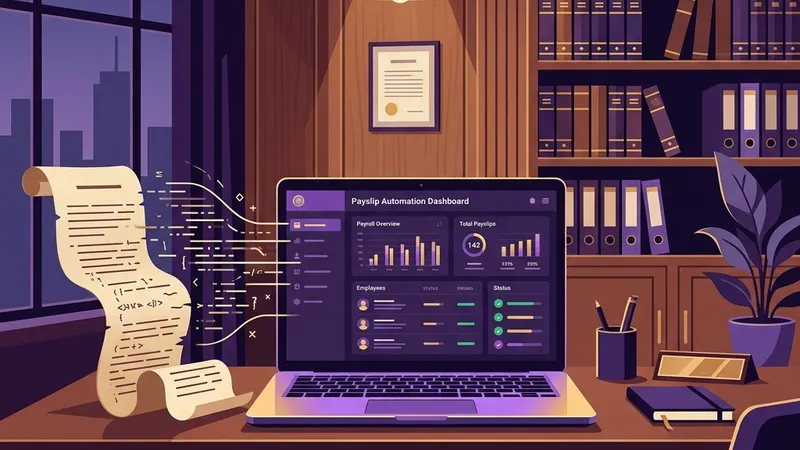
Henderson & Associates is a mid-sized law firm with 68 staff — partners, associates, paralegals, and administrative assistants.
The firm's office manager, Daniel, processed payroll using a combination of Excel and a custom VBA script written by a consultant five years ago. The script was supposed to generate individual PDFs from a template and email them via Outlook.
After a Microsoft Office update in early 2026, the firm's VBA macro stopped working entirely. Excel's updated security model blocked the external macro execution.
Daniel spent two weeks trying to fix the script — consulting the original developer (who was unavailable), browsing Stack Overflow threads, and testing workarounds. Meanwhile, 68 employees waited for their February payslips.
Daniel attempted to use Word's native mail merge feature instead. He quickly discovered that Word can merge text content into emails — but cannot attach individual PDF files per recipient.
He tried a $120 Outlook add-in, which technically worked — but sent all emails simultaneously, triggering spam filters and bouncing 22 messages.
Daniel found PayslipGen while searching for "mail merge payslips with attachments." He installed the desktop tool, imported the firm's existing salary spreadsheet, and configured their Exchange SMTP credentials.
The first test run generated 68 personalized, password-encrypted PDFs and dispatched them with configurable throttle delays to avoid spam detection.
The process that previously consumed 3+ hours and required maintaining a fragile VBA codebase now runs in under 2 minutes. The firm eliminated their dependency on legacy macros and gained AES-256 encryption on every payslip for the first time.
Microsoft Office Limitations vs. PayslipGen Native Merging
| Operational Step | MS Office (Word + Outlook) | PayslipGen Local |
|---|---|---|
| Separate Attachments | Not supported (Requires custom VBA scripts) | Supported natively out of the box |
| PDF Password Lock | No encryption capabilities | AES-256 dynamic encryption |
| Column Mapping | Rigid fields (Word layout mapping) | Drag-and-drop interactive UI |
| Queue Throttling | Emails sent simultaneously (triggers spam filters) | Custom millisecond delays |
How to Mail Merge Payslips Securely in 3 Simple Steps
Instead of hacking together different Office programs, a single compiled local tool does the entire job:
1. Load Spreadsheet
Import your standard Excel sheet. The local parser instantly indexes the column headers and payroll values.
2. Layout Mapping
Connect the spreadsheet headers (Name, Tax ID, Basic, Email) directly to fields on the professional payslip template.
3. Direct Batch Run
Configure your SMTP credentials, choose encryption rules, and run the dispatcher. The software generates and emails the stubs in batch.
Designed Specially for Payroll Automation
By shifting from generic mail merging to a purpose-built desktop utility, you eliminate the threat of macro-security blocks, Excel formula corruption, and email attachment mix-ups. All data ingestion, PDF rendering, file-level encryption, and SMTP mailing occur on your local machine. No data is stored on public cloud servers, guaranteeing absolute GDPR compliance.