
The Danger and Fatigue of Manual Payslip Distribution
For many companies, payroll day ends up being a logistical nightmare. While calculating the numbers and salaries might take a few minutes using standard spreadsheets, sending the files to employees is often done manually. HR admins spend hours saving PDF stubs individually, logging into Gmail or Microsoft Outlook, typing the employee’s name, copying and pasting standard draft text, and manually attaching the PDF file.
Attachment Mismatches
A single manual copy-paste mistake can send Employee A's private financial numbers to Employee B. This constitutes a severe privacy breach.
Wasted Administrative Hours
Attaching files to 50 employees takes around 2 hours of direct focus. Scaling to 100+ makes manual methods physically impossible.
Lack of File Encryption
Standard emails sit unencrypted in inbox servers. Without file-level AES security, anyone with server access can view salary details.
How Apex Manufacturing Eliminated Email Mishaps and Saved 5 Hours Every Month
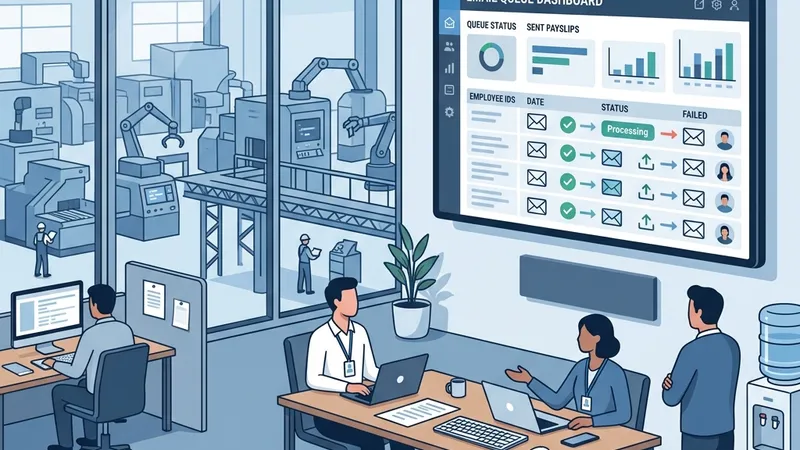
Apex Manufacturing manages a workforce of 85 employees across two manufacturing units. Their HR supervisor, Brenda, calculated salaries using a secure spreadsheet — but distributing the wage stubs took all afternoon.
For every single employee, Brenda had to: print each paystub to a PDF, rename it, open Outlook, search for the worker's email, compose a message, attach the correct file, and hit send. Multiply that by 85 — every month.
One Friday, under pressure to finish before the weekend, Brenda accidentally sent the factory floor manager's detailed salary sheet to a junior operator.
Word spread across the assembly line. The result: significant workplace tension, broken trust between teams, and a formal compliance review from upper management.
Brenda evaluated cloud-based payroll systems, but they required uploading all employee records, banking details, and salary histories to external cloud databases.
Between GDPR compliance liabilities and a $280/month SaaS fee, Apex needed something different — a local desktop alternative that kept all data on-premise.
Apex deployed the PayslipGen desktop application. Brenda connected it directly to their existing company mail server. She kept their original Excel spreadsheet structure, loaded it into the app, and mapped the columns.
The application generated 85 individualized PDFs, locked each one automatically with a password derived from the employee's birthdate and ID, and dispatched them in a throttled SMTP queue — all in 42 seconds.
Apex eliminated manual error risks entirely and recovered over 5 hours of administrative time every single month.
A Step-by-Step Guide to Automating Distribution Locally
Transitioning to automation does not require adopting complicated, expensive cloud systems. You can use your own desktop machine to parse spreadsheets, generate files, and route them to employee inbox systems via SMTP. Here is how:
Standardize Your Spreadsheets
Export your wage worksheet from your accounting setup. Ensure you have clear headers for Employee Name, Employee Email, Basic Salary, and any deductions or bonuses.
Map Your Columns Locally
Import your file into the PayslipGen desktop interface. Map your column names (like "Total Wages" or "Email") to the target PDF layout elements.
Configure Your Mail Server (SMTP)
Link the tool to your company mail provider. Enter your SMTP details (host, port, and security rules). This connects the software directly to Gmail, Office 365, or an internal mail host.
Run the Batch Queue
Hit run. The system builds a personalized PDF for each employee row, secures it with a unique password (such as birthdate or national ID), and routes it through SMTP with custom interval delays.
The Offline-First Security Standard
Most online SaaS platforms force you to upload employee names, tax IDs, salaries, and email histories onto their cloud databases. This creates a large corporate attack surface. By utilizing a native desktop tool like PayslipGen, all your private calculations and email routing are executed directly on your internal hardware. Your databases remain completely behind your firewalls, meaning zero third-party vulnerability risk.
Comparison: Manual vs. Cloud vs. Local Desktop
| Operational Feature | Manual Attachment | Cloud Payroll (SaaS) | PayslipGen Local |
|---|---|---|---|
| Processing Location | Your desktop (Manual) | Cloud servers (Public) | Your desktop (Automated) |
| GDPR & HIPAA Risk | High (Human Error) | Medium (Vendor Storage) | Zero (No Cloud upload) |
| Attachment Security | Unencrypted | No password locks | AES-256 PDF Password Lock |
| Subscription Cost | Free (Waste of labor time) | Recurring Monthly ($/user) | One-time payment ($49) |