
How to Split a Master Excel Payroll Sheet into Individual Password-Protected PDF Payslips
Key Takeaways
- ✓Standard Excel "Save As PDF" exports the entire worksheet as a single monolithic document containing everyone's salary data.
- ✓Manual copy-pasting row by row or setting print areas for 100+ employees wastes 5–10 hours every month and introduces severe human error risks.
- ✓Automated desktop software splits master spreadsheet rows into individual, branded, password-protected PDF files in under 30 seconds.
- ✓Applying 128-bit AES encryption ensures GDPR and data sovereignty compliance without third-party cloud uploads.
In almost every small-to-medium enterprise, payroll calculations live inside a master Microsoft Excel workbook or Google Sheet. You have columns for Basic Salary, Allowances, Overtime, Tax Withholding, Social Security, and Net Pay, with anywhere from 20 to 500 employee rows.
The calculation side in Excel is fast and flexible. But when payday arrives, a critical problem emerges: How do you split that single master spreadsheet into individual, beautifully branded, and encrypted PDF payslips for each employee?
If you have ever tried doing this manually in Excel, you know the frustration. In this comprehensive guide, we will analyze the shortcomings of manual splitting methods, look at common script pitfalls, and walk through the modern, automated workflow to split your master payroll sheet into hundreds of secured PDF payslips in seconds.
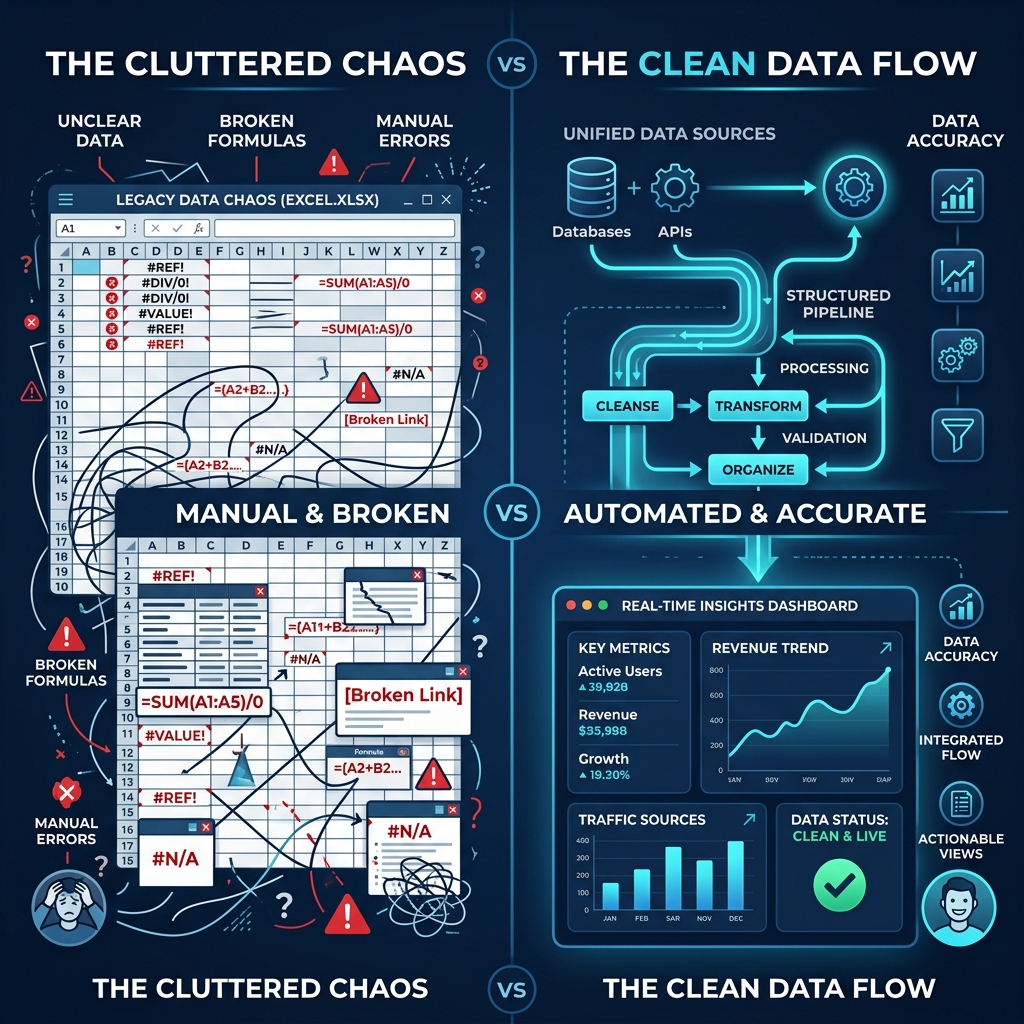
Why Native Excel Cannot Split Rows into Separate PDFs
Microsoft Excel is a calculation grid, not a document publishing platform. When you click File > Export > Create PDF/XPS, Excel performs a print-preview render of the active sheet.
The result is a single multi-page PDF document containing all employee rows stacked together. Distributing this file is an immediate, catastrophic privacy violation because every employee would see everyone else's salary, tax bracket, and bank details.
The 3 Inefficient Workarounds You Should Avoid
1. The Manual "Filter, Print Area, Export" Cycle
Many payroll clerks create a "Template" tab using VLOOKUP or INDEX/MATCH. For each employee, they:
- Select employee #1 from a dropdown.
- Wait for formulas to calculate.
- Click File > Export > Save As PDF > Type filename (e.g.,
Payslip_JohnDoe_Aug2026.pdf). - Repeat this cycle 100 times.
At 2 minutes per employee, processing 150 employees takes 5 solid hours of tedious, repetitive clicking. Furthermore, a single accidental misclick can overwrite one employee's payslip with another's data.
2. Excel VBA Splitter Macros
Advanced users often write VBA loops to iterate over rows and export individual sheets. While faster than manual clicking, VBA macros for payroll introduce significant vulnerabilities:
- Zero Native Password Protection: Native Excel VBA cannot natively apply PDF user passwords (AES 128/256-bit encryption) without relying on unverified external C++ libraries or command-line tools.
- Strict Column Dependencies: If someone reorders columns or inserts a new deduction column, the hardcoded macro logic produces misaligned or blank PDFs.
- OS Incompatibility: VBA macros written on Windows frequently fail on macOS due to differences in the Apple PDF print engine and file path conventions.
3. Online Cloud PDF Converters
Some businesses attempt to upload CSV or Excel files to generic web-based PDF splitters. Uploading unencrypted employee payroll records (containing Social Security / National ID numbers, home addresses, and banking info) to third-party cloud servers violates GDPR, CCPA, and data privacy legislation.
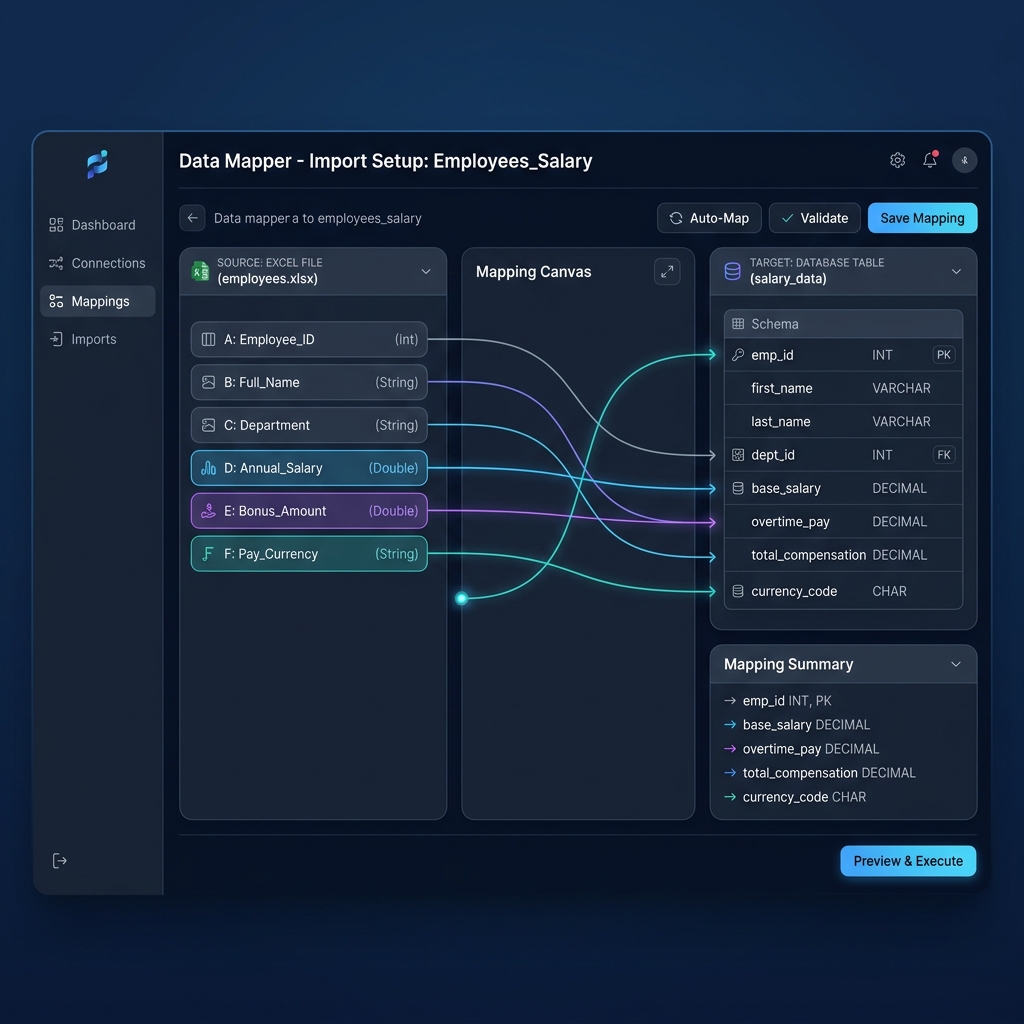
The Modern Solution: Automated Row-to-PDF Splitting with PayslipGen
The most reliable way to split a master spreadsheet is with a dedicated offline generator like PayslipGen. It reads your raw spreadsheet directly, maps each row to a professional vector template, and outputs individual, encrypted PDF files in seconds.
Try Our Interactive Demo Instantly
Want to see how an offline-capable, client-side payslip generator works in practice? Try our brand-new interactive demo right in your browser. Upload a sample CSV, map your columns, and generate beautifully designed PDF payslips—with zero data ever being transmitted to our servers.
Launch Free Demo NowStep-by-Step: How to Split Your Master Excel Sheet into Individual PDFs
Step 1: Organize Your Master Payroll Sheet
You do not need special formatting or complex templates. Just make sure row 1 contains descriptive column headers:
| Emp ID | Name | Basic Pay | Allowances | Tax Withheld | Net Pay | DOB / PIN | |
|---|---|---|---|---|---|---|---|
| EMP-101 | David Miller | david@co.com | $4,500.00 | $350.00 | $650.00 | $4,200.00 | 19920415 |
| EMP-102 | Elena Rostova | elena@co.com | $5,200.00 | $500.00 | $820.00 | $4,880.00 | 19881120 |
Step 2: Drag & Drop into PayslipGen
Launch the application on your computer. Drag your .xlsx, .xls, or .csv file into the dashboard. The software instantly parses all rows and displays a live data preview.
Step 3: Choose Template & Brand Styling
Upload your company logo, set your primary brand color, and select your preferred currency symbol. PayslipGen formats every payslip with clean typography, structured tables, and automated number-to-words currency conversion.
Step 4: Enable Automated Password Protection
Select your password source column (e.g., DOB / PIN or Emp ID). When the split operation runs, every individual PDF is secured with military-grade AES encryption.

Step 5: Batch Generate and Export to Folder
Click Generate All Payslips. Choose an output folder on your local drive. Within seconds, PayslipGen will generate individual PDF files named with custom naming patterns like:
Payslip_EMP-101_David_Miller_August2026.pdfPayslip_EMP-102_Elena_Rostova_August2026.pdf
Workflow Comparison Matrix
| Method | Time for 100 Employees | Error Risk | PDF Encryption | Data Privacy |
|---|---|---|---|---|
| Manual Copy-Paste | 3–4 Hours | Very High | None (Manual only) | Local |
| Excel VBA Script | 5–10 Minutes | Moderate | Requires 3rd party tools | Local |
| Cloud SaaS Payroll | Automated | Low | Built-in | Cloud stored (Privacy risk) |
| PayslipGen Desktop | < 30 Seconds | Near Zero | Built-in AES 128-bit | 100% Offline / Local |
Compliance & Archival Best Practices for Audit Season
Tax authorities and financial auditors require companies to maintain tamper-evident historical payroll records for 5 to 7 years. When generating individual PDFs from your spreadsheet, always follow these three golden rules:
- Adopt a Standardized Naming Convention: Include Year, Month, Employee ID, and Name in every PDF filename for rapid searchability.
- Maintain Local Encrypted Backups: Store your exported PDF archive on a secure, encrypted local drive rather than unprotected shared network drives.
- Verify Net Pay Totals: Ensure your generator provides a batch reconciliation summary that matches your master Excel sum before dispatching documents to staff.
Frequently Asked Questions (FAQ)
Can I split an Excel spreadsheet with hundreds of custom columns?
Yes. Modern tools like PayslipGen allow you to map custom allowances, unique deductions, overtime hours, bonuses, and loan repayments dynamically without breaking the layout.
Does splitting require converting my .xlsx file to CSV first?
No. PayslipGen natively reads Microsoft Excel files (.xlsx, .xls) as well as CSV spreadsheets directly. You can drag and drop your standard spreadsheet without any manual conversions.
How fast is the batch PDF generation process?
Because PayslipGen operates as a native desktop application leveraging multi-core processor rendering, generating 500 individual password-protected vector PDFs typically takes less than 30 seconds.
Can I email the split PDFs directly to employees afterward?
Yes! PayslipGen has a built-in bulk email delivery module that pairs each generated PDF with its recipient's email address and sends them out with throttled SMTP delivery.
Conclusion
Splitting a master payroll spreadsheet into individual PDF payslips doesn't have to be a multi-hour ordeal fraught with copy-paste mistakes and macro errors. By using purpose-built local software, you can convert your spreadsheet data into high-security, professional payslips in seconds while protecting employee confidentiality.
Split Your Master Payroll Sheet in Seconds
Transform your raw Excel file into hundreds of individual, password-encrypted PDF payslips with a single click.