
How to Generate 500 Payslips from Excel Without Manual Editing
Key Takeaways
- ✓Manually processing 500 employee payslips from Excel requires roughly 25 administrative hours and increases data entry error rates.
- ✓Standard Word Mail Merge fails for payroll because it lacks native per-file PDF encryption and breaks numerical currency formatting.
- ✓Dedicated bulk generators map Excel columns to dynamic template variables, rendering hundreds of compliant PDFs in seconds.
- ✓Tools like PayslipGen automate batch creation with row-level AES-256 password protection using employee IDs or birth dates.
- ✓Local desktop processing with direct SMTP email throttling prevents spam blacklisting while keeping sensitive payroll data entirely offline.
If you are still painstakingly copying and pasting employee data from a massive spreadsheet into individual Word documents or outdated PDF templates, you are needlessly sacrificing hours of your valuable time while exponentially increasing the risk of compliance-shattering data entry errors.
When a small business scales to the point of requiring 100, 200, or even 500+ payslips every single month, relying on manual Excel macros or fragmented manual editing workflows transforms from a minor administrative annoyance into a significant operational bottleneck. The sheer volume of data manipulation required—extracting gross pay, calculating statutory deductions like Income Tax or National Insurance, isolating specific overtime hours, and manually formatting each localized PDF—creates a fragile environment where one missed keystroke can lead to disgruntled employees, tax penalties, and severe audit complications.
Try Our Interactive Demo Instantly
Want to see how an offline-capable, client-side payslip generator works in practice? Try our brand-new interactive demo right in your browser. Upload a sample CSV, map your columns, and generate beautifully designed PDF payslips—with zero data ever being transmitted to our servers.
Launch Free Demo Now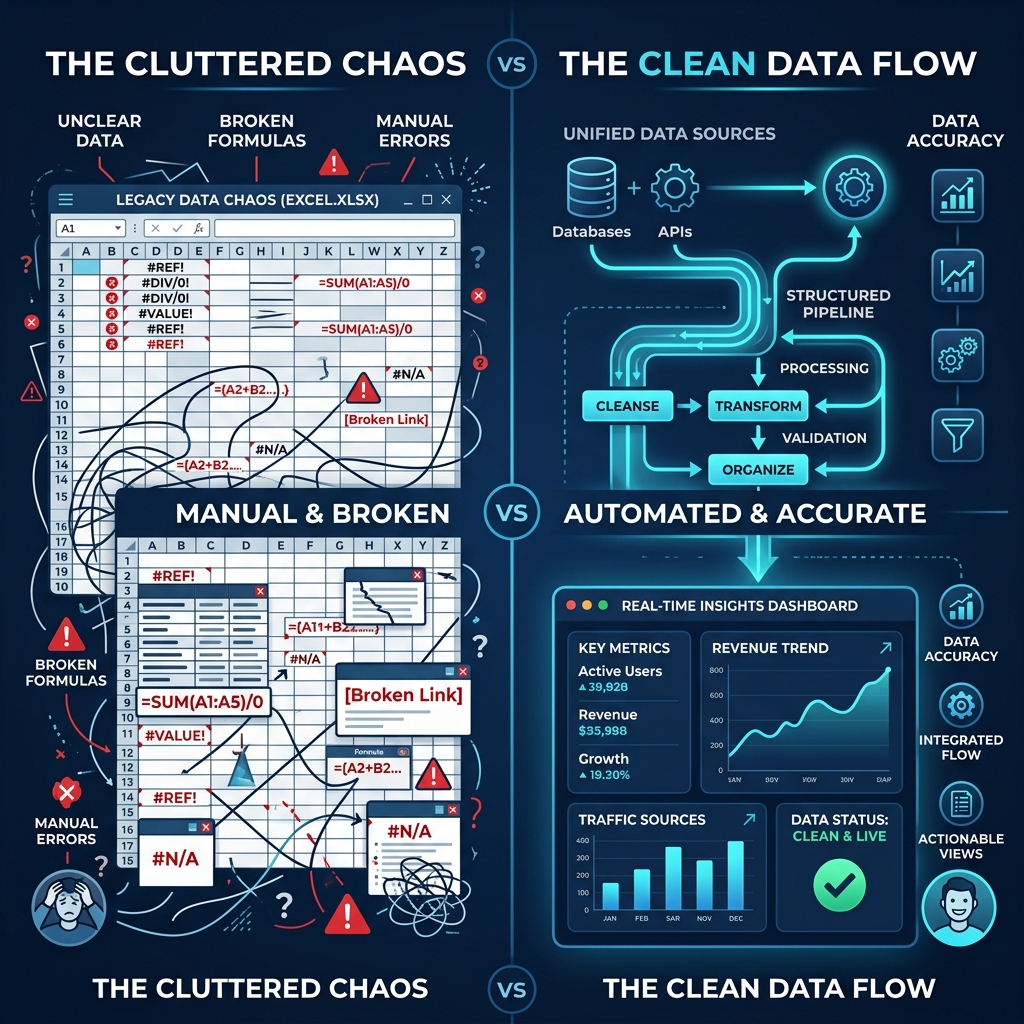
The Hidden Costs of Manual Payslip Generation
Many businesses operate under the illusion that utilizing their existing suite of Microsoft Office tools is a "free" method for handling payroll, failing to account for the exorbitant hidden costs associated with manual administrative labor. If a payroll administrator takes just three minutes to cross-reference data, populate a template, convert it to a PDF, and draft an email for a single employee, processing a roster of 500 employees will consume an astonishing 25 solid hours of non-stop, monotonous work.
Beyond the sheer waste of human capital, there is the ever-present threat of human error. A manual Excel payroll process relies on brittle formulas and visual verification. When exhaustion inevitably sets in during hour fifteen of manual data entry, sending an executive's highly confidential salary slip to a junior staff member because of an email autocomplete error becomes a frighteningly realistic possibility.
Why Traditional Mail Merge is Not the Answer
A common band-aid solution that companies attempt to implement when they realize manual editing is unsustainable is utilizing the built-in Mail Merge functionality between Excel and Microsoft Word. While this certainly accelerates the physical generation of documents, it completely falls apart when it comes to the complex requirements of modern payroll compliance.
Traditional Mail Merge natively struggles to handle dynamic PDF encryption, meaning that you are either sending sensitive financial data in easily interceptable, plain-text attachments, or you are forced to spend even more time manually locking each individual file with a unique password. Furthermore, formatting numerical data—such as ensuring trailing zeros on currency values or aligning columns of dynamic deductions—often breaks unpredictably during the merge process. This is precisely why dedicated tools for mail merge with PDF attachments that are explicitly designed for payroll data are an absolute necessity.
The Ultimate Workflow: Converting Excel to PDF Payslips in Bulk
To genuinely optimize your workflow and process 500 payslips without a single instance of manual editing, you must decouple the data storage from the document generation process. Your Excel or CSV file should exist purely as a raw data repository—a master ledger containing rows of employees and columns of corresponding financial data.
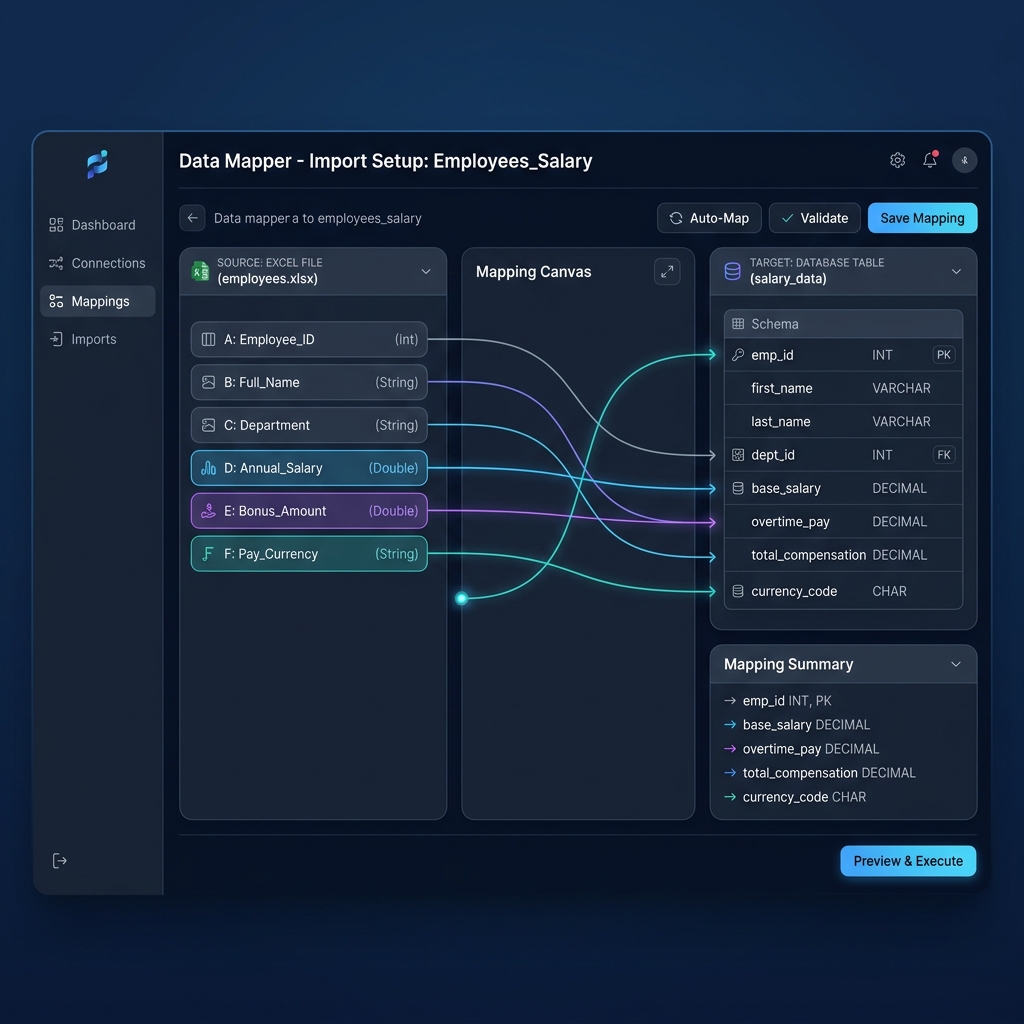
By leveraging a dedicated Excel to Payslip PDF conversion engine, you can map the columns in your spreadsheet directly to dynamic variables within a standardized, legally compliant payslip template. This one-time setup allows the software to programmatically loop through hundreds of rows in milliseconds.
- Step 1: Data Preparation. Ensure your Excel file has clear, unique headers (e.g., "Employee ID", "Net Pay", "Email Address").
- Step 2: Template Mapping. Drag and drop these headers into the corresponding fields on your digital payslip template.
- Step 3: Automated Execution. Click a single button, and watch as the software iterates through all 500 rows, populating data, formatting currency, and generating 500 distinct, flawless PDF files instantaneously.
Ensuring Bulletproof Security and Compliance
In an era dominated by strict data privacy regulations such as the GDPR in Europe and diverse state-level legislation in the US, carelessly generating and distributing unencrypted payroll data is a massive liability.
When utilizing a bulk payslip generator, it is imperative that the system inherently supports AES-256 encryption. The most sophisticated desktop solutions allow you to dynamically assign a unique password to each generated PDF—often utilizing a combination of the employee's date of birth or National Insurance number sourced directly from a column in your spreadsheet. This guarantees that even if an email is intercepted or sent to the wrong address, the payload remains entirely inaccessible to unauthorized individuals.

Seamlessly Transitioning from Generation to Distribution
Generating 500 perfect PDFs is only half the battle; distributing them to your workforce without spending an additional ten hours drafting emails is where true automation shines. Advanced desktop payroll software integrates robust SMTP email dispatchers directly into the generation pipeline.
Rather than relying on clunky third-party plugins or manually attaching files in Outlook, a truly integrated system will extract the destination email address from your Excel row, attach the newly generated and encrypted PDF, merge in a personalized email greeting, and silently throttle the outbound emails through your corporate server to prevent your domain from being flagged for spam. This transforms a multi-day ordeal into a silent, localized background process that completes while you pour yourself a cup of coffee.
Ready to Automate Your Entire Payroll Workflow?
Stop wasting hours manually editing templates. Process hundreds of rows from any CSV or Excel file, encrypt the PDFs, and dispatch them to your employees in a matter of seconds—all entirely offline and secure.
Try Our Bulk Excel-to-Payslip GeneratorConclusion
The transition from manual spreadsheet manipulation to automated bulk generation represents a fundamental shift in administrative efficiency. By recognizing the severe limitations and inherent risks of manual editing or rudimentary mail merges, and instead adopting specialized, localized conversion software, businesses can reclaim countless hours of lost productivity while simultaneously enforcing enterprise-grade data security protocols.