
The Ultimate Guide to Automating Your Payroll (Without Bleeding Money to Cloud Subscriptions)
Key Takeaways
- ✓Manual Excel payroll consumes 12–16 hours monthly per 50 employees, introducing formula corruption risks and costing thousands in wasted administrative labor.
- ✓Cloud SaaS payroll platforms charge per-employee recurring fees that can exceed $33,000 over five years for mid-sized teams while creating vendor lock-in.
- ✓Local, offline payroll automation keeps sensitive employee PII and banking data encrypted on your own hardware, eliminating cloud breach exposure.
- ✓PayslipGen delivers one-time fee desktop automation, generating encrypted PDF payslips in milliseconds from Excel/CSV files and sending them via integrated SMTP without subscriptions.
Every month, thousands of small and medium-sized business owners, HR managers, and accountants face the exact same agonizing dilemma when "payroll week" approaches. You either sit at your desk for ten hours manually dragging formulas across endless Excel spreadsheets, hoping you didn't accidentally overwrite a tax deduction cell, or you pay hundreds of dollars a month to a massive cloud-based Software-as-a-Service (SaaS) provider for a tool that is severely overpowered for your actual needs.
This is the great payroll paradox of the modern business era. We are told that we must choose between our time (manual data entry) or our money (recurring monthly software subscriptions). But what if that dichotomy is a lie? What if there is a third way—a method that grants you the immense power and speed of enterprise-grade automation without the parasitic drain of monthly recurring revenue models?
In this comprehensive guide, we are going to dissect the hidden costs of manual payroll, expose the subscription trap of modern SaaS, and reveal how you can permanently solve your payroll headaches using secure, local, one-time-fee automation tools like PayslipGen.
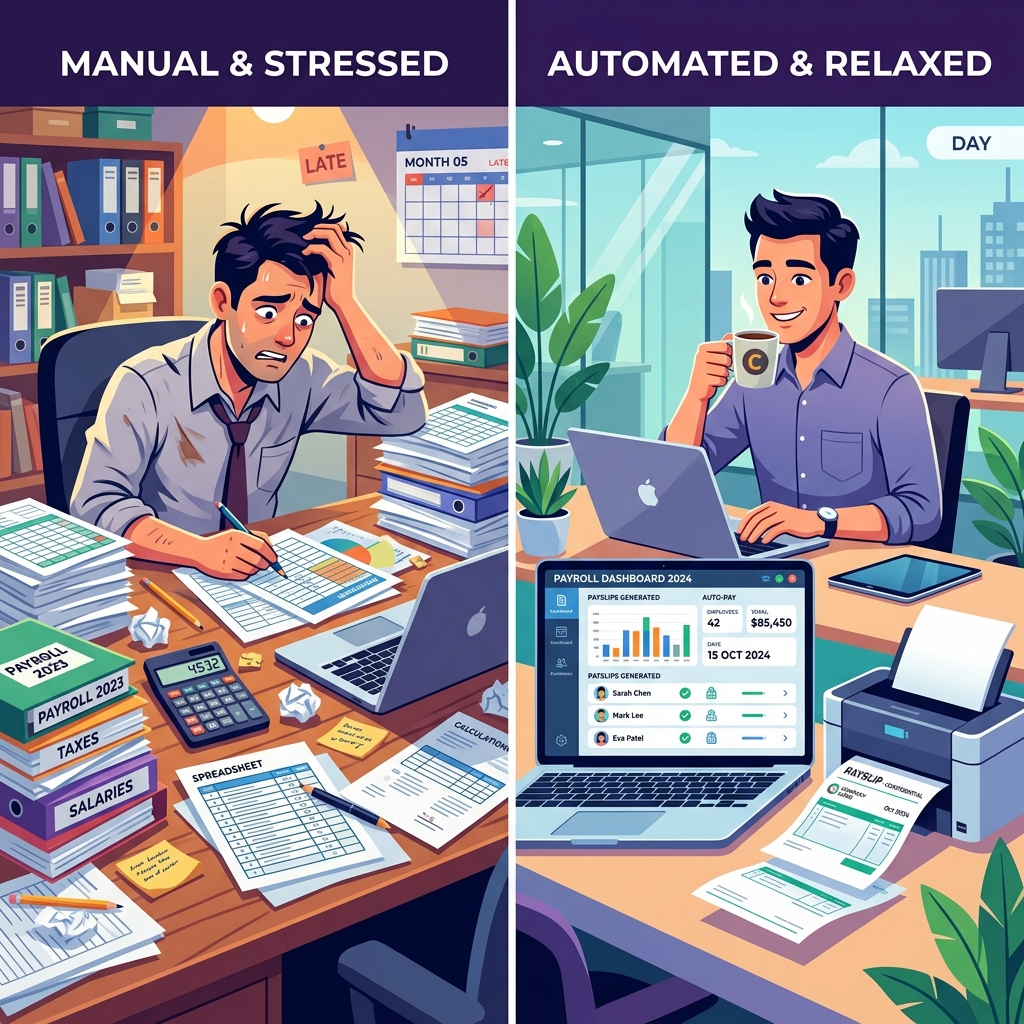
Try Our Interactive Demo Instantly
Want to see how an offline-capable, client-side payslip generator works in practice? Try our brand-new interactive demo right in your browser. Upload a sample CSV, map your columns, and generate beautifully designed PDF payslips—with zero data ever being transmitted to our servers.
Launch Free Demo NowChapter 1: The Hidden Cost of Manual Excel Payroll
If you are currently processing payroll using Microsoft Excel or Google Sheets, you are not alone. According to recent industry surveys, nearly 40% of small businesses still rely on rudimentary spreadsheet software to manage their entire payroll process. It's easy to understand why: Excel is ubiquitous, flexible, and virtually "free" since most businesses already pay for a Microsoft Office license. However, the true cost of Excel payroll is anything but free.
The Tyranny of the Blank Cell
Excel is brilliant because it is a blank canvas, but it is dangerous for the exact same reason. When dealing with highly regulated, legally mandated financial transactions like employee compensation, a blank canvas is a liability.
Imagine you are processing payroll for 50 employees. You have base salaries, hourly wages, overtime multipliers, regional tax deductions, healthcare contributions, and perhaps performance bonuses. In an Excel sheet, these are governed by incredibly fragile formulas. VLOOKUP, SUMIF, and nested IF statements dictate whether an employee can afford their mortgage this month.
A single errant keystroke—a deleted equals sign, a mismatched parenthesis, or dragging a formula down one row too few—can silently corrupt the entire dataset. In manual payroll, errors don't loudly announce themselves with red warning banners; they hide quietly in cell G42 until an employee furiously contacts HR, or worse, an auditor from the tax authority knocks on your door.
The Time Sink and Operational Bottleneck
Beyond the profound risk of mathematical error, manual payroll is an agonizingly slow operational bottleneck. Let's break down the traditional manual workflow:
- Data Aggregation: Hunting down timesheets from four different managers.
- Data Entry: Typing raw hours into the master spreadsheet.
- Calculation: Updating tax tables manually (which change constantly based on legislation).
- Payslip Generation: This is the most painful step. Using "Mail Merge" or manually copying data into a Word Document template, saving it as a PDF, and naming the file
John_Doe_July_Payslip.pdf. Repeat this 50 times. - Distribution: Opening your email client, attaching the correct PDF to the correct email address, typing a generic message, and hitting send. Repeat 50 times.
For a 50-person company, this process can easily consume 12 to 16 hours of dedicated administrative time every single month. That is two full working days stolen from strategic HR initiatives, talent acquisition, or core business growth, relegated entirely to data entry. If the HR manager earns $35 an hour, you are spending $560 every month just in labor costs to process payroll manually. Suddenly, the "free" Excel sheet is costing you over $6,700 a year.
The Security and Privacy Nightmare
Perhaps the most alarming aspect of manual spreadsheet payroll is the catastrophic lack of data security. Payroll spreadsheets contain the holy grail of Personally Identifiable Information (PII): full legal names, home addresses, bank routing numbers, and highly sensitive salary data.
How often are these spreadsheets emailed back and forth between the CEO and the accountant? How often are they saved on an intern's local desktop? Spreadsheets lack granular access controls, audit logs, and robust encryption. A single compromised email account or a lost laptop can result in a devastating data breach that ruins your company's reputation and invites massive regulatory fines. For deeper reading on local security, check out our Guide to Local Payroll Security.
Chapter 2: The Subscription Trap - Why SaaS is Bleeding You Dry
Recognizing the immense pain of manual payroll, the software industry responded with the modern Software-as-a-Service (SaaS) payroll platform. Companies like Gusto, ADP, and Paylocity built beautiful, cloud-based interfaces that handle calculations, generate payslips, and automate the distribution process.
For a brief moment, it felt like salvation. But then the invoice arrived.
The Slow Bleed of Monthly Recurring Revenue (MRR)
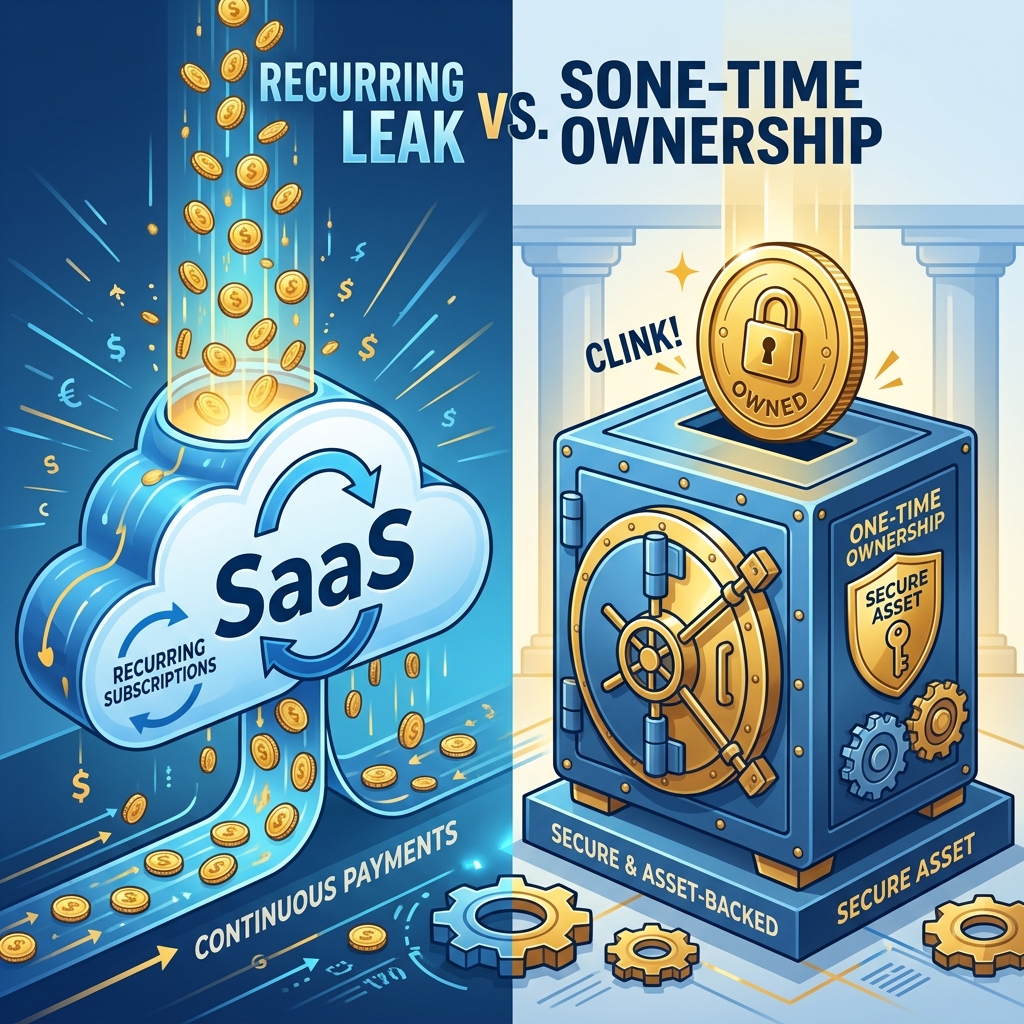
The SaaS business model is explicitly designed to extract the maximum lifetime value from a customer by turning software from a product you own into a service you rent.
Let's examine the standard pricing architecture of a cloud payroll provider. They typically charge a base platform fee (e.g., $40/month) plus a per-employee fee (e.g., $6/employee/month). If your business has 50 employees, your monthly SaaS bill is $340. Annually, you are paying $4,080 for the privilege of accessing your own data.
Over a 5-year period, that software will cost you $20,400. And if your company grows to 100 employees? Your costs multiply exponentially. You are effectively being financially penalized for hiring and growing your business.
The Illusion of "Continuous Updates"
SaaS companies justify their exorbitant recurring fees by promising "continuous updates" and "new features." But ask yourself: how often does the fundamental math of a payslip actually change?
Payroll is not a cutting-edge generative AI workflow that requires constant cloud computing power. It is basic arithmetic applied to structured tabular data. The core functionality you need—importing hours, calculating taxes, generating PDFs, and sending emails—was perfected a decade ago. You are paying thousands of dollars a year for minor UI tweaks, bloated features you never use, and the CEO's marketing budget.
Data Sovereignty and Vendor Lock-In
When you use a cloud payroll provider, you surrender physical custody of your data. Your employees' most sensitive financial information is hosted on a third-party server, entirely out of your control. If that SaaS provider suffers a data breach, your employees are compromised, but you bear the brunt of the broken trust.
Furthermore, SaaS providers purposefully design their systems to create "vendor lock-in." They make it incredibly easy to upload your data into their system, but agonizingly difficult to export it comprehensively if you ever want to leave. They know that the sheer operational friction of migrating to a new platform will convince you to stomach their inevitable annual 10% price hikes. You are trapped in a digital landlord-tenant relationship where eviction means losing your operational history.
Chapter 3: The Third Way - Local, Self-Hosted Payroll Automation
If manual Excel is too dangerous and slow, and SaaS is too expensive and restrictive, what is the solution?
The answer lies in returning to the concept of software ownership combined with modern automation capabilities. This is the domain of local, self-hosted desktop payroll software.
Reclaiming Your Data
Local payroll automation software is installed directly on your own computer or private server. It does not ping a third-party cloud. It does not require a subscription to access. The software acts as a highly specialized, incredibly fast engine that runs locally.
When you process payroll locally, the sensitive PII (Personally Identifiable Information) never transverses the public internet to sit in a shared, multi-tenant database. It stays exactly where it belongs: heavily encrypted on your company's own hard drive. This fundamentally neutralizes 90% of external cyber threats. A hacker cannot breach a cloud database if the data was never in the cloud to begin with.

The Return of the One-Time Fee
By stripping away the massive overhead of managing cloud infrastructure, hosting, and 24/7 server monitoring, local software developers can offer their tools at a fraction of the cost. More importantly, they can sell the software as a true product. You pay once, you download the application, and you own it forever.
There is no base fee. There is no per-employee fee. Whether you have 5 employees or 500, the cost of the software remains exactly the same. This fundamentally changes the ROI equation of payroll automation. Instead of being an ongoing operational expense (OpEx) that drains your budget every month, the software becomes a capital asset (CapEx) that pays for itself in the very first week of use.
Chapter 4: Introducing PayslipGen - The Professional Local Payroll Automator
This philosophy of security, speed, and ownership is the foundation of PayslipGen.
Built explicitly for business owners and HR professionals who are exhausted by manual spreadsheets but refuse to be extorted by SaaS subscriptions, PayslipGen is a powerhouse local application that automates the most painful parts of the payroll process.
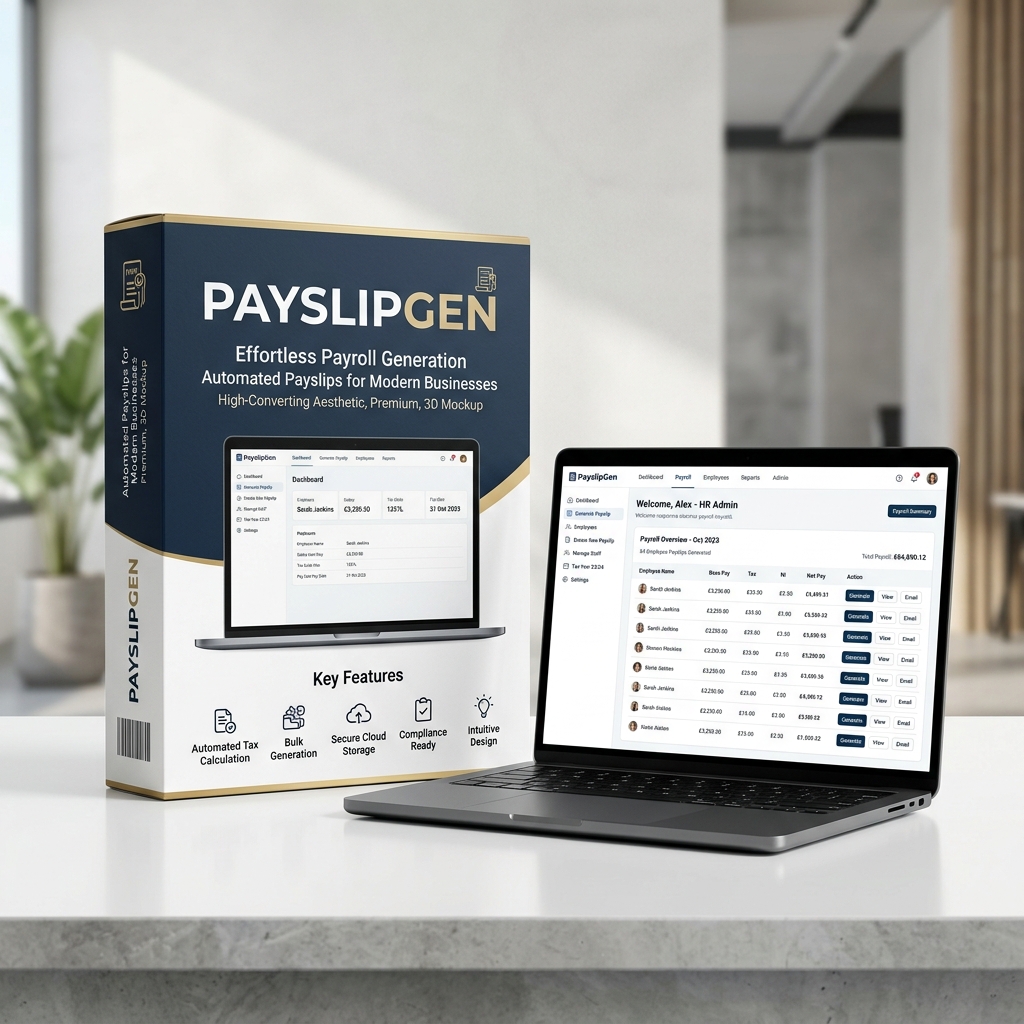
Feature Breakdown: Why PayslipGen Changes Everything
1. Blazing Fast Excel/CSV Bulk Import
You don't have to throw away your spreadsheets entirely—you just need to stop using them for the final presentation. PayslipGen allows you to seamlessly upload your raw Excel or CSV files. The intelligent mapping engine automatically identifies columns like "Base Salary", "Overtime", "Tax Deductions", and "Net Pay", instantly bridging the gap between your raw data and professional output.
2. Beautiful, Compliant PDF Generation in Seconds
Manual Mail Merge is dead. Once your data is imported, PayslipGen's engine generates pixel-perfect, highly professional PDF payslips for every single employee simultaneously. What used to take hours of formatting, saving, and renaming is now accomplished in roughly 300 milliseconds per employee.
3. Integrated, Secure Bulk Emailing
Generating the PDFs is only half the battle; distributing them securely is the other. PayslipGen features a built-in SMTP engine. Connect it directly to your company's existing email server (Gmail, Outlook, AWS SES), and with one click, the software will individually email each employee their specific PDF payslip.
4. Advanced Password Protection
Because PayslipGen operates locally, it can execute heavy cryptographic functions without server lag. You can configure the software to automatically lock every generated PDF with a unique password (such as the last 4 digits of the employee's ID or their birthdate) before it is emailed. This ensures that even if an email is intercepted or sent to the wrong address, the financial data remains impenetrable.
5. One-Time Ownership
No monthly fees. No per-employee penalties. You buy PayslipGen once, and you own the operational capability forever. If you want to explore the full suite of automation tools we offer, check out our Automated Payslip Generator landing page.
Chapter 5: Step-by-Step - Moving from Excel to PayslipGen in 15 Minutes
The transition from a chaotic manual process to streamlined automation does not require a week-long onboarding session with a "Customer Success Manager." Because PayslipGen is a specialized local tool, the setup is radically intuitive. Here is the exact workflow you will follow on your very first day.
Step 1: Purchase and Download
Head over to the PayslipGen Store, complete the one-time purchase, and download the application package directly to your secure HR computer.
Step 2: Format Your Master Spreadsheet
Open your existing payroll spreadsheet. Ensure that your top row contains clear headers (e.g., First Name, Last Name, Email, Basic Salary, Tax, Net Pay). Save this file as a .csv or .xlsx. That's it. You don't need to learn a proprietary database language; you just need clean columns.
Step 3: Import and Map
Open PayslipGen and click "Upload Data." Select the spreadsheet you just saved. The UI will present a beautiful drag-and-drop mapping interface. If your spreadsheet column is named "Email Address" but PayslipGen is looking for "Contact Email", you simply link them together from a dropdown menu.
Step 4: Customize Your Template
Upload your company logo, set your corporate brand colors, and add a custom footer (such as "Confidential: For Intended Recipient Only"). You can preview exactly what the final PDF will look like in real-time. The design is sleek, modern, and instantly elevates the professionalism of your company in the eyes of your employees.
Step 5: Generate and Distribute
Click "Generate Payslips." Watch as the progress bar fills up, rendering hundreds of complex PDFs in mere seconds. Next, navigate to the Distribution tab. Enter your SMTP credentials (you only do this once). Craft a personalized email template using dynamic tags: "Hi {{First_Name}}, please find attached your payslip for this month." Click Send.
In less time than it takes to brew a cup of coffee, you have just accomplished a task that used to consume your entire Tuesday. You can learn more about this specific email workflow in our Secure Bulk Emailing Guide.
Chapter 6: The Unbeatable ROI Breakdown
To truly understand why moving to local automation is the best financial decision you can make for your HR department this year, we must look at the hard numbers. We will compare the three paradigms: Manual Excel, Cloud SaaS, and PayslipGen.
Let's assume a company with 75 employees and an HR administrator who earns $35/hour.
The Manual Excel Scenario
- Time Spent: 15 hours per month manually generating, saving, and emailing PDFs.
- Labor Cost: 15 hrs x $35 = $525 / month.
- Annual Cost: $6,300
- Hidden Risks: High probability of human error, zero password protection, massive data privacy liability.
The Cloud SaaS Scenario (e.g., standard provider)
- Time Spent: 2 hours per month (reviewing and clicking approve).
- Labor Cost: 2 hrs x $35 = $70 / month.
- Subscription Fee: $40 base + ($6 x 75 employees) = $490 / month.
- Total Monthly Cost: $560 / month.
- Annual Cost: $6,720
- Hidden Risks: Data is hosted externally, subject to annual price hikes, high vendor lock-in friction.
The PayslipGen Scenario
- Time Spent: 1 hour per month (formatting CSV, importing, and hitting send).
- Labor Cost: 1 hr x $35 = $35 / month.
- Subscription Fee: $0
- Total Monthly Operational Cost: $35 / month.
- Annual Operational Cost: $420
- Software Acquisition Cost: ~$49 (One-time fee).
- First Year Total Cost: $469
- Hidden Benefits: Absolute data privacy, military-grade PDF password protection, owned asset.
The 5-Year Outlook
If we project these costs over a 5-year timeline (assuming no company growth or price hikes, which is generous to the SaaS model):
- Manual Cost (5 Years): $31,500
- SaaS Cost (5 Years): $33,600
- PayslipGen Cost (5 Years): $2,149
By choosing a one-time purchase local automator, you are saving over $31,000 in operational capital over five years. That is money that can be reinvested into employee bonuses, marketing campaigns, or product development.
Take Back Your Time and Your Money
Stop renting your software. Start owning your automation. Eliminate human error, secure your employees' financial data, and reclaim days of your life every single month.
Download PayslipGen NowConclusion
The era of accepting manual drudgery as "part of the job" is over. Similarly, the era of blindly accepting exorbitant monthly SaaS fees for basic administrative automation is coming to an end. Smart businesses are recognizing that they can have the best of both worlds: lightning-fast automated workflows and total financial/data sovereignty.
Your payroll data is yours. It shouldn't be held hostage in a cloud database, and you shouldn't have to rent access to it every 30 days.
(Need to generate payslips straight from CSVs? Explore our CSV to PDF tool or read our deep-dive on Macro Replacements to further optimize your offline workflows).