
Mid-Year Payroll System Migration: How to Reconcile and Fix YTD Balances on Paystubs
Key Takeaways
- ✓The Zero-YTD Reset Trap: Migrating payroll software mid-year without manual historical ledger ingestion resets cumulative balances to $0.00, triggering erroneous double-taxation across statutory wage ceilings.
- ✓Social Security & FUTA Over-Withholding: When YTD wages reset, high-earning employees suffer unnecessary 6.2% Social Security deductions past the annual statutory wage base, while employers duplicate FUTA ($7,000 cap) and state SUTA tax payments.
- ✓Form 941 & W-2 Reconciliation: Failing to tie prior quarterly tax filings (Lines 2, 5a, 5c of Form 941) to the new payroll master creates severe year-end W-2/W-3 discrepancies and triggers costly IRS CP2000 discrepancy notices.
- ✓Dual-Column Historical Mapping: Structuring Excel with prior YTD, current period, and cumulative total columns enables PayslipGen to render pristine, bank-verifiable dual-column PDF paystubs with 100% offline security and zero SaaS migration fees.
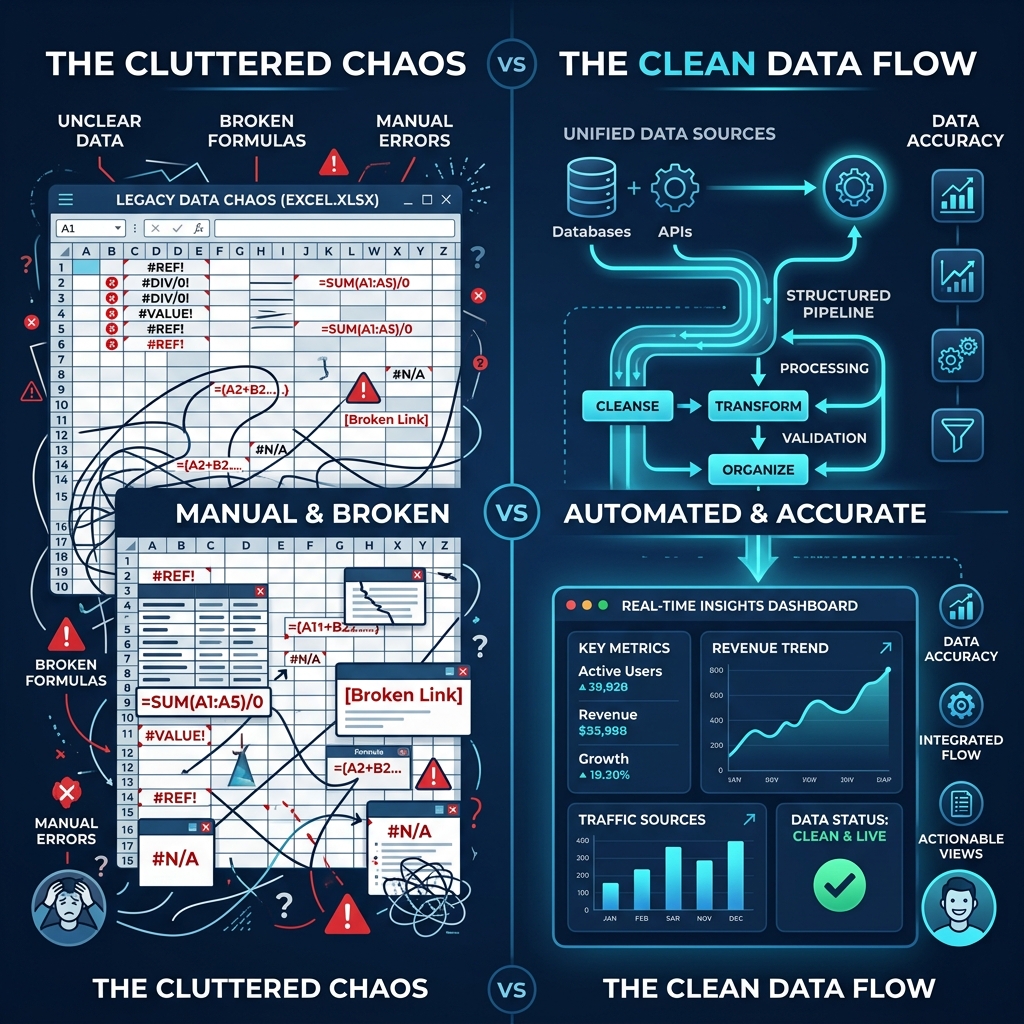
Switching payroll systems in the middle of a fiscal year is one of the most perilous operations an accounting or HR department can undertake. Whether your organization is escaping exorbitant cloud SaaS fees, departing bloated enterprise platforms like ADP or Workday, or transitioning to an agile in-house workflow, a mid-year cutover carries a silent, compounding hazard: broken Year-to-Date (YTD) balances.
Unlike a clean January 1st transition—where cumulative earnings, tax withholdings, and statutory benefit caps start naturally at zero—a migration in May, July, or October requires bridging months of historical wage data with live payroll execution. When software systems fail to inherit prior payroll registers, cumulative YTD fields reset to $0.00 on the first new pay period.
The consequences of this "zero-YTD reset" are severe: high-earning employees get over-taxed on Social Security; employers double-pay Federal and State Unemployment taxes; 401(k) limits are breached; mortgage underwriters reject employee loan applications; and year-end Form W-2 filings collapse into an audit nightmare.
In this definitive guide, we will examine the mechanics of mid-year payroll transitions, analyze the tax-capping algorithms that break when YTD history is lost, provide a complete 3-way Form 941 reconciliation framework, and demonstrate how to architect a dual-track master spreadsheet to generate compliant, dual-column PDF paystubs using PayslipGen.
Try Our Interactive Demo Instantly
Want to see how an offline-capable, client-side payslip generator works in practice? Try our brand-new interactive demo right in your browser. Upload a sample CSV, map your columns, and generate beautifully designed PDF payslips—with zero data ever being transmitted to our servers.
Launch Free Demo NowChapter 1: The Zero-YTD Reset Phenomenon — Why Mid-Year Transitions Break Payroll
To understand why mid-year migrations fail, one must examine how payroll engines calculate net pay. A modern employee payslip is not a standalone transaction. It is a dual-layered financial instrument composed of two distinct datasets:
- Current Period Data: The transactional wages, overtime hours, bonuses, pre-tax deductions, and tax withholdings earned during the specific pay cycle (e.g., July 1 to July 15).
- Cumulative Year-to-Date (YTD) Ledger: The running mathematical sum of all gross earnings, taxable wages per jurisdiction, statutory withholdings, employer contributions, and benefit deferrals accumulated since January 1st of the active tax year.
The cumulative YTD ledger is not merely an informational summary printed on the bottom of a voucher for employee convenience. In federal and state tax law, the YTD ledger acts as the active algorithmic governor for statutory tax ceilings.
The SaaS Historical Data Lock-in Trap
When companies terminate subscriptions with legacy cloud providers (e.g., Gusto, Rippling, Paycom, or QuickBooks Payroll), the departing platform locks historical reports behind cancelled user accounts or charges steep "historical archival fees." Meanwhile, new platforms often charge $1,500 to $5,000 in mandatory "white-glove onboarding fees" to manually key in prior quarter payroll histories. Many teams attempt to bypass this by starting the new software "fresh," inadvertently zeroing out all cumulative employee balances.
When a new payroll tool starts with a $0.00 YTD balance mid-year, it assumes every employee is standing at January 1st. As a result, every statutory threshold designed to protect workers and employers from excessive taxation is completely bypassed.
Chapter 2: The Catastrophic Tax & Compliance Penalties of Resetting YTD Balances
When cumulative YTD history is omitted from a new payroll engine, several critical statutory boundaries are immediately violated. Let us examine the exact mathematical and legal mechanics of these failures.
1. OASDI Social Security Tax Over-Withholding ($168,600+ Statutory Wage Base)
Under the Federal Insurance Contributions Act (FICA), the Old-Age, Survivors, and Disability Insurance (OASDI) tax—commonly known as Social Security tax—is levied at a rate of 6.2% for the employee and matched at 6.2% by the employer (totaling 12.4%).
However, Congress mandates a strict annual statutory ceiling known as the Social Security Wage Base Limit($168,600 in 2024, with annual inflation adjustments reaching higher thresholds in 2026). Once an individual's cumulative gross earnings reach this limit within a calendar year, all subsequent wages are 100% exempt from Social Security withholding for the remainder of that year.
| Metric / Scenario | Correct Consolidated Payroll | Mid-Year Migration with Zero YTD |
|---|---|---|
| Employee Annual Salary | $240,000 ($20,000 / month) | $240,000 ($20,000 / month) |
| System A (Jan–Jun: $120,000 Earned) | Withheld: $7,440.00 (6.2%) | Withheld: $7,440.00 (6.2%) |
| System B (Jul–Dec: $120,000 Earned) | Withholds on first $48,600 only ($3,013.20) | Withholds on all $120,000 ($7,440.00) |
| Total Employee Social Security Tax | $10,453.20 (Statutory Max) | $14,880.00 ($4,426.80 Over-withheld) |
| Total Employer Social Security Match | $10,453.20 (Statutory Max) | $14,880.00 ($4,426.80 Overpaid) |
| Total Financial Drag per Employee | $0.00 (Flawless Compliance) | $8,853.60 Erroneous Cash Loss |
In this scenario, resetting YTD balances cost the employee $4,426.80 in lost take-home pay and drained the employer of an identical $4,426.80 in excess taxes. While the employee can eventually claim a credit on IRS Form 1040 Schedule 3 when filing their individual tax return, the employer cannot simply claim an income tax credit. The employer must prepare, file, and reconcile complex IRS Form 941-X (Adjusted Employer's Quarterly Federal Tax Return) amendments for every affected quarter—costing thousands of dollars in CPA billable hours.
2. Federal Unemployment Tax Act (FUTA) $7,000 Wage Base Duplication
The Federal Unemployment Tax Act (FUTA) levies a 6.0% payroll tax on employers, which is universally reduced to an effective rate of 0.6% ($0.006) for employers who pay state unemployment taxes on time via the maximum 5.4% FUTA tax credit.
Crucially, FUTA applies only to the first $7,000 of wages paid to each employee in a calendar year. The maximum statutory FUTA tax liability for any employee is exactly $42.00 per year ($7,000 × 0.006).
For any full-time employee earning $3,500/month, the $7,000 FUTA ceiling is reached in February. If the employer switches payroll systems on July 1st with zero YTD history, the new system sees $0.00 in prior wages and recalculates FUTA on the first $7,000 earned in Q3.
- For a 50-person company: Redundant FUTA expense = $2,100.
- For a 250-person company: Redundant FUTA expense = $10,500.
3. State Unemployment Insurance (SUI / SUTA) & State Disability (SDI) Redundancy
State Unemployment Tax Acts (SUTA) operate under the same taxable wage base logic as FUTA, but at significantly higher tax rates (often 1.5% to 9.0% depending on employer experience ratings) and substantially higher wage bases across various states:
| State Jurisdiction | Annual SUTA Wage Base Limit | Typical Employer SUTA Rate | Max Redundant Tax per Employee |
|---|---|---|---|
| California (EDD) | $7,000 | 3.4% – 6.2% | $238.00 – $434.00 |
| Texas (TWC) | $9,000 | 1.2% – 5.4% | $108.00 – $486.00 |
| New York (NYS DOL) | $12,500+ (Indexed) | 2.1% – 8.9% | $262.50 – $1,112.50 |
| Illinois (IDES) | $13,590+ (Indexed) | 1.8% – 7.5% | $244.62 – $1,019.25 |
| Washington (ESD) | $68,500+ (Indexed) | 1.1% – 6.0% | $753.50 – $4,110.00 |
When an employer resets YTD balances in states like Washington or New York, the employer SUTA overpayments can easily climb into tens of thousands of dollars. Recovering these funds requires filing amended state wage reports (e.g., California DE-9C, NYS-45) and waiting 6 to 18 months for state tax agency audits and refund disbursements.
4. Additional Medicare Tax (0.9% on Wages Over $200,000)
Under the Affordable Care Act (ACA), employers are legally obligated to withhold an Additional Medicare Tax of 0.9% on an employee's wages in excess of $200,000 in a calendar year, beginning in the pay period in which wages exceed $200,000, regardless of the employee's tax filing status or exemptions.
If an executive earns $300,000 annually ($150,000 in H1 on System A, and $150,000 in H2 on System B with zero YTD), System B never sees cumulative wages cross the $200,000 statutory trigger. The employer completely fails to withhold the required $900 ($100,000 × 0.009), triggering mandatory IRS failure-to-withhold statutory penalties and interest under Internal Revenue Code Section 6656.
5. Pre-Tax Retirement & Section 125 Benefit Cap Violations
Statutory limits established by the IRS apply across the entire calendar year regardless of payroll platform:
- 401(k) / 403(b) Elective Deferrals: Under IRC Section 402(g), employee pre-tax contributions are capped at $23,000 ($30,500 for age 50+). Resetting YTD allows an employee setting a 15% deferral rate to contribute $18,000 on System A and another $18,000 on System B ($36,000 total), breaching federal limits. This requires executing complex 401(k) corrective distributions, recalculating net taxable earnings, and issuing Form 1099-R.
- Health Savings Accounts (HSA): Annual maximums ($4,150 individual / $8,300 family). Over-contributions incur a 6% annual IRS excise tax until rectified.
- Health Flexible Spending Accounts (FSA): Annual statutory ceiling ($3,200).
6. Employee Mortgage, Loan, and Visa Underwriting Crises
When employees apply for residential mortgages, auto loans, or immigration visas, lending underwriters and government officials strictly require the last 2 to 3 consecutive paystubs. Under Fannie Mae (Fannie Mae Selling Guide B3-3.1-01) and Freddie Mac underwriting standards, underwriters cross-check current period gross pay against the cumulative YTD gross earnings to confirm continuous, stable employment.
If an employee earning $10,000/month submits an August paystub showing current gross of $5,000 but a YTD gross of only $5,000 (instead of $80,000), automated underwriting engines immediately flag the file for "income discrepancy" or "employment gap." Mortgages are delayed, escrow deadlines are missed, and HR is inundated with urgent, panicked employee complaints.
Chapter 3: Prior Payroll History Extraction & The Three-Way Reconciliation Protocol
To execute a seamless mid-year transition without risking statutory tax overages or broken payslips, you must establish an unimpeachable historical data foundation. Before closing your existing payroll software account or transitioning to a self-managed spreadsheet workflow, you must extract five non-negotiable compliance artifacts.
The 5 Essential Pre-Migration Data Artifacts
- Employee-by-Employee YTD Payroll Summary: A comprehensive report spanning January 1st through the final processed pay date of the departing system, itemizing total gross pay, regular pay, overtime, bonuses, commissions, pre-tax deductions (by category), taxable wages per tax authority, employee tax withholdings, employer taxes, and net pay.
- Quarter-to-Date (QTD) Wage and Tax Summaries: Individual summaries for closed quarters (e.g., Q1 Jan 1–Mar 31, Q2 Apr 1–Jun 30) and any completed pay runs in the active quarter.
- Filed Copies of IRS Form 941: Official federal quarterly tax returns filed with the IRS for all completed quarters of the current calendar year.
- Filed State Quarterly Unemployment & Withholding Returns: (e.g., California DE-9/DE-9C, New York NYS-45, Texas C-3).
- Retirement & Benefits Recordkeeper Ledgers: Cumulative 401(k) employee deferrals, employer matching contributions, HSA deductions, and FSA balances.
The 3-Way Reconciliation Formula
Before entering a single number into your new payroll generator, you must prove that your historical spreadsheet ledger mathematically equals your official tax filings. Use the Three-Way Payroll Reconciliation Formula:
// 1. Gross Wages Reconciliation
∑ [Individual Employee Prior_YTD_Gross] ===
∑ [Form 941 Line 2 (Q1 + Q2 + Q3)] + ∑ [Unfiled Active Quarter Pay Runs]
// 2. Social Security Taxable Wages Reconciliation
∑ [Individual Employee Prior_YTD_SS_Taxable] ===
∑ [Form 941 Line 5a Col 1 (Q1 + Q2 + Q3)] + ∑ [Unfiled SS Taxable Wages]
// 3. Federal Income Tax Withheld Reconciliation
∑ [Individual Employee Prior_YTD_Fed_Tax] ===
∑ [Form 941 Line 3 (Q1 + Q2 + Q3)] + ∑ [Unfiled Federal Tax Withheld]
If the sum of your employee YTD spreadsheet columns differs by even one cent from your filed Form 941 quarterly returns, you must audit your payroll journals to locate the timing difference (e.g., a voided check or off-cycle bonus check processed after the quarterly return was drafted) before proceeding.
Chapter 4: Building the Master Dual-Column Excel/CSV Migration Ledger
The most reliable, audit-proof method for managing mid-year payroll transitions is to structure your master spreadsheet with a dual-track architecture: explicitly separating Prior System YTD, Current Pay Period, and Consolidated Total YTD.
Below is the comprehensive data schema recommended for standard Excel or CSV payroll ingestion into PayslipGen:
| Column Header | Data Type | Calculation / Input Type | Description & Compliance Rule |
|---|---|---|---|
| Employee_ID | String | Static Text | Unique company workforce identifier (e.g., EMP-1042). |
| Employee_Name | String | Static Text | Legal full name matching Social Security card. |
| Pay_Period_Dates | String / Date | Static Date Range | Current cycle start and end (e.g., 07/01/2026 - 07/15/2026). |
| Current_Gross | Currency | Formula: =Regular_Pay + Overtime_Pay + Bonus | Total gross compensation earned in current pay period. |
| Prior_YTD_Gross | Currency | Static Number (from legacy system) | Total gross pay accumulated on prior software through cutoff. |
| Total_YTD_Gross | Currency | Formula: =Prior_YTD_Gross + Current_Gross | Official cumulative YTD gross printed on new paystub. |
| Current_SocSec_Tax | Currency | Formula with Wage Cap logic | 6.2% employee tax with statutory cap governor. |
| Prior_YTD_SocSec_Tax | Currency | Static Number | Social Security tax already deducted on old system. |
| Total_YTD_SocSec_Tax | Currency | Formula: =Prior_YTD_SocSec_Tax + Current_SocSec_Tax | Cumulative Social Security tax printed on paystub. |
| Current_Medicare_Tax | Currency | Formula: =Current_Gross * 0.0145 | Standard 1.45% Medicare employee withholding. |
| Total_YTD_Medicare_Tax | Currency | Formula: =Prior_YTD_Medicare_Tax + Current_Medicare_Tax | Cumulative Medicare tax printed on paystub. |
| Current_401k | Currency | Formula with $23k Cap check | Employee voluntary pre-tax elective deferral. |
| Total_YTD_401k | Currency | Formula: =Prior_YTD_401k + Current_401k | Cumulative 401(k) deferrals displayed on paystub. |
| Current_Net_Pay | Currency | Formula: =Current_Gross - Total_Current_Deductions | Actual net disbursement paid via ACH or check. |
Production-Grade Excel Formulas for Statutory Tax Ceilings
To ensure your Excel calculations never over-withhold taxes when an employee crosses the Social Security wage cap mid-pay-cycle, use the following tested formulas:
1. Social Security Withholding Formula (With Prior YTD Cap Governor):
=IF(Prior_YTD_Gross + Current_Gross <= 168600,
    Current_Gross * 0.062,
    IF(Prior_YTD_Gross >= 168600,
       0,
       (168600 - Prior_YTD_Gross) * 0.062
    )
)
Explanation: If total wages are under the cap, withhold 6.2%. If prior wages already exceeded the cap, withhold $0.00. If current wages cross the threshold during this pay run, tax only the remaining portion up to $168,600.
2. Additional Medicare Tax Formula (0.9% Over $200,000):
=IF(Prior_YTD_Gross + Current_Gross <= 200000,
    0,
    IF(Prior_YTD_Gross >= 200000,
       Current_Gross * 0.009,
       (Prior_YTD_Gross + Current_Gross - 200000) * 0.009
    )
)
Chapter 5: Dual-Column Paystub Rendering with PayslipGen
Once your master Excel or CSV workbook contains both current period earnings and reconciled prior YTD balances, the final challenge is rendering individual, professional, bank-ready PDF payslips for your entire workforce.
Most online PDF converters and basic Word mail merge templates only support a single set of earnings and deductions. They cannot render a true Dual-Column Layout where employees see:
- Left Column ("This Period"): Current regular hours, overtime, gross pay, current federal tax, state tax, and current net disbursement.
- Right Column ("Year to Date"): Cumulative gross earnings, total federal tax withheld to date, cumulative FICA taxes, and year-to-date net compensation.
How PayslipGen Solves the Mid-Year Migration Dilemma
PayslipGen is an offline, standalone desktop payroll automator engineered specifically to ingest complex spreadsheets and batch-generate hundreds of customized PDF payslips in seconds.
- ✓Independent Column Mapping: Map your spreadsheet's
Current_GrossandTotal_YTD_Grossto distinct slots on the PDF voucher template with one click. - ✓100% Offline Data Sovereignty: Unlike cloud payroll platforms, PayslipGen operates entirely on your local machine. Employee SSNs, prior salary histories, and banking information are never transmitted to third-party servers.
- ✓Per-File Dynamic AES-256 Encryption: Automatically password-protect every generated PDF payslip using unique employee attributes (e.g., Birth Year + Last 4 SSN digits), ensuring strict GDPR and HIPAA compliance.
- ✓Zero Monthly Subscriptions: Buy the desktop software once, own it forever, and generate unlimited payslips across multiple fiscal years without per-employee monthly fees.
Chapter 6: The 8-Stage Mid-Year Migration & Reconciliation Checklist
Follow this structured 8-stage operational checklist to execute your mid-year payroll migration with zero mathematical errors, zero tax overpayments, and 100% audit readiness:
1Stage 1: Pre-Migration Data Extraction & Ledger Freeze
Export complete employee master profiles, historical YTD payroll registers, and benefits ledger reports from your existing payroll software. Once exported, place a strict administrative freeze on the old platform to prevent unrecorded off-cycle checks.
2Stage 2: Quarter-End Alignment & Cutoff Timing
Whenever possible, align your live cutover with the end of a fiscal quarter (March 31, June 30, or September 30). This allows the departing system to file clean quarterly tax returns (Form 941, state SUTA), establishing a clean boundary for the new system.
3Stage 3: Three-Way Form 941 & GL Reconciliation
Verify that the sum of individual employee YTD gross wages, Social Security taxable wages, and Medicare taxes exactly matches filed copies of Form 941 and your General Ledger payroll expense accounts.
4Stage 4: Master Spreadsheet Dual-Track Normalization
Populate your master Excel workbook with static Prior YTD columns. Implement verified capping formulas for Social Security (6.2%), Additional Medicare Tax (0.9%), and voluntary 401(k) elective deferrals.
5Stage 5: Parallel Shadow Payroll Execution
Run a parallel "shadow payroll" for one pay period. Calculate the pay run in your new spreadsheet system while simultaneously running the preview in the old system (or against manual CPA calculations). Verify net pay down to the penny.
6Stage 6: Edge-Case & Boundary Limit Testing
Perform targeted audits on high-earning executives (crossing $168,600 SS cap or $200k Medicare threshold), employees with active garnishments, mid-year new hires with $0 prior company wages, and employees with catch-up 401(k) deferrals.
7Stage 7: Batch PDF Payslip Generation in PayslipGen
Import the finalized spreadsheet into PayslipGen. Map current period and cumulative YTD fields to your corporate template. Generate password-protected PDF files with custom company branding and digital signatures.
8Stage 8: Employee Communication & Secure Dispatch
Distribute paystubs via automated, encrypted SMTP email. Issue an internal memo explaining the new dual-column paystub format, pointing out where employees can verify their contiguous YTD earnings and tax withholdings.
Chapter 7: Year-End W-2 & 1099 Reconciliation Across Two Systems
The ultimate validation of a successful mid-year payroll migration occurs in January of the following year during Form W-2 and Form 1099-NEC preparation. How year-end tax forms are filed depends on whether your corporate entity changed:
Scenario A: Single FEIN Migration (Same Legal Entity, Different Software)
If your company operated under the same Federal Employer Identification Number (FEIN) all year and simply switched payroll software, you have two reporting options:
- Option 1: Consolidated Single W-2 (Recommended): Your new payroll system (or master historical spreadsheet) produces a single, unified Form W-2 for each employee combining wages and withholdings from Jan 1 through Dec 31. This prevents employee confusion and eliminates phantom IRS Social Security over-withholding notices.
- Option 2: Two Separate W-2s: The old provider files a W-2 for Jan–Jun, and the new system files a W-2 for Jul–Dec. While legally permissible under IRS guidelines, this format confuses employees and forces high-earners to manually reconcile excess Social Security tax credits on their personal Form 1040 tax returns.
Scenario B: Successor Employer Rules (Mergers, Acquisitions, Entity Changes)
If the mid-year migration is accompanied by a statutory change in corporate structure (e.g., an acquisition or reorganization with a new FEIN), the business must follow IRS Revenue Procedure 2004-53:
- Standard Procedure: Predecessor and successor employers file separate Forms W-2. The successor employer CANNOT credit predecessor wages toward the Social Security wage base unless formal successor qualification criteria are satisfied.
- Alternate Procedure: Under formal written agreement, the successor employer assumes all W-2 reporting obligations and issues a single consolidated Form W-2 for the entire calendar year.
Chapter 8: Frequently Asked Questions (FAQ)
How do we recover over-withheld Social Security taxes if YTD balances were reset?
If an employee was over-withheld on Social Security tax within the same company due to a lost YTD history, the employer must refund the over-collected tax to the employee and file an amended federal return (IRS Form 941-X) for the affected quarter to recover the employer matching overpayment. If the employee worked for two entirely separate employers, the employee claims the credit directly on IRS Form 1040 Schedule 3.
Can employees use their new mid-year paystubs for a mortgage application?
Yes, provided the new paystub features a dual-column layout displaying accurate, contiguous Year-to-Date (YTD) cumulative gross wages. If the paystub displays $0.00 YTD in July, Fannie Mae and Freddie Mac mortgage underwriters will reject the document or require a formal Verification of Employment (VOE) letter and historical W-2s to prove income stability.
What is the difference between migrating at quarter-end versus mid-quarter?
Migrating at quarter-end (March 31, June 30, Sept 30) is vastly simpler because the legacy system files the completed quarter's Form 941 and state returns, establishing a fixed historical benchmark. Mid-quarter migrations require splitting a single tax quarter across two platforms, requiring the accountant to manually aggregate payroll journals to file the quarterly Form 941.
How do we prevent 401(k) contributions from exceeding IRS annual limits?
You must maintain a Prior_YTD_401k column in your master spreadsheet. In your formula, subtract prior contributions from the annual limit ($23,000 for 2024/2026) to calculate the maximum allowable deferral for remaining pay periods. Inform your 401(k) plan recordkeeper of the transition to ensure plan-level compliance audits match.
What reports must I download before my old payroll SaaS account is cancelled?
Before closing your old account, download: (1) Employee master directory with W-4 selections, (2) Complete YTD payroll registers by employee, (3) Filed copies of all Form 941 and state quarterly returns for the year, (4) Tax liability summary reports, and (5) Direct deposit bank transaction logs. Ensure these are backed up locally in secure, encrypted storage.
Why is PayslipGen better than cloud SaaS for mid-year payroll transitions?
Cloud SaaS providers charge steep implementation fees to import historical data and lock your records behind ongoing monthly subscriptions. PayslipGen runs 100% locally on your desktop for a single one-time fee, ingests your exact Excel columns without forced rigid schemas, keeps sensitive employee PII completely offline, and renders beautiful dual-column PDF payslips in seconds.
Master Your Mid-Year Payroll Transition with Zero SaaS Lock-in
Generate professional, password-protected dual-column PDF payslips directly from your master spreadsheet. Eliminate recurring SaaS fees and protect historical payroll data forever.
Get PayslipGen TodayConclusion & Next Steps
A mid-year payroll migration does not have to result in tax over-withholding, broken statutory benefit caps, or employee panic. By treating Year-to-Date data with the mathematical precision it demands, executing a rigorous three-way reconciliation against filed Form 941 returns, and maintaining a dual-track master spreadsheet, you can transition systems with total confidence.
By pairing your spreadsheet model with the local desktop rendering power of PayslipGen, you gain complete data sovereignty, eliminate costly cloud SaaS subscription bloat, and deliver flawless, password-protected dual-column paystubs to your workforce every single pay cycle.
(Planning your payroll optimization? Read our in-depth guides on Common Excel Payroll Mistakes, Archiving Payslips for Audit Season, or explore Cloud vs Offline Payroll Security.)