
How to Generate Employee Paystubs Without a QuickBooks Payroll Subscription (From Excel)
Key Takeaways
- ✓The Intuit Subscription Squeeze: Intuit has progressively phased out standalone QuickBooks Desktop licenses and crippled manual payroll features, forcing businesses into monthly cloud subscriptions ranging from $50/mo base + $6/employee to over $130/mo base + $10/employee.
- ✓Huge Cumulative Cost Disparity: For a 5-employee business, QuickBooks Online Payroll costs $1,032 in Year 1, $3,096 across 3 years, and over $5,160 over 5 years. In comparison, maintaining your payroll ledger in Excel and using PayslipGen costs a single one-time payment of $49 for lifetime access.
- ✓Strict Statutory Compliance Without Cloud SaaS: Generating your own paystubs is 100% legal under the Fair Labor Standards Act (FLSA Section 11(c)) and state payday laws, provided your pay vouchers accurately itemize gross pay, hourly rates, hours worked, statutory withholdings (FICA, FIT, SIT), and cumulative Year-to-Date (YTD) totals.
- ✓Absolute Data Privacy & Security: Cloud payroll vendors store your employees' sensitive Social Security Numbers, banking routing codes, and wage histories on centralized multi-tenant web servers. PayslipGen executes 100% offline on your local computer, producing AES-256 password-protected vector PDFs without any cloud telemetry.
- ✓Straightforward Tax Filings: Decoupling paystub generation from expensive software does not complicate quarterly IRS Form 941 or annual Form W-2 filings. Federal tax deposits can be scheduled for free via EFTPS.gov, and year-end W-2s can be filed electronically for less than $4 per employee.
Every Friday afternoon, thousands of small business owners, general contractors, dental office managers, and boutique agency founders sit down at their desks to confront one of the most frustrating recurring expenses in modern business: paying upwards of $75 to $150 every single month to QuickBooks just to generate a handful of two-page PDF paystubs for their loyal staff.
If your company employs 3, 5, or 15 people whose hours and pay rates rarely fluctuate wildly, you already know your gross numbers. You already know your employee withholdings. You might even have an outside CPA or bookkeeper who handles your quarterly Form 941 reconciliations, or you may handle federal tax deposits directly through the US Treasury's free EFTPS portal. Yet, Intuit has structured its software ecosystem so that the simple, fundamental mechanical act of rendering an official, compliant, itemized employee pay statement is locked behind a mandatory, perpetually escalating subscription paywall.
With the aggressive sunsetting of QuickBooks Desktop and Intuit's relentless push toward QuickBooks Online (QBO) Payroll, small businesses are finding themselves trapped in an endless cycle of price hikes, unexpected off-cycle payroll fees, and forced cloud migrations.
The good news? You do not need an active QuickBooks payroll subscription to generate beautiful, institutional-grade, legally compliant employee paystubs. By pairing a structured Excel or Google Sheets payroll calculation template with PayslipGen—a dedicated, one-time-purchase desktop paystub generator—you can run payroll locally, batch-generate AES-256 encrypted PDF pay vouchers, and automatically email them to your team in under 60 seconds, saving your business thousands of dollars year after year.
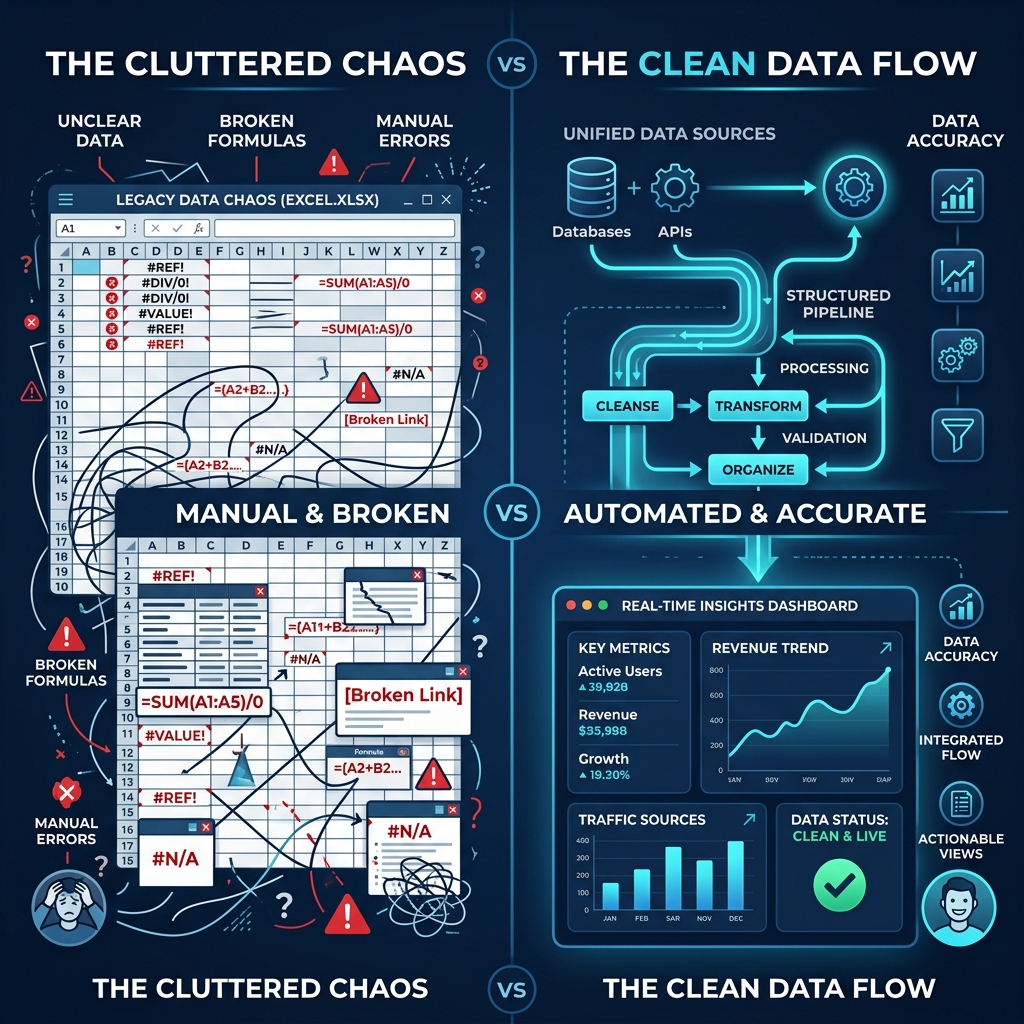
Try Our Interactive Demo Instantly
Want to see how an offline-capable, client-side payslip generator works in practice? Try our brand-new interactive demo right in your browser. Upload a sample CSV, map your columns, and generate beautifully designed PDF payslips—with zero data ever being transmitted to our servers.
Launch Free Demo NowChapter 1: The QuickBooks Payroll Trap (The Anatomy of SaaS Rent-Seeking)
To understand why so many small business owners are actively seeking a reliable QuickBooks desktop payroll replacement, one must look at how Intuit transformed payroll from a practical accounting utility into an aggressive recurring revenue engine.
The Golden Era of Perpetual Software vs. The Modern Subscription Lock-In
A decade ago, a small business could purchase a perpetual retail copy of QuickBooks Desktop Pro for roughly $200–$300. That software would reliably track income, manage expenses, balance general ledgers, and even print paychecks and pay vouchers using built-in manual payroll calculations for five or more years without demanding another dime.
Today, that business model has been systematically dismantled. Intuit instituted strict annual discontinuation cycles, disabling online banking feeds and payroll add-ons for desktop versions after three years. More recently, Intuit ceased selling new standalone desktop licenses altogether in many markets, pushing users toward QuickBooks Desktop Enterprise at thousands of dollars per year, or forcing migration into QuickBooks Online.
In earlier desktop editions, users could enable a "Manual Payroll" preference to calculate taxes by hand or enter pre-calculated tax amounts from IRS Publication 15 Circular E tables. In modern releases, Intuit deliberately crippled this feature, flashing persistent warning banners and restricting formatted paystub generation unless an active, paid QuickBooks Payroll subscription is linked to the company file.
Deconstructing the Real Monthly Cost of QuickBooks Payroll
When evaluating QuickBooks Online Payroll, advertised promotional rates (such as "50% off for 3 months") routinely conceal the true ongoing operational cost. Let us examine the actual ongoing pricing tiers:
- QuickBooks Payroll Core: $50.00 base fee per month + $6.00 per employee per month. For a firm with 5 employees, this totals $80.00/month ($960/year) before taxes and miscellaneous fees.
- QuickBooks Payroll Premium: $85.00 base fee per month + $9.00 per employee per month. For 5 employees, this reaches $130.00/month ($1,560/year).
- QuickBooks Payroll Elite: $130.00 base fee per month + $11.00 per employee per month. For 5 employees, this totals $185.00/month ($2,220/year).
Crucially, these numbers assume you are already paying for the underlying QuickBooks Online accounting software (Simple Start at $38/mo, Plus at $115/mo, or Advanced at $275/mo). When combined, a small 5-person trade business or professional firm easily spends $1,800 to $3,500 every single year merely to balance basic books and issue bi-weekly pay slips.
The Hidden Penalties and Friction Points
The direct monthly subscription is only the visible portion of the expense iceberg. Businesses regularly encounter additional friction points:
- Multi-State Payroll Surcharges: If you hire a remote drafter in another state or have a technician crossing state lines, QuickBooks charges an extra $12 to $20 per additional state per month on lower tiers.
- Off-Cycle Direct Deposit Limits: Running a supplemental paycheck, correcting a bonus, or issuing a termination check can trigger unexpected processing delays or manual check generation fees.
- Year-End Filing and Delivery Upsells: Printing and mailing physical W-2s to employees triggers extra per-form handling charges.
- The Hostage Data Dilemma: If you decide to cancel QuickBooks Payroll to cut costs, Intuit immediately restricts access to your employee payroll history, historical paystub PDF downloads, and year-to-date reports. Unless you manually export and download hundreds of individual PDF records before cancelling, your historical payroll records become virtually inaccessible.

Chapter 2: The Math: SaaS Tax vs. One-Time Software (1, 3, 5, 10-Year Cost Analysis)
To put the financial impact into sharp perspective, let us compare the total cost of ownership between QuickBooks Online Payroll Core and a local desktop automation solution powered by Excel and PayslipGen.
The mathematical comparison below uses the standard base fee of $50/month plus $6/employee/month for QuickBooks Payroll Core (holding rates flat, although Intuit historically increases subscription fees by 7% to 12% every 18 months). PayslipGen requires a single one-time payment of $49.00 with lifetime local usage rights.
| Company Size | Monthly QBO Cost | 1-Year Cost (QBO vs. PayslipGen) | 3-Year Cost (QBO vs. PayslipGen) | 5-Year Cost (QBO vs. PayslipGen) | 10-Year Cumulative Savings |
|---|---|---|---|---|---|
| 1 Employee (Solo S-Corp / Consultant) | $56.00 / mo | $672 vs. $49 | $2,016 vs. $49 | $3,360 vs. $49 | +$6,671 Saved |
| 3 Employees (Boutique Agency / Shop) | $68.00 / mo | $816 vs. $49 | $2,448 vs. $49 | $4,080 vs. $49 | +$8,111 Saved |
| 5 Employees (Auto Repair / Dental Office) | $80.00 / mo | $960 vs. $49 | $2,880 vs. $49 | $4,800 vs. $49 | +$9,551 Saved |
| 10 Employees (General Contractor / Plumbing) | $110.00 / mo | $1,320 vs. $49 | $3,960 vs. $49 | $6,600 vs. $49 | +$13,151 Saved |
| 20 Employees (Mid-Sized Manufacturing / Logistics) | $170.00 / mo | $2,040 vs. $49 | $6,120 vs. $49 | $10,200 vs. $49 | +$20,351 Saved |
Consider what an extra $8,000 to $13,000 in liquid capital means to an independent trades business or dental practice over a five-to-ten-year span:
- Upgrading essential physical shop diagnostic tools or machinery.
- Funding year-end employee performance bonuses that directly boost staff retention.
- Building an emergency operational cash buffer that cushions against client payment delays.
Paying that money to a multi-billion-dollar software vendor just to format tables of numbers on an 8.5" x 11" PDF is one of the most preventable financial leaks in small business management today.
Chapter 3: How to Export Your Payroll Data from QuickBooks / Excel
If you currently have your payroll records inside QuickBooks Desktop or QuickBooks Online, migrating away is surprisingly painless. You do not need to retype employee information from scratch. Follow this systematic extraction procedure:
Step 1: Export Employee Master Demographics
In QuickBooks Online, navigate to Payroll → Employees. Click the small Excel/Export icon located on the right side above the employee table. In QuickBooks Desktop, select Reports → Employees & Payroll → Employee Contact List, then click Excel → Create New Worksheet (.xlsx).
This export provides full employee names, home addresses, Social Security Numbers, hire dates, pay rates, and email addresses.
Step 2: Export Year-to-Date (YTD) Cumulative Payroll Summary
Under reports, run the Payroll Summary by Employee report. Set the date range from January 1 of the current year through the last executed pay period date.
Export this report to Excel. It contains your exact cumulative Year-to-Date baseline figures for Gross Wages, Federal Withholding (FIT), Social Security, Medicare, State Withholding (SIT), and any pre-tax or post-tax deductions.
Step 3: Secure and Archive Historical PDF Paystubs
Before terminating or downgrading any Intuit payroll service, print or export batch PDF copies of all historical paystubs and quarterly tax filings (Form 941, state unemployment reports). Store these in an encrypted local folder (or BitLocker/FileVault protected external hard drive) to satisfy federal 4-year payroll record retention mandates.
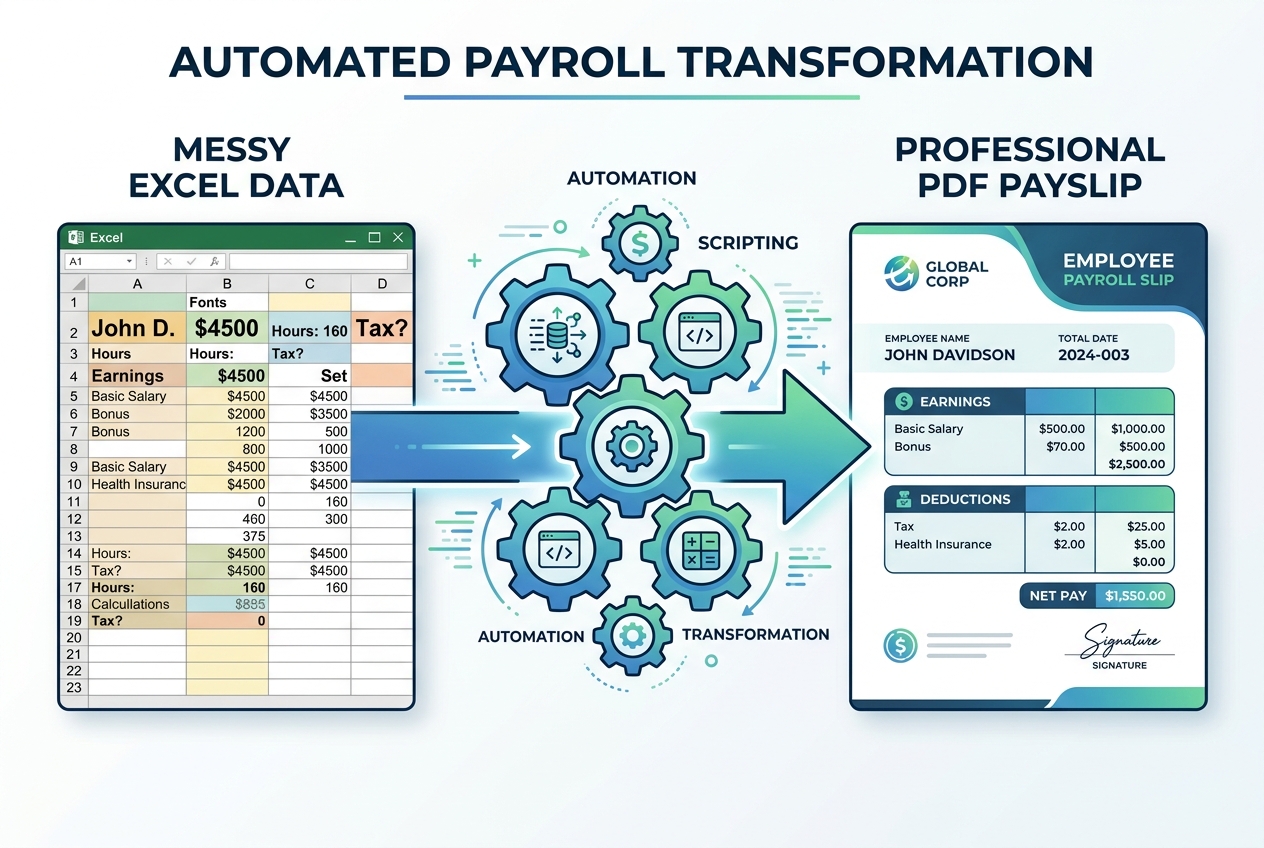
Chapter 4: The Master Excel Spreadsheet Blueprint (Formulas & Architecture)
To replace QuickBooks without sacrificing calculation precision, your business needs a clean, mathematically sound Excel or Google Sheets workbook.
In a properly structured payroll spreadsheet, each row represents an individual employee for a specific pay period. Below is the complete column blueprint designed for seamless, automated import into PayslipGen.
| Column Header | Sample Value | Formula or Input Type | Purpose & Statutory Role |
|---|---|---|---|
| Employee_ID | EMP-104 | Static Alphanumeric | Unique corporate identifier used for automated PDF file naming. |
| Full_Name | Marcus Vance | Static Text | Legal name matching employee Form W-4 and Social Security Card. |
| SSN_Masked | ***-**-6184 | Static Text (Last 4 digits only) | Identity verification for banks/mortgages while maintaining privacy. |
| Email_Address | marcus.vance@company.com | Valid Email Format | Recipient address for PayslipGen's batch SMTP email delivery. |
| Pay_Period_Dates | 09/01/2026 - 09/15/2026 | Date Range Text | Mandatory FLSA payroll period beginning and ending dates. |
| Pay_Date | 09/18/2026 | Date Text | Date funds are settled and official pay voucher is issued. |
| Regular_Hours | 80.00 | Number (Timesheet Input) | Standard non-overtime compensable hours worked in period. |
| Hourly_Rate | $32.50 | Currency Number | Contracted regular hourly wage rate. |
| Regular_Earnings | $2,600.00 | =ROUND(G2*H2, 2) | Gross regular compensable earnings for the pay period. |
| Overtime_Hours | 6.50 | Number (Timesheet Input) | Hours worked over 40 in a workweek (FLSA 1.5x requirement). |
| Overtime_Earnings | $316.88 | =ROUND(J2*(H2*1.5), 2) | Overtime wages calculated at time-and-a-half premium. |
| Gross_Pay | $2,916.88 | =ROUND(I2+K2, 2) | Total gross taxable compensation prior to all deductions. |
| PreTax_401k_HSA | $150.00 | Number or % of Gross | Exempt from Federal Income Tax (and FICA if Section 125 HSA). |
| Federal_Income_Tax | $248.50 | Tax Table Bracket / Percentage | Federal income tax withholding based on Form W-4 elections. |
| Social_Security_Tax | $180.85 | =ROUND(L2*0.062, 2) | Employee 6.2% FICA tax up to the annual Social Security wage base. |
| Medicare_Tax | $42.29 | =ROUND(L2*0.0145, 2) | Employee 1.45% FICA tax (uncapped statutory rate). |
| State_Income_Tax | $95.00 | State Tax Table Formula | Applicable state personal income tax withholding (SIT). |
| PostTax_Deductions | $25.00 | Static / Garnishment Input | Roth IRA contributions, uniform fees, or court-ordered garnishments. |
| Net_Pay | $2,175.24 | =ROUND(L2-M2-N2-O2-P2-Q2-R2, 2) | Final check or direct bank transfer amount delivered to employee. |
| YTD_Gross_Wages | $52,503.84 | =Prior_YTD_Gross + L2 | Cumulative taxable earnings from Jan 1 through current period. |
| YTD_Federal_Taxes | $4,473.00 | =Prior_YTD_Fed + N2 | Cumulative FIT withheld, strictly matching W-2 Box 2 reporting. |
| Encryption_PIN | 6184 | =RIGHT(C2, 4) | Per-employee unique password used by PayslipGen to encrypt the PDF. |
Mathematical Rigor: The Rounding Rule
One critical mistake small business owners make when building Excel payroll templates is omitting explicit rounding formulas. If your cell formula reads =L2*0.062, Excel stores the floating-point value (e.g., $180.84656) internally while formatting it visually as $180.85. Over a pay period with 10 employees and 6 deduction lines, these fractional cents compound, causing a $0.02 or $0.03 mismatch between your gross-to-net balance and your bank disbursement.
Always wrap payroll multiplication in =ROUND(formula, 2). This ensures that the exact monetary cents displayed on the employee's paystub equal the exact cents transferred via your online banking portal or manual check.
Chapter 5: Automated Paystub Generation & Delivery with PayslipGen
While maintaining an Excel calculation sheet solves the math, distributing raw Excel rows to your team looks amateurish, exposes internal formulas, and violates employee privacy. Copying numbers into Microsoft Word templates or using free online paystub websites is slow, error-prone, and presents severe security hazards.
This is where PayslipGen acts as the definitive replacement for QuickBooks Payroll. Designed from the ground up as a native desktop application, PayslipGen bridges the gap between your spreadsheet and boardroom-grade documentation.
1. One-Click Spreadsheet Ingestion
Open PayslipGen on your Windows or Mac workstation and drag your .xlsx or .csv payroll file into the application. The intelligent column mapper automatically detects your headers (Employee ID, Name, Hours, Rates, Taxes, Deductions, YTDs). You only map your columns once; PayslipGen remembers your configuration for every subsequent pay cycle.
2. Individual Per-Employee AES-256 PDF Encryption
Emailing unencrypted paystubs containing Social Security numbers and wage data is a serious compliance and privacy hazard under state data protection statutes. PayslipGen allows you to set an automated encryption rule using any spreadsheet column (such as the last 4 digits of the employee's SSN, their date of birth in MMDDYYYY format, or a custom corporate PIN). Each generated PDF is secured with military-grade AES-256 encryption before it ever leaves your hard drive.
3. Direct SMTP Batch Email Delivery
Rather than forcing your workers to create third-party cloud accounts or navigate sluggish Intuit web portals, PayslipGen connects directly to your existing business email service (Google Workspace, Microsoft 365, Amazon SES, or custom SMTP). With a single click, each employee receives their individual, password-protected PDF directly in their inbox with a personalized message and password hint.
4. Zero Cloud Architecture & 100% Offline Privacy
Unlike cloud payroll aggregators that store your corporate financial records on remote web servers susceptible to third-party data breaches, PayslipGen runs entirely offline on your local machine. Your employee salaries, bank information, and company financials remain strictly on your local disk.
Chapter 6: Legal & Compliance Checklist (What Makes a Paystub 100% Valid?)
A major fear that keeps business owners paying high software fees is the mistaken belief that self-generated paystubs are somehow "unofficial" or legally invalid.
Under United States labor law, the federal government does not care what software brand generated an employee's pay voucher. The law only governs accuracy, itemization, and statutory records preservation.
1. The Fair Labor Standards Act (FLSA Section 11(c) & 29 CFR Part 516)
The federal FLSA mandates that every covered employer maintain detailed records of hours worked, regular rates of pay, overtime premiums, total additions or deductions, and total wages paid. While federal law technically requires record retention rather than mandatory physical delivery of a pay stub in all scenarios, virtually all state labor boards mandate timely delivery.
2. State-by-State Paystub Delivery Mandates
State labor departments generally fall into three distinct categories regarding employee pay statements:
- Mandatory Delivery States (e.g., California, New York, Texas, Illinois, Pennsylvania): Employers are legally required to provide an itemized written or electronic pay statement on or before every payday.
- Electronic Paystub Opt-In / Consent Laws: In states like California (Labor Code § 226) and New York (Labor Law § 195), electronic paystubs are fully legal provided employees can easily access and print them, and have consented to electronic delivery. Encrypted PDF delivery via email directly fulfills this mandate.
- Access States: Employers must permit workers to inspect their complete wage records upon request.
3. The 9 Mandatory Items Every Compliant Paystub Must Contain
To ensure your Excel-generated paystub withstands scrutiny from state labor inspectors, IRS auditors, mortgage underwriters, and immigration authorities, verify that your template displays:
Legal business entity name, official corporate address, and Employer Identification Number (EIN).
Full legal name and masked Social Security Number (displaying only the last 4 digits for identity theft protection).
Inclusive beginning and ending dates for the hours being compensated (e.g., "09/01/2026 to 09/15/2026").
The actual date funds are disbursed or electronic deposit settles in the worker's account.
Explicit separation between regular hours, regular rate, overtime hours (1.5x), and any holiday or differential pay.
Separate lines for Federal Income Tax (FIT), Social Security (6.2%), Medicare (1.45%), and State Personal Income Tax (SIT).
Clear labeling of retirement contributions (401k), health benefits, wage garnishments, or union dues.
Exact net take-home compensation matching check or bank transfer amount.
Cumulative YTD totals for gross earnings, each individual tax category, and net pay. This is the single most scrutinized element by mortgage underwriters and auto loan officers.
4. Reconciling with Quarterly Form 941 and Annual Form W-2
When you handle paystubs via Excel, quarterly and annual tax reporting becomes remarkably orderly:
- Federal Tax Deposits: Log in to EFTPS.gov (the US Treasury's free portal) on your deposit schedule (monthly depositors pay by the 15th of the following month). Enter your total employee FIT, employee FICA, and employer matching FICA. The transfer executes directly from your business checking account with zero intermediary fees.
- Quarterly Form 941: At the end of Q1, Q2, Q3, and Q4, sum the columns in your master payroll spreadsheet. The totals match lines 2, 5a, and 5c on IRS Form 941. You can mail the form for free or submit via authorized e-filers (like TaxBandits or Tax1099) for roughly $4 to $6 per quarter.
- Annual W-2 and W-3 Filings: In January, your spreadsheet's final YTD columns map directly to Form W-2 boxes (Box 1: Taxable Wages, Box 2: FIT, Box 3: Social Security Wages, Box 4: Social Security Tax Withheld, Box 5: Medicare Wages, Box 6: Medicare Tax Withheld). You can generate and transmit official electronic W-2s using the Social Security Administration's free Business Services Online (BSO) system.
Frequently Asked Questions (FAQs)
Is it legal to generate employee paystubs without an authorized payroll service?
Yes, 100% legal. The Internal Revenue Service (IRS), the U.S. Department of Labor (DOL), and state labor boards impose no requirement that businesses use third-party payroll providers like QuickBooks, Gusto, or ADP. Employers have the full legal right to calculate their own payroll and generate their own pay vouchers, provided the calculations comply with federal and state labor laws and accurately report withholdings.
How do employees use these paystubs for mortgage underwriting and loan verification?
Mortgage underwriters following Fannie Mae and Freddie Mac guidelines (such as Fannie Mae Selling Guide Section B3-3.1) verify three key elements: continuous employment, consistent gross-to-net pay flow, and matching cumulative Year-to-Date (YTD) earnings that reconcile with the applicant's prior year W-2s and tax returns. Because PayslipGen produces crisp, institutional-grade vector PDFs with detailed earnings breakdowns and cumulative YTD totals, they satisfy all standard underwriter requirements.
What happens if I cancel QuickBooks Desktop or Online Payroll midway through the year?
You can transition seamlessly at any time. Before canceling, simply run and export the Payroll Summary by Employee report for the year-to-date. Enter these cumulative totals into your master spreadsheet as your baseline prior YTD values. From that pay period forward, your spreadsheet calculates the current period and increments the YTD figures, ensuring unbroken continuity for year-end W-2 filings.
Can PayslipGen handle both W-2 hourly/salaried staff and 1099 contractors?
Yes. PayslipGen supports multi-type payroll batches. You can process regular salaried employees, hourly employees with overtime premiums, and 1099 independent contractor payment advice vouchers in the exact same spreadsheet. Unlike QuickBooks, which charges additional monthly fees for 1099 contractor payments, PayslipGen handles unlimited paystubs with zero per-worker surcharges.
How does password protection work for employee paystubs?
PayslipGen allows you to assign an individual encryption PIN to each employee by referencing a column in your spreadsheet. Common practices include using the last 4 digits of the employee's Social Security Number or their 8-digit date of birth (MMDDYYYY). When PayslipGen exports the PDFs, each file is locked with standard AES-256 encryption. The employee must enter their specific PIN to open and view the document on their computer or smartphone.
Can I still keep QuickBooks for basic bookkeeping without paying for payroll?
Absolutely. Many companies continue using QuickBooks Desktop or QuickBooks Online solely for invoicing and expense tracking while generating payroll offline. In your QuickBooks general ledger, you simply create a standard journal entry for each pay cycle: debiting Gross Wages Expense and Employer Payroll Tax Expense, crediting Payroll Tax Payable accounts for withholdings, and crediting Cash/Checking for the net disbursements.
What about state unemployment and local tax withholdings?
Your master spreadsheet can easily include dedicated columns for state unemployment insurance (SUTA), state disability insurance (SDI), paid family leave (PFL), and municipal or school district local taxes (such as in Pennsylvania, Ohio, or New York City). You simply calculate the percentage in Excel and map the column to PayslipGen's deduction or tax fields for clear itemization.
Escape the QuickBooks Payroll Subscription Trap
Generate unlimited, IRS-compliant, password-protected PDF paystubs directly from your Excel spreadsheets. No monthly fees, no per-employee charges, and 100% offline privacy.
Get PayslipGen for $49 (Lifetime Access)Conclusion: Reclaim Control of Your Payroll & Stop the Monthly Bleed
The era of surrendering hard-earned business revenue to recurring software subscriptions for basic operational tasks is coming to an end. Small businesses thrive when they maintain lean overhead, protect client and employee data, and eliminate unnecessary administrative middlemen.
By combining the analytical flexibility of Excel with the high-speed local rendering and automated encryption of PayslipGen, you gain total autonomy over your payroll documentation. You ensure full compliance with federal and state labor standards, provide your team with institutional-grade pay vouchers, safeguard sensitive PII, and keep thousands of dollars where it belongs—in your business.
(Looking to streamline other areas of your payroll process? Explore our comprehensive guides on S-Corp Owner Reasonable Salary Paystubs, 1099 Contractor Payment Advice, or Hourly Overtime Payroll Automation.)