
Draw Against Commission Paystub Guide: Calculating Recoverable vs Non-Recoverable Draws
Key Takeaways
- ✓Recoverable vs Non-Recoverable Core Difference: A recoverable draw creates a debt balance that carries over to future pay periods to be offset against surplus commission earnings, whereas a non-recoverable draw acts as a guaranteed financial floor that forgives shortfalls without carryover liability.
- ✓FLSA Minimum Wage Floor Protection: Federal law (29 U.S.C. § 201) and state labor codes dictate that non-exempt commission sales representatives must always receive at least the statutory minimum wage for all hours worked in every pay period, regardless of cumulative draw deficits.
- ✓Transparent Paystub Itemization: To avoid wage disputes and compliance penalties, paystubs must explicitly itemize Gross Earned Commission, Draw Advance Disbursed, Prior Deficit Balance, Deficit Recovery Offset, and Ending Deficit Balance.
- ✓Zero-SaaS Batch Automation: Tracking commission draw ledgers in Excel and batch-generating password-protected PDF payslips locally with PayslipGen eliminates expensive $40+/seat monthly cloud payroll fees while preserving complete commission privacy.
Sales compensation structures are the lifeblood of high-growth commercial enterprises. In sectors ranging from B2B enterprise software (SaaS) and real estate brokerages to medical device distribution, wholesale manufacturing, and automotive sales, variable incentive pay drives pipeline momentum and rewards elite producers.
However, high-ticket deal cycles rarely follow a smooth, predictable schedule. An enterprise account executive might close zero revenue in October while working a 6-month procurement cycle, only to close a $300,000 deal in November. To smooth out personal cash flow, prevent representative churn, and attract top-tier sales talent, businesses rely heavily on Draw Against Commission compensation models.
Yet, when month-end payroll arrives, administering draw-against-commission plans frequently turns into a chaotic operational disaster. Payroll administrators struggle to reconcile draw advances against earned commissions, account for deficit carryovers, handle customer chargebacks, and maintain compliance with the Fair Labor Standards Act (FLSA). Meanwhile, sales representatives receive opaque paystubs with ambiguous net numbers, sparking distrust, commission disputes, and compliance liabilities.
Most mainstream cloud payroll platforms (such as Gusto, ADP, Rippling, or QuickBooks Payroll) are built for static hourly or salaried models. They lack native, flexible deficit ledgers, forcing companies into clumsy manual workarounds or charging steep per-employee monthly add-on fees.
In this definitive guide, we will unpack the exact mechanics of Recoverable vs Non-Recoverable draws, analyze statutory FLSA minimum wage constraints, provide mathematical calculation proofs for four real-world scenarios, and demonstrate how to build an audit-proof Excel draw ledger paired with PayslipGen for one-click local PDF paystub generation.
Try Our Interactive Demo Instantly
Want to see how an offline-capable, client-side payslip generator works in practice? Try our brand-new interactive demo right in your browser. Upload a sample CSV, map your columns, and generate beautifully designed PDF payslips—with zero data ever being transmitted to our servers.
Launch Free Demo NowChapter 1: The Core Fundamentals of Draw Against Commission
A Draw Against Commission is an advance payment made by an employer to a sales employee against their expected future commission earnings. Rather than waiting for complex enterprise deals to clear or invoices to be paid by clients, the employee receives a predetermined, predictable sum each pay cycle.
At its essence, a draw acts as an earnings stabilizer. The company guarantees a predictable baseline cash flow during quiet months or lengthy onboarding periods, with the understanding that future high-commission months will balance the ledger.
Why Do Businesses Implement Draw Plans?
Draw plans solve three core operational dilemmas inherent in variable compensation:
- Ramping New Hires (Onboarding Buffer): New sales development representatives (SDRs) and account executives (AEs) require 3 to 6 months to build pipeline, understand buyer personas, and close deals. Without guaranteed initial earnings, hiring experienced talent on a 100% commission plan is nearly impossible.
- Smoothing Revenue Seasonality: In seasonal industries (e.g., luxury retail, commercial real estate, educational technology), sales peak in specific quarters and plummet in others. A draw guarantees sales reps can pay their living expenses during dry seasons without leaving the company.
- Aligning High Incentives with Financial Security: Unlike a high fixed base salary—which reduces sales urgency—a draw maintains intense incentive drive while removing existential personal financial anxiety.
Chapter 2: Recoverable vs. Non-Recoverable Draws (The Essential Comparison)
The most critical classification in sales compensation is whether a draw is Recoverable or Non-Recoverable. Misunderstanding this distinction causes bitter legal disputes, incorrect tax withholdings, and employee turnover.
1. Non-Recoverable Draws (The Guaranteed Floor)
A Non-Recoverable Draw is an advance that the employee is never required to pay back, regardless of their sales performance. If the representative earns less in commissions than the agreed draw amount, the employer pays the difference as a guaranteed subsidy. The shortfall is permanently absorbed by the company as a wage expense, and the representative starts the next pay period with a clean zero balance.
Common Use Cases:
- The first 90 to 180 days of onboarding a new sales representative (a "ramp draw").
- Pioneering new, unvalidated geographic territories or launching nascent product lines.
- Retaining high-performing talent during severe macro-economic market downturns.
2. Recoverable Draws (The Revolving Deficit Advance)
A Recoverable Draw is a true advance against future earnings. If a sales representative's earned commissions fall short of the draw amount in a given period, the difference creates a draw deficit(often called "the hole" or "draw liability"). This deficit carries over as a balance forward into subsequent pay cycles.
When the representative experiences a high-performing surplus month where earned commissions exceed the base draw, the excess commission is automatically redirected to pay down the cumulative deficit before any surplus net cash is paid out.
Common Use Cases:
- Fully ramped account executives with proven sales quotas.
- Brokers and agents in high-margin, deal-lumpy industries (commercial real estate, corporate aircraft, financial brokerage).
- Commission-only 1099 independent contractors and senior sales directors.
| Compensation Metric | Non-Recoverable Draw | Recoverable Draw |
|---|---|---|
| Repayment Obligation | None ($0.00 debt liability) | 100% repaid via future commission surplus |
| Deficit Carryover | Resets to $0.00 at end of every period | Carries forward cumulatively across pay periods |
| Accounting Treatment | Direct current-period Payroll Expense | Prepaid Expense / Employee Receivable asset until offset |
| Separation / Termination Rule | Employee owes nothing upon departure | Deficit offset against final commissions (state laws apply) |
| Typical Implementation Stage | New hire onboarding (Months 1–6) | Tenured & established sales personnel |
| Paystub Display Requirement | Earned Commission + Non-Recov Draw Subsidy | Earned Commission + Draw Advance + Running Deficit Ledger |
Chapter 3: FLSA Minimum Wage Compliance & State Labor Law Guardrails
Operating a commission draw plan without rigorous compliance guardrails is one of the fastest ways to invite audits from the U.S. Department of Labor (DOL) or state labor commissioners. In particular, non-exempt sales employees are protected by strict statutory wage floors.
1. The FLSA Statutory Wage Floor (29 U.S.C. § 201)
Under the Fair Labor Standards Act (FLSA), an employer must ensure that non-exempt commission-based employees receive at least the federal statutory minimum wage ($7.25 per hour) or the prevailing state/local minimum wage (e.g., $16.00/hr in California, $15.00/hr in New York and Washington) for all hours worked during the workweek.
If a sales representative works 40 hours in a week in a jurisdiction with a $15.00/hr minimum wage, their gross earnings for that week cannot legally fall below $600.00 ($15.00 × 40 hours), regardless of whether they closed zero deals or carry a $10,000 draw deficit from prior months.
2. FLSA Section 7(i) Retail and Service Exemption
For sales staff in retail or service establishments (such as auto dealerships, furniture showrooms, or hospitality venues), FLSA Section 7(i) provides an exemption from mandatory 1.5x overtime pay if two conditions are satisfied:
- The employee's regular rate of pay exceeds 1.5 times the federal minimum wage (at least $10.88/hour, or higher if state law dictates).
- More than half (50%) of the employee's total earnings over a representative period (not less than one month) consist of commissions on goods or services.
If a draw plan fails to pay out enough commission to clear the 50% threshold over the representative period, the exemption collapses retroactively, exposing the business to substantial overtime back-pay penalties.
3. State-Specific Written Commission Contract Mandates
Many major states strictly prohibit oral or ambiguous commission arrangements:
- California (Labor Code § 2751): Every employer entering into an employment contract involving commission compensation must provide a signed, written agreement stating the exact method of calculation, draw terms, payment schedules, and recovery provisions. The employer must obtain a signed receipt from the employee.
- New York (Labor Law § 191(1)(c)): Mandates written commission agreements detailing how commissions are calculated, how draws are reconciled, and how final commissions and deficits are handled upon termination.
- Unilateral Wage Deduction Bans: In states like California, Illinois, and Washington, an employer cannot unilaterally deduct an unrecovered draw balance from an employee's final paycheck or bank account upon resignation or termination unless explicitly authorized by a legally vetted written agreement that complies with state wage protection statutes.

Chapter 4: The Anatomy of an Audit-Proof Draw Paystub
The number one reason commission-based sales teams experience morale issues and legal disputes is paystub ambiguity. When an employee receives a stub with a single opaque line labeled "Commission: $3,250.00" without showing how draw advances, chargebacks, or deficit carryovers were applied, trust evaporates.
A compliant, professional draw-against-commission paystub must feature an itemized table containing ten distinct financial elements:
Pay Date: 2026-09-02
Notice how the employee can clearly see:
- Exactly which deals and chargebacks created the $7,500.00 net earned commission.
- Exactly how much of their prior $2,000.00 deficit was recovered.
- Why their gross taxable earnings totaled $5,500.00 (which cleanly exceeds their $5,000.00 monthly draw guarantee).
- That their ending deficit balance has been fully settled to $0.00.
Chapter 5: 4 Real-World Calculation Scenarios & Mathematical Proofs
To eliminate all ambiguity, let us walk through four distinct calculation scenarios reflecting the full spectrum of sales compensation dynamics.
Scenario 1: Non-Recoverable Draw with Below-Target Performance
Profile: Sarah is an SDR in her second month of onboarding with a $4,000.00 monthly Non-Recoverable Draw.
- Gross Commission Earned: $1,500.00
- Draw Guarantee: $4,000.00
Calculation:
Non-Recoverable Subsidy Paid = $2,500.00
Total Gross Pay = $1,500.00 + $2,500.00 = $4,000.00
Ending Deficit Carryover = $0.00 (Forgiven completely)
Paystub Result: Sarah receives her full $4,000.00 gross pay. The $2,500.00 subsidy is logged as an onboarding wage expense and does not follow her into month three.
Scenario 2: Recoverable Draw with Underperformance & Deficit Accumulation
Profile: David is a seasoned Account Executive on a $6,000.00 monthly Recoverable Draw. In October, due to budget freeze delays among his enterprise clients, he closes only one small deal.
- Beginning Draw Deficit: $0.00
- Gross Commission Earned: $2,000.00
- Monthly Draw Target: $6,000.00
Calculation:
Gross Pay Issued = $2,000.00 (Earned) + $4,000.00 (Advance) = $6,000.00
Ending Cumulative Deficit Balance = $0.00 + $4,000.00 = $4,000.00
Paystub Result: David receives $6,000.00 gross pay to cover his monthly living expenses. His paystub explicitly reflects a $4,000.00 Draw Deficit Balance Forward for November.
Scenario 3: Commission Surplus Paying Off Past Draw Deficit
Profile:In November, David's stalled enterprise deals close simultaneously, generating substantial revenue.
- Beginning Draw Deficit: $4,000.00 (from October)
- Gross Commission Earned: $14,000.00
- Monthly Draw Target: $6,000.00
Calculation:
2. Deficit Recovery Offset: -$4,000.00 (Fully clears October deficit)
3. Remaining Commission: $14,000.00 - $4,000.00 = $10,000.00
4. Comparison to Draw: $10,000.00 > $6,000.00 (No advance needed)
➔ Total Gross Pay Issued = $10,000.00
➔ Ending Cumulative Deficit Balance = $0.00
Paystub Result: David pays off his entire $4,000.00 deficit and takes home $10,000.00 gross pay. His ending draw liability returns to zero.
Scenario 4: Commission Chargebacks / Clawbacks on a Future Paystub
Profile:In December, a major client from David's November batch exercises a 30-day early termination clause, triggering a contractual commission chargeback.
- Beginning Draw Deficit: $0.00
- Gross Commissions on New Deals: $5,000.00
- Clawback / Chargeback Deductions: -$2,500.00
- Monthly Draw Target: $6,000.00
Calculation:
2. Draw Target = $6,000.00
3. Draw Advance Required = $6,000.00 - $2,500.00 = $3,500.00
➔ Total Gross Pay Issued = $2,500.00 + $3,500.00 = $6,000.00
➔ Ending Cumulative Deficit Balance = $3,500.00
Paystub Result: David is still protected by his $6,000.00 draw floor for December, but the clawback generates a new $3,500.00 deficit to be reconciled in January.
4-Month Cumulative Reconciliation Ledger Summary
| Period | Beg. Deficit | Gross Comm | Chargeback | Net Comm | Draw Target | Draw Advance | Deficit Offset | Gross Pay | End Deficit |
|---|---|---|---|---|---|---|---|---|---|
| Oct (Under) | $0.00 | $2,000.00 | $0.00 | $2,000.00 | $6,000.00 | +$4,000.00 | $0.00 | $6,000.00 | $4,000.00 |
| Nov (Surplus) | $4,000.00 | $14,000.00 | $0.00 | $14,000.00 | $6,000.00 | $0.00 | -$4,000.00 | $10,000.00 | $0.00 |
| Dec (Clawback) | $0.00 | $5,000.00 | -$2,500.00 | $2,500.00 | $6,000.00 | +$3,500.00 | $0.00 | $6,000.00 | $3,500.00 |
| Jan (Target) | $3,500.00 | $9,500.00 | $0.00 | $9,500.00 | $6,000.00 | $0.00 | -$3,500.00 | $6,000.00 | $0.00 |
Chapter 6: Building the Master Commission Draw Ledger in Excel
Because commercial payroll SaaS tools are too rigid for dynamic draw reconciliations, 90% of mid-market sales organizations maintain their commission math in Microsoft Excel or Google Sheets.
To eliminate mathematical human error and prepare your data for automated PDF payslip generation, structure your spreadsheet with the following standardized column architecture and robust Excel formulas:
Master Spreadsheet Schema & Formula Blueprints
Computes the true earned commission after subtracting any client deal cancellations or clawbacks.
Calculates how much subsidy cash must be disbursed if earned commissions fall short of the agreed draw guarantee.
Ensures that if the plan is Recoverable, surplus commission above the draw is diverted to pay down the prior deficit balance without exceeding the beginning balance.
Maintains the ongoing deficit balance to be carried over into the next pay period's ledger.
The definitive gross payroll figure subject to federal, state, and FICA statutory tax withholdings.
Chapter 7: The SaaS Trap vs Offline Desktop Automation
Once your master Excel or Google Sheet has reconciled the month's commission numbers, the next operational hurdle is distributing individualized, secure PDF payment advice stubs to every sales representative.
Why Cloud Payroll SaaS Fails for Variable Sales Pay
Small and medium businesses frequently assume that cloud payroll SaaS providers will handle this automatically. In reality, cloud platforms introduce three major operational headaches:
- Rigid Standardized Schemas: Cloud HR software forces you to fit into their pre-baked "Bonus" or "Commission" boxes. They do not maintain running multi-period recoverable draw balances or print detailed deal-by-deal reconciliations on the generated payslip.
- Compounding Monthly Seat Fees: Platforms like Gusto, Rippling, and Deel charge $40 base plus $6 to $35 per seat every month. For a sales organization with 40 reps, you are paying over $5,000 to $15,000 annually just for document distribution.
- Severe Data Privacy Vulnerability: Commission data is highly sensitive commercial intelligence. Uploading unredacted spreadsheets containing gross deal margins, client names, individual rep closure rates, and Social Security numbers to multi-tenant cloud servers creates unnecessary data breach liability.
Chapter 8: How PayslipGen Automates Commission Draw Paystubs in Seconds
PayslipGen is a professional, 100% offline desktop application designed specifically for businesses that manage payroll and commission compensation in spreadsheets.
Instead of paying monthly subscription fees, PayslipGen allows you to ingest your master Excel (`.xlsx`) or CSV file and transform every row into a beautifully styled, bank-ready PDF payment advice stub in seconds.
Key Benefits for Sales Commission Payroll:
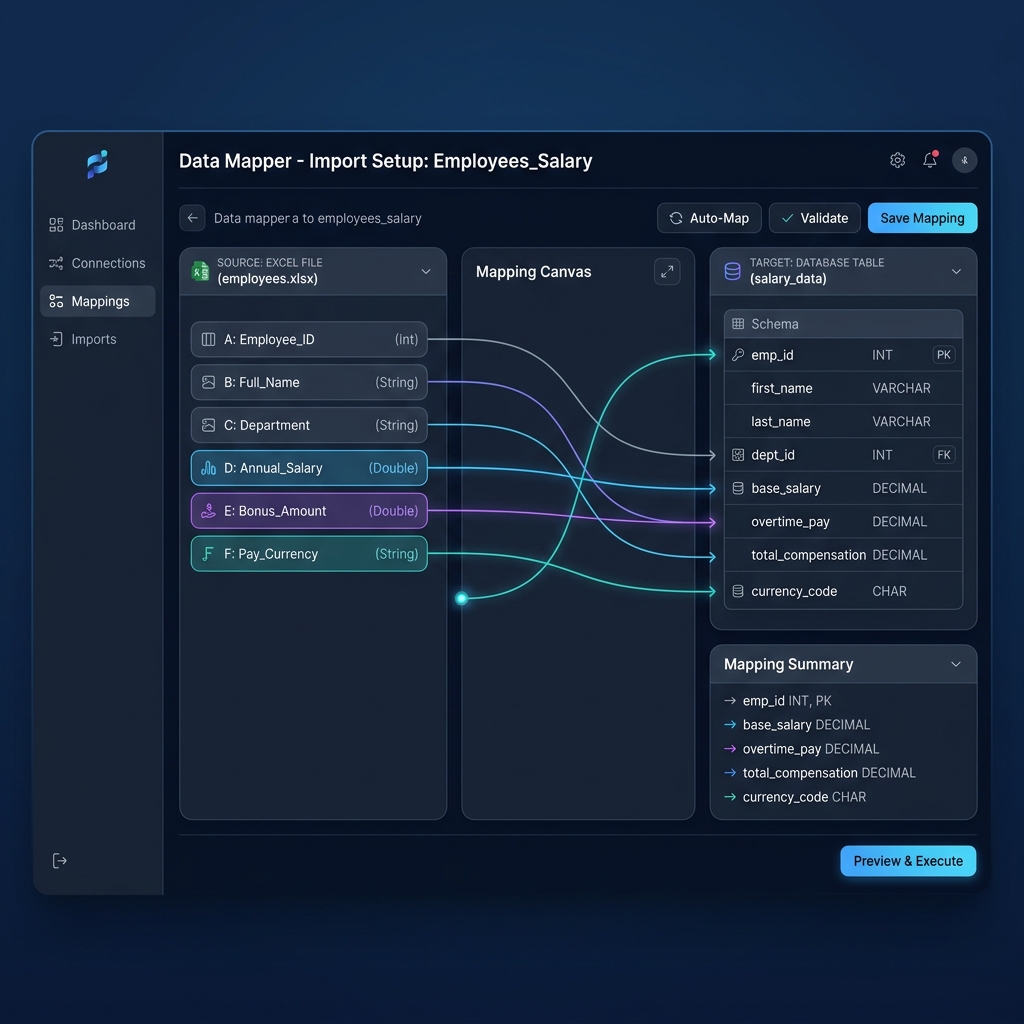
- Flexible Dynamic Column Mapping: Map your custom columns (Gross Commission, Draw Advance, Prior Deficit, Deficit Offset, Ending Deficit Balance) directly into clear, professional payslip tables.
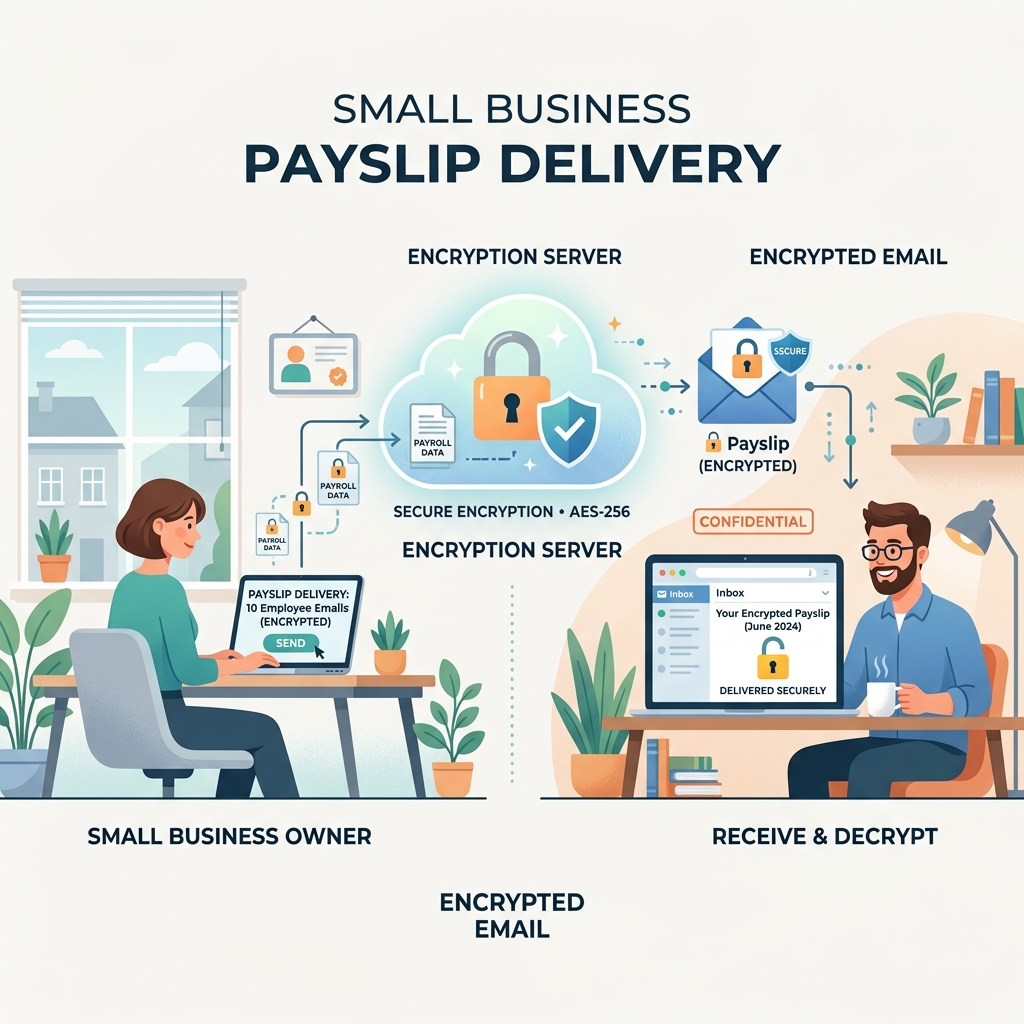
- Automated AES-256 PDF Encryption: Automatically password-protect each sales rep's PDF stub using dynamic keys (such as Birth Year + Last 4 of SSN or Custom Rep ID) to ensure 100% confidentiality during email transmission.
- Built-in SMTP Bulk Email Dispatch: Connect your company's custom SMTP server (Google Workspace, Microsoft 365, Amazon SES, SendGrid) to send encrypted payslips directly to reps with personalized email body templates.
- Zero Cloud Risk (100% Offline Processing): All rendering, encryption, and calculation occur locally on your machine. No employee PII or sensitive commission numbers are ever transmitted to external servers.
- One-Time Lifetime License: Pay once and use it forever for unlimited employees, contractors, and pay cycles.
The 4-Step PayslipGen Workflow
- 1Export Commission Ledger: Finalize your monthly draw calculations in your master Excel or Google Sheet and save as
.xlsxor.csv. - 2Load File & Map Headers: Launch PayslipGen, select your file, and visually map your spreadsheet columns to the itemized earnings, deductions, and deficit fields.
- 3Configure Security & Branding: Set your corporate logo, digital signature stamp, and password encryption pattern.
- 4Generate & Dispatch in Bulk: Click "Generate Payslips" to batch-render 50+ password-protected PDF stubs in under 15 seconds and dispatch them via your configured SMTP mailer.
Frequently Asked Questions (FAQs)
Can an employer legally sue an employee to recover an unpaid draw balance after termination?
In most U.S. jurisdictions, courts treat recoverable draws as non-refundable compensation advances unless there is an express, unambiguous written agreement explicitly defining the draw as a personal debt obligation that the employee agrees to repay out-of-pocket upon departure. Furthermore, state wage protection laws (particularly in California, New York, and Illinois) heavily restrict post-employment wage clawbacks. Always consult qualified employment counsel when drafting recoverable draw agreements.
How are draws against commission taxed for W2 employees vs 1099 contractors?
For W2 employees, draw advances are considered taxable compensation in the pay period in which they are disbursed. Statutory payroll taxes (Federal Income Tax, FICA Social Security/Medicare, State Income Tax) must be withheld from the draw advance when paid. For 1099 independent contractors, the draw is disbursed as gross payment without tax withholdings, and the contractor reports total gross disbursements on their year-end Form 1099-NEC.
What is the difference between a Draw Against Commission and an Employee Loan?
A formal employee loan involves a promissory note, fixed repayment installments, and often a statutory interest rate (to avoid imputed income under IRS rules). In contrast, a draw against commission is an advance specifically tied to future commercial sales earnings, with repayment occurring strictly through commission offsets rather than fixed cash installments deducted from base salary.
How does a draw against commission affect FLSA overtime calculations?
If a commission sales employee is non-exempt and not eligible for the FLSA Section 7(i) retail exemption, both earned commissions and draw subsidies must be included in the calculation of the employee's "regular rate of pay" for the workweek to determine the proper 1.5x overtime hourly rate. Employers cannot artificially exclude draw advances to reduce overtime premiums.
Can we transition a sales representative from a non-recoverable draw to a recoverable draw?
Yes, this is standard industry practice during new hire onboarding (e.g., non-recoverable draw for Months 1–3 during training, transitioning to a recoverable draw or commission-only plan in Month 4). However, this transition must be clearly defined in advance within the written compensation plan signed by the employee before the new terms take effect.
Master Sales Commission Payroll Without Monthly SaaS Fees
Generate professional, password-protected PDF commission stubs with full deficit reconciliation ledgers directly from your spreadsheets in seconds.
Get PayslipGen TodayConclusion
Structuring compensation plans with draws against commission allows forward-thinking businesses to attract elite commercial talent, mitigate revenue seasonality, and drive aggressive revenue targets.
However, the operational success of any draw plan depends entirely on transparency, FLSA statutory wage floor compliance, and clear paystub documentation. When sales representatives can easily verify their earned commissions, draw advances, chargebacks, and deficit balances on an itemized paystub, administrative friction disappears and sales focus thrives.
By pairing a structured Excel reconciliation ledger with the local offline batch generation power of PayslipGen, your business can distribute enterprise-grade, encrypted commission stubs in seconds—saving thousands in recurring SaaS costs while protecting your most sensitive payroll data.
(Looking to streamline other payroll workflows? Explore our guide on 1099 Contractor Paystub Generation, learn how to automate Hourly Overtime Payroll, or check out our tutorial on Bulk PDF Generation from Google Sheets.)