
Bulk Payslip Generator for Bookkeepers: Manage Multiple Client Payrolls Without Per-Client SaaS Fees
Key Takeaways
- ✓The Multi-Client SaaS Tax: Cloud payroll platforms (Gusto Pro, QuickBooks Online Accountant, ADP Partner Program) charge escalating base subscriptions and per-employee fees for every single client company file, draining thousands of dollars each year from independent bookkeeping practices.
- ✓The Bookkeeper's Natural Workflow: Professional bookkeepers already maintain clean payroll workbooks, formulas, and general ledger reconciliation sheets in Microsoft Excel or Google Sheets for each client.
- ✓Multi-Entity White-Label Branding: To maintain client credibility, a payslip generator must instantly switch logos, company addresses, tax IDs, and email templates between different business entities without cross-contaminating client data.
- ✓Unlimited Client Payroll for $49 Lifetime: Using PayslipGen, accountants and solo bookkeepers can generate unlimited, AES-256 password-protected PDF payslips across 5, 20, or 100 client companies from local spreadsheets—with zero recurring subscriptions forever.
For independent bookkeepers, fractional CFOs, and small accounting firms, payroll is both the most lucrative recurring service offering and the most financially frustrating administrative trap.
Your clients—whether they are local dental practices, plumbing contractors, consulting agencies, or retail boutiques—rely on you to calculate accurate wages, compute statutory tax withholdings, track paid time off, and deliver polished paystubs to their employees every pay cycle.
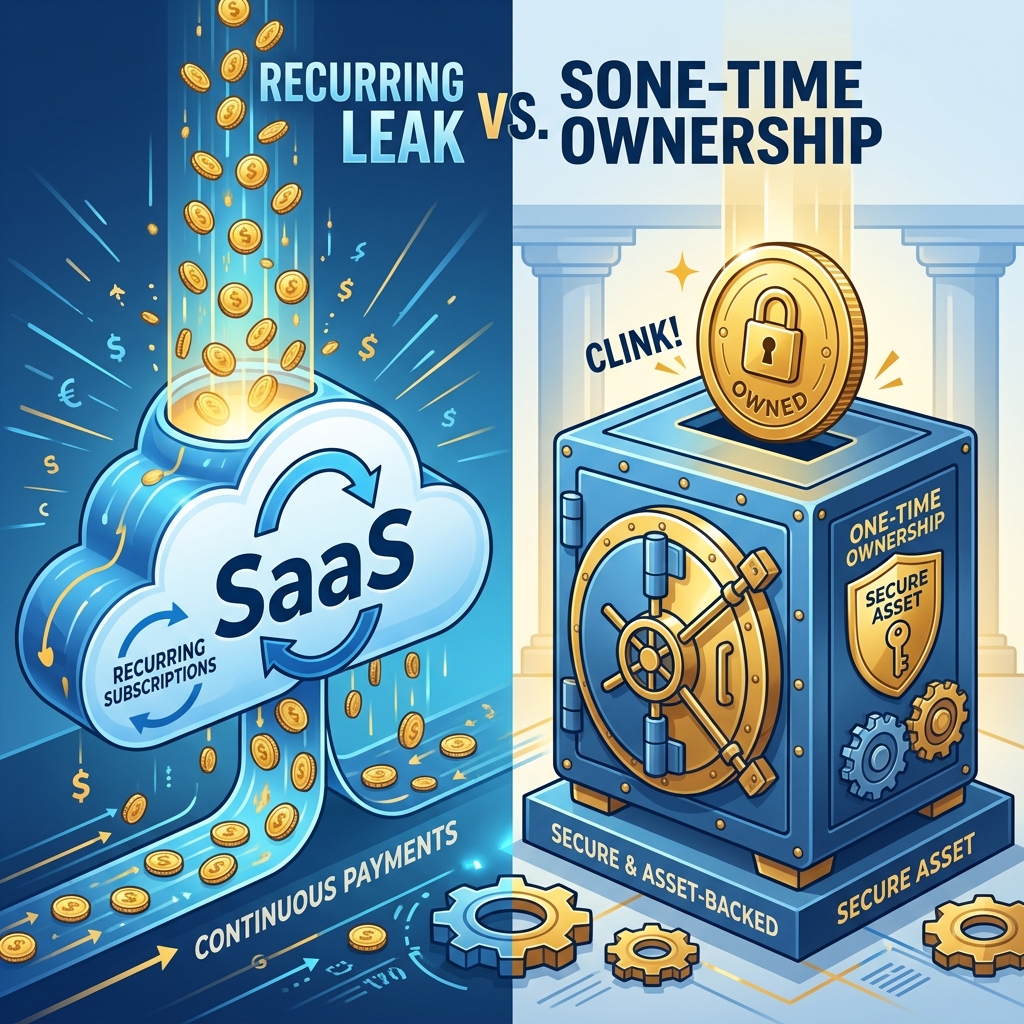
To deliver this service, major software vendors tell you that you must sign up for their "Partner Programs": QuickBooks Online Accountant, Gusto Pro, or ADP RUN. But the underlying pricing architecture of these cloud platforms is fundamentally hostile to multi-client service bureaus:
- The Per-Client Base Toll: Every time you add a new client company, the platform bills another $40 to $80 per month base fee.
- The Per-Headcount Penalty: You are charged $6 to $12 per employee per month across every company roster.
- The Multi-Tenant Lock-In: If a client has 4 static employees who receive an unchanging salary twice a month, you are still forced to surrender $800 to $1,200 annually just to generate 96 PDF paystubs.
When an accounting practice serves 15 to 25 small business clients, these monthly SaaS tolls quickly accumulate to $10,000–$25,000+ every single year. That is pure profit surrendered to cloud monopolies for basic computational tasks that your spreadsheets already perform with mathematical perfection.
In this comprehensive operational guide, we examine the economics of multi-client payroll management, provide the architectural blueprint for structuring multi-entity Excel payroll books, and demonstrate how you can generate white-label, bank-grade PDF paystubs for dozens of distinct client companies using PayslipGen—completely offline on your desktop, with zero per-client fees.
Try Our Interactive Demo Instantly
Want to see how an offline-capable, client-side payslip generator works in practice? Try our brand-new interactive demo right in your browser. Upload a sample CSV, map your columns, and generate beautifully designed PDF payslips—with zero data ever being transmitted to our servers.
Launch Free Demo NowChapter 1: The Escalating Cost Trap of "Accountant Partner Programs"
SaaS marketing teams pitch their accountant programs as "growth accelerators." In reality, their unit economics penalize bookkeeping practices as they expand.
Consider the actual math for a solo bookkeeper managing payroll across 15 typical small business clients:
| Client Profile | Headcount | Typical Monthly Cloud Cost (Base + Seats) | Annual SaaS Toll |
|---|---|---|---|
| 5 Micro Businesses (Solo S-Corps / Tech) | 1 employee each (5 total) | $230 / month | $2,760 / year |
| 6 Trades & Service Companies (HVAC, Auto) | 5 employees each (30 total) | $420 / month | $5,040 / year |
| 4 Small Retailers & Dining | 8 employees each (32 total) | $360 / month | $4,320 / year |
| Total Practice Expense (15 Clients / 67 Workers) | 67 Employees | $1,010 / month | $12,120 / year |
Over a five-year period, this practice will forfeit over $60,000 in gross revenue directly to cloud payroll software vendors.
Worse yet, you are forced to manage 15 distinct login credentials, navigate sluggish web portals, and endure recurring 10%–15% annual price hikes from Intuit and Gusto that erode your client margins.
Chapter 2: The Desktop Alternative: How Bookkeeping Bureaus Regain Freedom
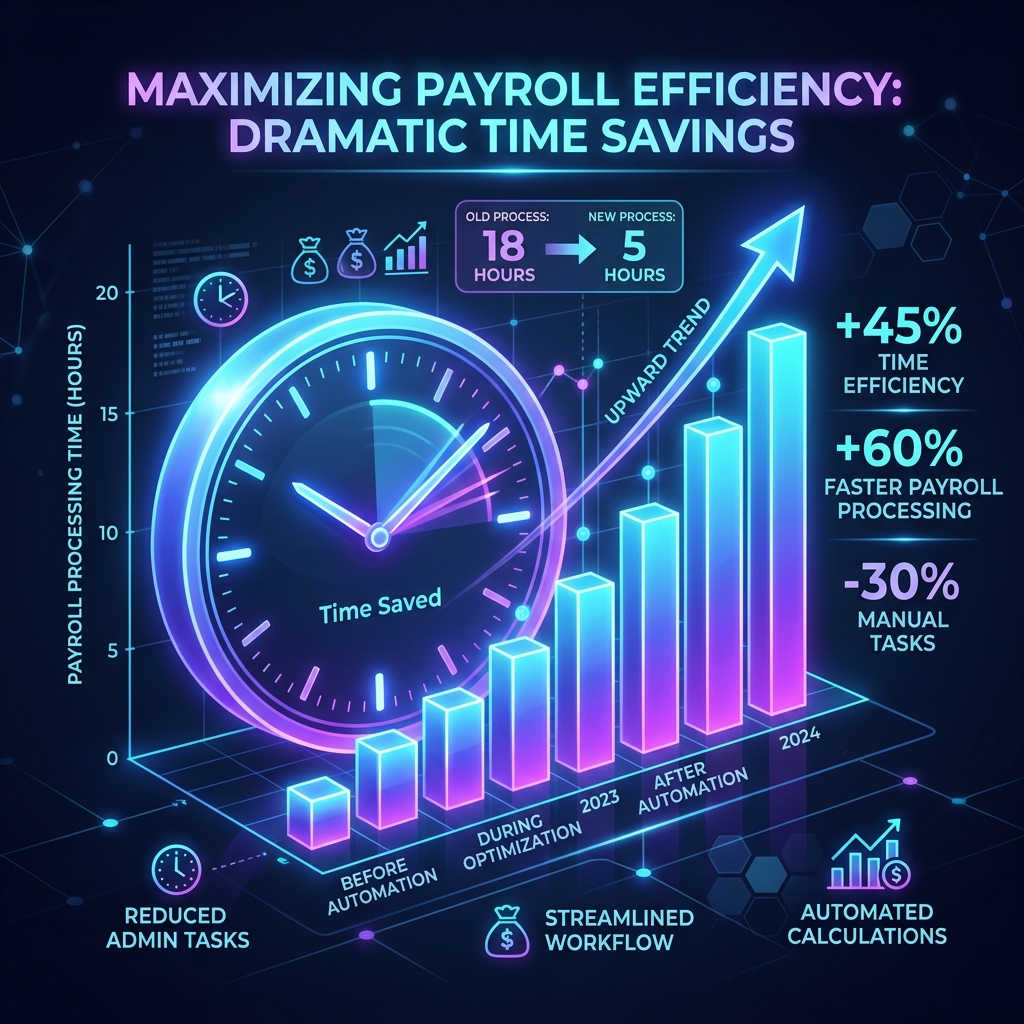
Why do accounting bureaus stay tethered to cloud payroll? The primary justification is fear of manual work: bookkeepers worry that without a web SaaS, formatting professional payslips for 15 different companies will consume countless hours.
However, modern desktop payroll automation completely upends this assumption:
1. The Spreadsheets You Already Own
Most bookkeepers already maintain payroll schedules in Excel to reconcile general ledger entries, calculate journal adjustments, and prepare quarterly 941/state filings. You are already doing 95% of the computational work in your spreadsheet.
2. Instant Batch Processing vs. Web Portal Sluggishness
Running payroll on web platforms requires clicking through five confirmation screens, waiting for browser pages to reload, and manually verifying two-factor authentication tokens.
With local desktop software like PayslipGen, processing a client's payroll takes under 15 seconds: you drag the client's monthly spreadsheet into the app, preview the calculation summary, and hit "Generate." The local turbo PDF engine renders 20 crisp vector PDFs in less than 2 seconds.
3. Total Client Privacy & Data Sovereignty
Bookkeepers hold the highest fiduciary duty to their clients. Storing sensitive banking details, Social Security Numbers, and executive compensation records across third-party cloud servers exposes your practice to supply-chain cyber attacks.
Running payroll on your local workstation ensures that zero client data is ever exposed to external databases.
Chapter 3: Structuring Multi-Client Payroll Workbooks in Excel
To run a friction-free bookkeeping bureau from spreadsheets, professional accountants use one of two architectural patterns:
Architecture A: The Dedicated Client Workbook (Recommended)
Create a dedicated Excel folder for each client: /Clients/Apex_Consulting/Payroll_2026.xlsx. Each tab in the workbook represents a pay period (e.g., 2026-08-15, 2026-08-31).
This architecture isolates client records completely, simplifies client handoffs, and ensures pristine record retention.
Architecture B: The Multi-Company Consolidated Master Sheet
For bookkeeping bureaus that process all client disbursements on the same bi-weekly cycle, you can maintain a single consolidated spreadsheet with a Company_ID column:
| Company_Name | Company_EIN | Employee_Name | Gross_Salary | Total_Deductions | Net_Pay |
|---|---|---|---|---|---|
| Apex Design Studio LLC | XX-XXXXXXX | Chloe Vance | 4500.00 | 980.50 | 3519.50 |
| Apex Design Studio LLC | XX-XXXXXXX | Liam Bennett | 3800.00 | 790.00 | 3010.00 |
| Summit Plumbing Services | YY-YYYYYYY | Marcus Miller | 5200.00 | 1120.40 | 4079.60 |

Chapter 4: The 5-Year Cost Comparison for Bookkeeping Practices
Let's evaluate the practice profitability impact of choosing a one-time desktop software over recurring cloud accountant suites:
| Practice Horizon | Gusto Pro (15 Clients / 65 Employees) | QBO Payroll ($50 base + $6/ee) | PayslipGen (One-Time Desktop License) |
|---|---|---|---|
| Year 1 | $12,120 | $13,680 | $49.00 (Total) |
| Year 3 | $36,360 | $41,040 | $49.00 (Total) |
| Year 5 | $60,600 | $68,400 | $49.00 (Total) |
| Per-Client Toll | Yes ($40/mo per client) | Yes ($50/mo per client) | ZERO ($0.00 forever) |
Chapter 4B: General Ledger Synchronization: Closing the Loop Between Payroll and Bookkeeping
The primary reason business owners hire bookkeepers rather than running payroll themselves is accurate general ledger synchronization. Anyone can click "run payroll" in a software portal; what requires professional expertise is ensuring that payroll expenses, tax liabilities, and employer matches balance down to the exact cent across your clients' chart of accounts.
When you use a spreadsheet-driven workflow with PayslipGen, you eliminate the messy sync errors and double-counted payroll journals that plague cloud integrations. Here is the standard double-entry journal pattern professional bookkeepers use to reconcile payroll across their clients:
| GL Account Code | Account Description | Debit ($) | Credit ($) |
|---|---|---|---|
| 5010 - Wages Expense | Total gross employee earnings across the roster | $10,000.00 | - |
| 5020 - Employer Payroll Taxes | Employer FICA match (7.65%) + FUTA + SUTA | $845.00 | - |
| 2110 - Federal Withholding Payable | Employee FIT withheld (to be remitted via EFTPS) | - | $1,120.00 |
| 2120 - FICA Taxes Payable | Combined employee + employer FICA liability (15.3%) | - | $1,530.00 |
| 2130 - State Withholding Payable | State personal income tax withheld | - | $425.00 |
| 1020 - Payroll Clearing Bank Account | Net direct deposits / checks issued to workers | - | $7,770.00 |
By keeping your source data in Excel, this journal entry is automatically generated on a dedicated "GL_Summary" tab using simple SUM()formulas. When you import or manually post this entry into QuickBooks Desktop, Xero, or Sage, your client's trial balance reconciles to the penny every single month.
Chapter 4C: The Security and Ethics of Multi-Client Data Retention
Independent bookkeepers and accounting practitioners are governed by strict ethical and regulatory standards, including the revised FTC Safeguards Rule and the Gramm-Leach-Bliley Act (GLBA). These regulations mandate that financial service providers enforce administrative, technical, and physical safeguards to protect nonpublic personal information (NPI).
When an accounting firm manages 15 separate client companies on a third-party cloud platform:
- Broad Attack Surface: A single compromised administrator credential or phishing email can compromise the banking details, social security numbers, and salary data of hundreds of individuals across multiple distinct businesses simultaneously.
- Sub-Processor Vendor Risk: Every third-party cloud tool you use introduces unknown sub-processors, off-shore contractors, and cloud hosting risks that you must disclose in your firm's data security plans.
- Hostage Data During Subscription Disputes: If a client pauses operations or switches accounting firms, SaaS vendors frequently lock historical paystub archives unless ongoing subscription fees are paid indefinitely.
With PayslipGen, your client records remain 100% air-gapped on your local encrypted workstation. Client files are stored in self-contained directory trees that you control, backup, and archive according to your firm's document retention policies—with zero external exposure.
Chapter 5: How Bookkeepers Use PayslipGen for Multi-Client Management
Operating PayslipGen across multiple clients is designed for maximum speed and zero friction:
- Create Company Profiles: Add unlimited client companies with their respective business names, EINs, addresses, and high-resolution corporate logos.
- Drop the Client Spreadsheet:Drag the client's monthly Excel sheet into the application.
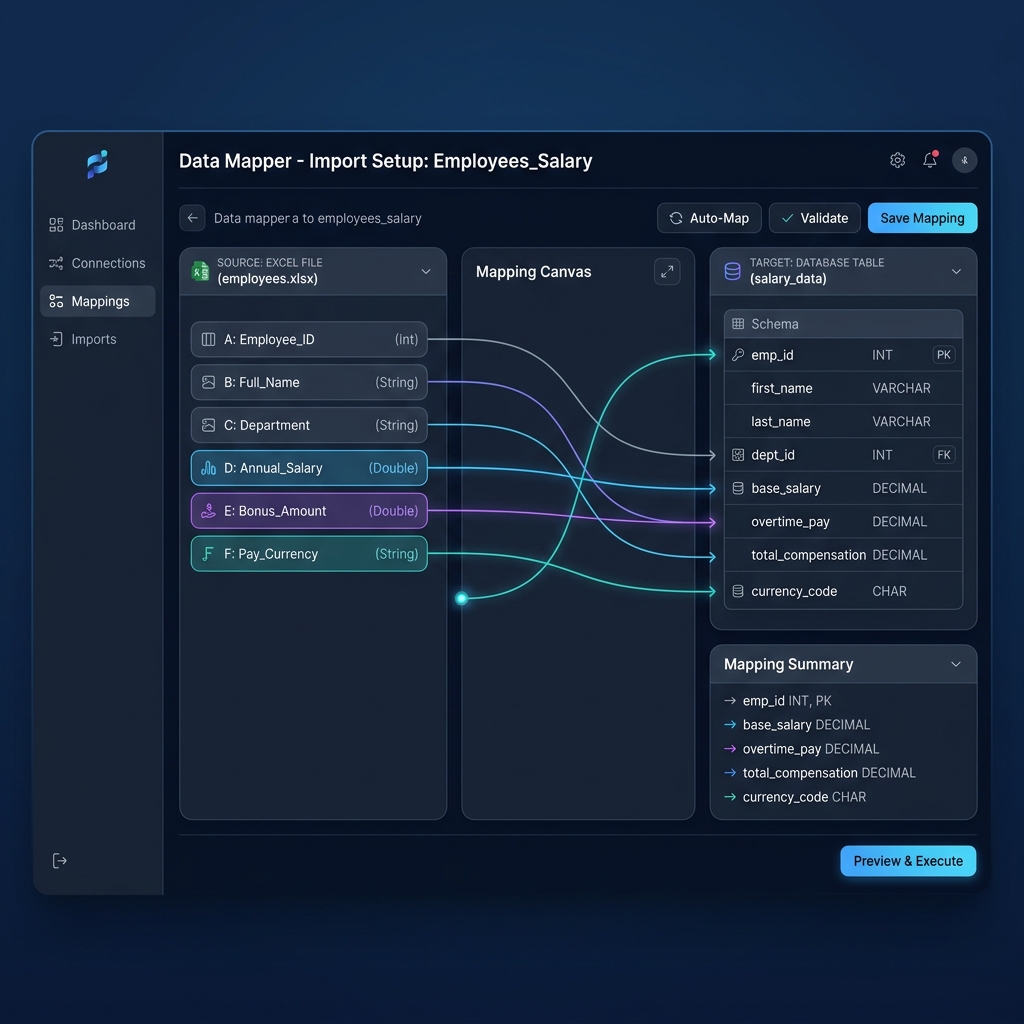
- Automatic Mapping Persistence: PayslipGen saves your column mapping for each client profile permanently. Next month, you drag and drop without reconfiguring headers.
- Bank-Grade AES-256 PDF Encryption:Lock each payslip with the employee's Date of Birth or Employee ID, protecting client PII from email snooping or accidental misdirection.
- Automated Dispatch or Local Export: Export all vector PDFs directly into a structured client folder (e.g.,
/Clients/ClientA/Payslips_Aug2026/) or email them automatically via custom SMTP.
Frequently Asked Questions (FAQs)
Is there any limit to how many client companies I can manage in PayslipGen?
No. Unlike cloud platforms that penalize your growth by billing per company file, PayslipGen allows you to manage unlimited client companies, unlimited employees, and unlimited pay cycles under a single $49 lifetime license.
Can I use different company logos and branding for each client?
Yes. Each company profile supports its own dedicated logo, brand color accents, corporate legal entity disclosures, and customized header/footer text.
How do I handle tax filings (Form 941, Form 940, W-2) for clients?
Bookkeepers already calculate quarterly tax summaries in their master spreadsheets. You can file Form 941 and 940 directly with the IRS using free e-file services or EFTPS, and generate year-end W-2s for free through the Social Security Administration's BSO portal. PayslipGen handles the time-consuming weekly/monthly task of generating and distributing beautiful, compliant paystubs.
Can I install PayslipGen on both my desktop and laptop?
Yes. A single commercial license permits installation across your personal workstations (Windows, macOS, or Linux) so you can process client payroll whether working in the office or on the road.
What happens to client data if I cancel an internet connection or work offline?
PayslipGen is a 100% native offline desktop application. It requires zero active internet connection to parse spreadsheets, render PDF documents, or apply AES-256 encryption. Your client data stays completely secure and accessible even during network outages.
Scale Your Bookkeeping Practice Without Software Tolls
Generate unlimited, branded, password-protected PDF payslips for all your client companies from Excel. One-time payment of $49, lifetime access, zero monthly subscriptions.
Get PayslipGen for $49 (Lifetime Access)Conclusion: Maximize Practice Margins with Sovereign Payroll Software
Your bookkeeping expertise is what clients pay for—not your willingness to act as a middleman for expensive cloud software platforms.
By decoupling payroll generation from recurring SaaS monopolies and bringing it locally into PayslipGen, you retain tens of thousands of dollars in annual software fees, protect your clients' confidential financial data, and deliver institution-grade paystubs in seconds.
(Looking to streamline other complex client payroll scenarios? Explore our guides on S-Corp Owner Salary Paystubs, Generating 500 Payslips from Excel, or how to Protect Client Data with Offline Payroll Security.)