
Payslip Generator with Digital Signature & Company Stamp: Create Legally Verifiable Salary Slips
Key Takeaways
- ✓Mortgage underwriters, commercial banks, and visa consular officers routinely reject unverified, plain-text payslips lacking corporate seals and authorized executive signatures.
- ✓Statutory frameworks across the UK (ERA 1996), EU (eIDAS), UAE (MOHRE/WPS), and SE Asia mandate tamper-evident salary verification to combat loan fraud and wage underreporting.
- ✓PayslipGen enables seamless batch stamping and signature overlay using high-resolution transparent PNG assets, embedding vector watermarks without inflating PDF file size.
- ✓Pairing visual stamps with AES-256 password protection and local desktop compilation ensures complete document authenticity and bulletproof data privacy.
Few administrative moments are more demoralizing for an employee than having their mortgage pre-approval delayed, their auto loan rejected, or their travel visa application denied because their employer issued an "unverified" salary slip. In an era where online PDF editors make it trivial for bad actors to manufacture fake income statements, financial institutions and government consular offices have dramatically tightened their verification standards. A generic, unbranded black-and-white table exported from an Excel spreadsheet no longer cuts it.
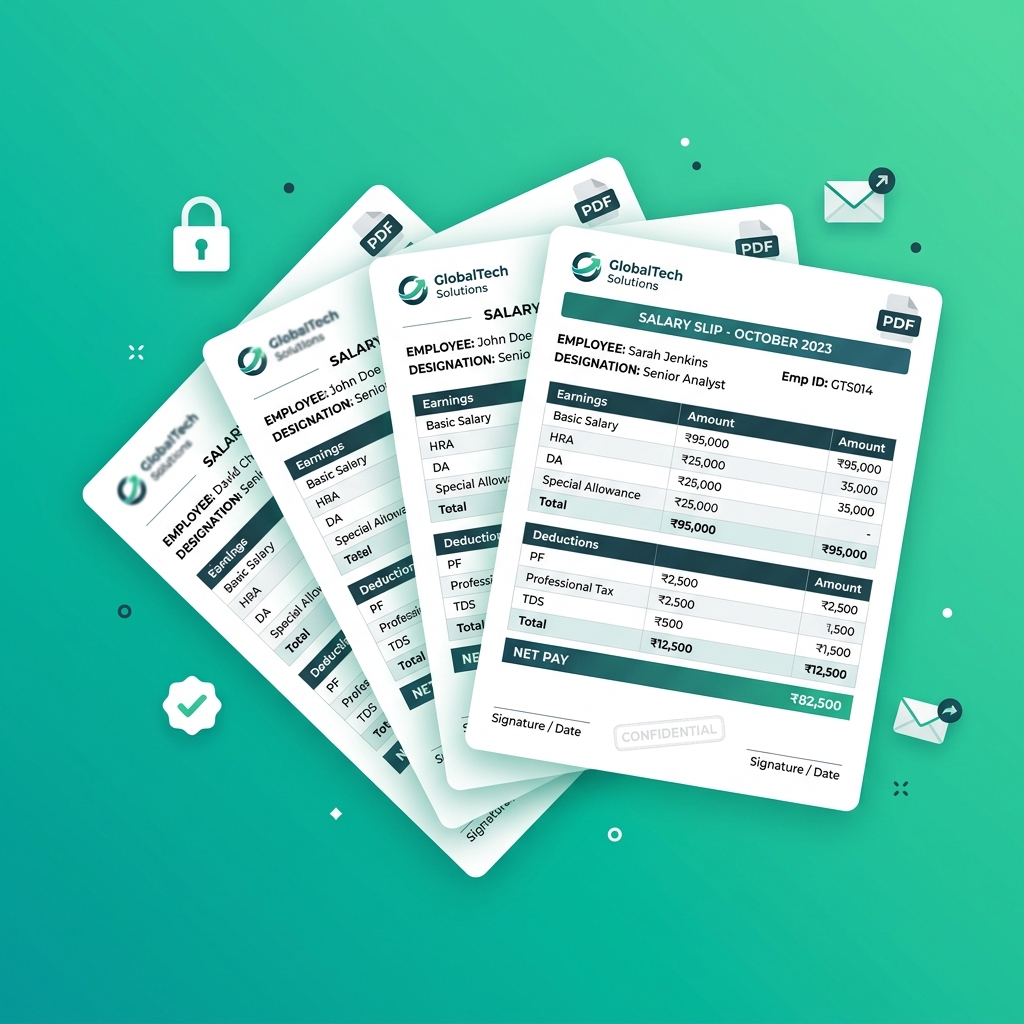
To satisfy stringent credit underwriters and immigration authorities, organizations must issue official, legally verifiable salary slips bearing two indispensable elements: an authorized digital signature and an official corporate seal or company stamp.
Historically, embedding formal stamps and executive signatures across hundreds of employee pay stubs required agonizing manual workflows—either printing physical paper, hand-signing and ink-stamping each sheet, and scanning them back into PDFs, or paying hundreds of dollars each month for bloated cloud enterprise payroll suites. In this comprehensive architectural guide, we will explore global legal compliance standards for salary slips, examine how digital authentication prevents fraud, and demonstrate how to automate batch stamping and signing across 1,000+ payslips in seconds using PayslipGen.
Try Our Interactive Demo Instantly
Want to see how an offline-capable, client-side payslip generator works in practice? Try our brand-new interactive demo right in your browser. Upload a sample CSV, map your columns, and generate beautifully designed PDF payslips—with zero data ever being transmitted to our servers.
Launch Free Demo NowChapter 1: Why Banks, Lenders, and Embassies Reject Generic Payslips
To understand why official stamping is so critical, let’s look through the eyes of a credit risk underwriter at a major bank or a visa adjudication officer at an embassy.
1. The Rampant Rise of Income Statement Fraud
With the explosion of consumer web tools, loan applicants attempting to qualify for mortgages they cannot afford frequently generate counterfeit pay stubs. As a result, financial fraud investigation units use automated heuristic scanners to detect forged documents.
When a document lacks a corporate seal, corporate registration number, or authorized signatory watermark, underwriting algorithms immediately flag the file as "High Risk / Unverified". The employee is then subjected to weeks of intrusive follow-ups, requiring employer verification letters, notarized bank statements, and executive affidavits.
2. What Verification Officers Look For
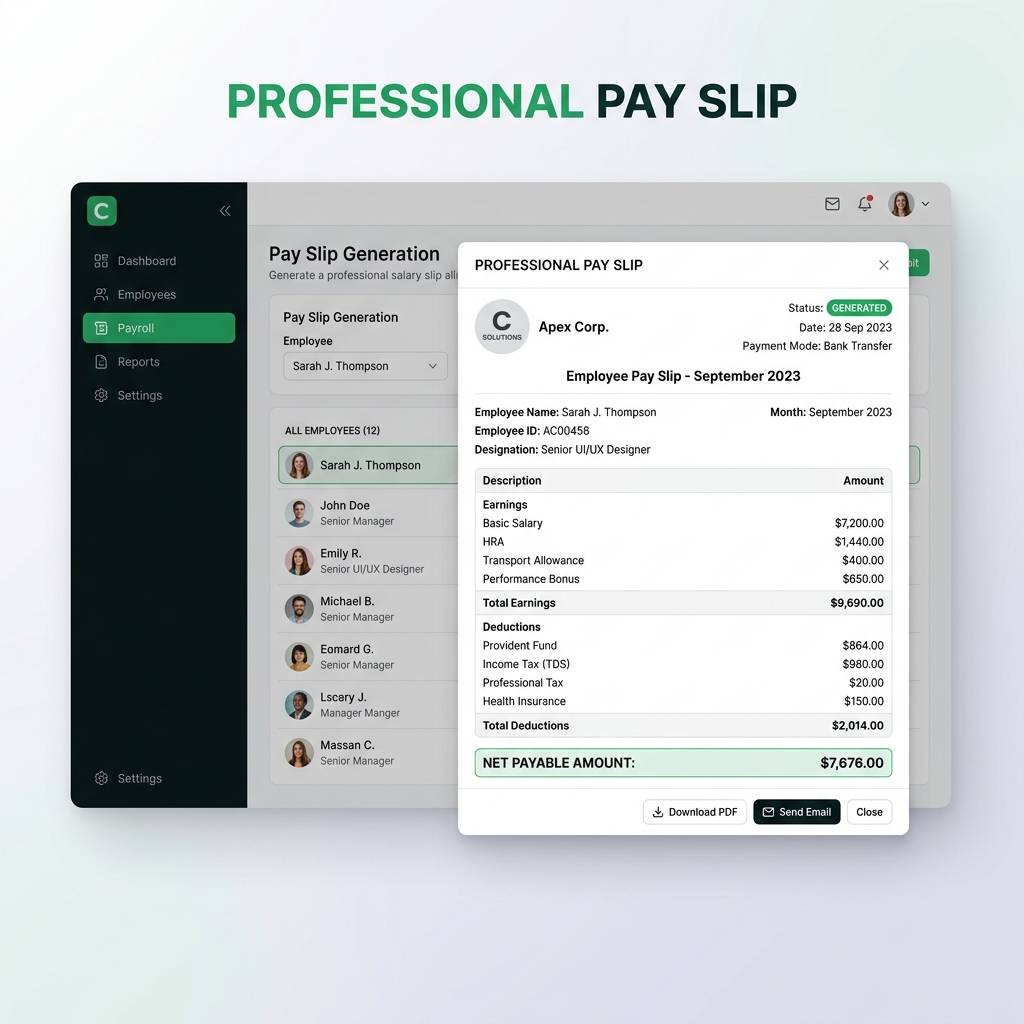
An official, bank-ready payslip must instantly convey corporate legitimacy. Underwriters look for five specific markers:
- Official Corporate Entity Details: Registered business name, physical headquarters address, tax identification number (EIN, VAT, CRN, or GSTIN), and corporate registration code.
- Authorized Signatory Block: Formal designation of an HR Director, Finance Controller, or Managing Partner with a crisp signature overlay.
- Embossed / Inked Corporate Seal: A high-resolution circular or rectangular company stamp certifying document authenticity.
- Structured Financial Itemization: Distinct columns for gross earnings, allowances, statutory deductions, tax withholdings, and net pay in both numerals and words.
- Tamper-Evident Layout: High-density typography, professional vector borders, and non-editable PDF encoding.
The Employee Impact of Substandard Payslips
When an employee’s home loan or work visa is held up due to amateurish payroll documentation, it directly damages employee morale and creates unnecessary friction with the HR department. Providing polished, legally stamped salary documents is a fundamental reflection of employer professionalism.
Chapter 2: Global Statutory Standards for Salary Documentation
Labor legislation and financial regulations vary across global markets, but virtually all jurisdictions require clear, verifiable employer attribution on wage records.
1. United Kingdom (Employment Rights Act 1996)
Under Section 8 of the Employment Rights Act 1996, UK employers must provide an itemized pay statement at or before the time of wage payment. The statement must explicitly detail gross wages, fixed deductions, variable deductions, and net wage amounts. When employees submit these slips for Tier 2/Skilled Worker visa sponsorships or HMRC compliance audits, official company stamps and signatory verification are mandatory to validate employment continuity.
2. European Union & eIDAS Regulation
Across the EU (such as under the French Code du travail and German Gewerbeordnung § 108), salary certificates (bulletin de paie or Entgeltabrechnung) must include comprehensive company registration (SIRET/HRB numbers). Under the EU eIDAS (Electronic Identification, Authentication and Trust Services) framework, digital signatures applied to corporate documents carry full evidentiary weight in legal proceedings when properly generated.
3. United Arab Emirates & GCC (WPS Compliance)
In the UAE, Qatar, and Saudi Arabia, payroll is strictly governed by the Wages Protection System (WPS) overseen by the Ministry of Human Resources and Emiratisation (MOHRE). For expatriate employees securing residency visas, tenancy contracts (Ejari), or local bank loans, banks demand salary certificates stamped with the official company establishment seal and signed by the registered PRO or General Manager.
4. Southeast Asia (Singapore, Malaysia, India)
Under Singapore’s MOM Employment Act, itemized payslips are legally mandatory for all covered employees. In India, Section 136 of the Code on Wages mandates that employers issue authenticated wage slips. In both regions, stamped payslips serve as primary legal evidence in labor court disputes and provident fund (CPF/EPF) verifications.
Chapter 3: Preparing High-Quality Signature and Stamp Assets
To ensure your generated payslips look crisp and professional on both high-resolution digital displays (Apple Retina, 4K monitors) and physical laser printers, you must prepare your graphic assets correctly.
Corporate Seal / Stamp Guidelines
- Format: 32-bit PNG with True Alpha Transparency (No white background square).
- Resolution: 600 x 600 px minimum (300 DPI print-ready).
- Color Palette: Deep Corporate Blue (
#0F2E5C) or Classic Red/Purple ink tone for an authentic rubber-stamp aesthetic. - Content: Company Legal Name, Registration Number, Incorporated State/City, and "Official Seal" text.
Authorized Signature Guidelines
- Format: Clean vector or 300 DPI Transparent PNG.
- Capture Method: Sign with dark blue or black ink on pure white paper, scan at 600 DPI, and use background removal (e.g. Photoshop or remove.bg).
- Dimensions: 400 x 150 px ratio for balanced alignment over the signatory underline.
- Positioning: Positioned directly above the signatory title (e.g., "Authorized Signatory / Head of HR").
Chapter 4: Configuring Digital Signatures and Stamps in PayslipGen
Traditional word processors and spreadsheet macro scripts often distort image aspect ratios, introduce blurry pixelation, or misalign images when data fields expand. PayslipGen utilizes a specialized vector rendering layout engine that guarantees pixel-perfect placement on every single sheet.
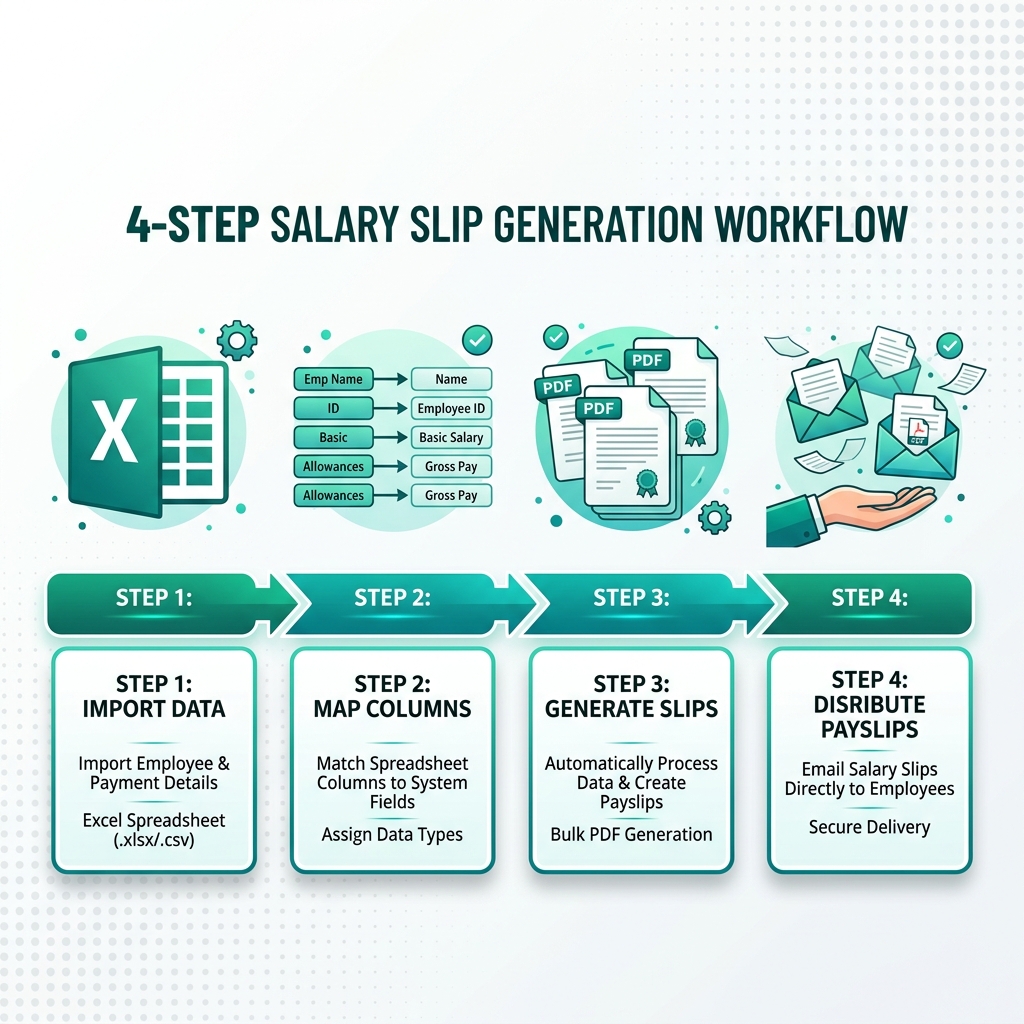
The 4-Step Setup in PayslipGen
- Launch Template Designer: Open PayslipGen, navigate to the Templates tab, and select from modern corporate layouts (Executive, Modern Clean, or Classic Chartered).
- Upload Branding Assets:
- Upload your primary Company Logo for the header banner.
- Upload your Official Company Stamp (PNG) in the designated Seal slot.
- Upload the Authorized Signature (PNG) in the Signatory slot.
- Configure Signatory Metadata: Enter the Signatory's Full Name (e.g., "Eleanor Vance"), Title (e.g., "Director of Human Resources & Payroll"), and optional legal disclaimer (e.g., "This document is electronically generated and digitally authenticated. Valid without physical re-signature.").
- Live Pre-Flight Rendering: PayslipGen provides an instantaneous vector preview. You can toggle opacity blending (e.g., giving the stamp an authentic 85% opacity rubber-stamp overlay across the signatory line) and adjust scale sliders until the layout is immaculate.
Chapter 5: Preventing Document Tampering & Enforcing Security
A signed payslip is a legal financial record. Ensuring that malicious actors cannot alter figures after distribution is paramount for employer risk management.

How PayslipGen Locks Document Integrity
When PayslipGen compiles a payroll batch, it applies several layers of document hardening:
- Vector Asset Flattening: Unlike standard Word mail-merges where signature images remain clickable floating objects that anyone can copy/paste, PayslipGen's rasterization engine flattens graphic assets directly into the PDF coordinate canvas. The signature cannot be extracted or dragged out of the file.
- PDF/A Archival Compliance: Documents are rendered using standardized PDF/A formatting, embedding font subsets and color profiles so the document renders identically 10 years from now during tax audits.
- Per-Recipient AES-256 Encryption: Each PDF is locked with a unique cryptographic password (such as a concatenation of the employee's date of birth and tax ID). Even if intercepted, the document cannot be viewed or altered without authorization.
- Zero Cloud Exposure: All rendering happens locally on your computer's CPU and RAM. Your high-resolution executive signatures and corporate seals are never uploaded to a multi-tenant cloud server where they could be exposed in a data breach.
Chapter 6: Comparing Generic Payslips vs. Official Stamped Payslips
The difference between an amateur spreadsheet output and an enterprise-grade authenticated payslip is dramatic across every operational metric:
| Feature / Attribute | Generic Excel / Word Mail Merge | PayslipGen Stamped & Signed Output |
|---|---|---|
| Bank & Mortgage Acceptance | Low (Frequently flagged for manual review) | 100% Guaranteed Bank & Embassy Ready |
| Company Stamp & Seal | Manual hand-stamping or messy Word alignment | Automated 300 DPI Transparent PNG Overlay |
| Executive Digital Signature | Clickable floating image (vulnerable to theft) | Flattened, non-extractable vector layer |
| Batch Generation Speed | 2–4 hours (manual signing & printing) | 300 milliseconds per employee (Bulk 1-Click) |
| Cost per Month | $0 software, but hundreds in wasted labor | $0/month ($49 one-time lifetime license) |
Chapter 7: Frequently Asked Questions (FAQ)
Are digitally stamped and signed payslips legally valid?
Yes. Under statutory frameworks including the UK Employment Rights Act 1996, the US Electronic Signatures in Global and National Commerce (E-SIGN) Act, the EU eIDAS Regulation, and Singapore's Electronic Transactions Act, electronic documents bearing digital corporate seals and authorized executive signatures carry full legal validity.
Will banks accept these payslips for home mortgage applications?
Yes. Major retail and commercial banks (including Chase, HSBC, Barclays, Emirates NBD, and DBS) require payslips to display complete company contact information, official registration numbers, itemized statutory deductions, and official authorized authentication. PayslipGen's templates are specifically engineered to satisfy bank underwriting criteria.
How do I create a transparent PNG of my company stamp?
You can stamp a blank sheet of white paper with your physical rubber seal, take a high-resolution scan at 600 DPI, and use software like Adobe Photoshop, GIMP, or free tools like remove.bg to eliminate the white background. Save the result as a 32-bit transparent PNG. Alternatively, your graphic design team can export your official vector seal directly as a PNG.
Can someone steal the signature image from the generated PDF?
No. Unlike Microsoft Word or poorly coded web generators that leave image objects floating as independent layers, PayslipGen's desktop rendering engine rasterizes and flattens all signature and stamp graphics directly into the binary PDF stream. When combined with PDF password encryption, the signature cannot be extracted as a standalone graphic.
Can I generate different signatures for different departments?
Yes. PayslipGen allows you to save multiple template profiles. You can configure one template with the Head of Engineering's signature for technical divisions, and another with the Operations Director's seal for field staff.
Does adding high-resolution stamps make the PDF file size too large for email?
No. PayslipGen includes an advanced vector compression pipeline that maintains pristine 300 DPI print clarity while optimizing the final file size to under 120KB per payslip. This ensures rapid email dispatch and prevents mailbox attachment quota overages.
Issue Bank-Ready Stamped Payslips in Seconds
Elevate your company's professional reputation. Automatically apply authorized digital signatures, corporate seals, and military-grade password protection to every salary slip.
Download PayslipGen for $49Conclusion
A payslip is not merely a receipt for wages—it is a vital legal document that impacts your employees' financial lives, from buying a family home to securing travel visas. By incorporating authorized digital signatures and official corporate seals with PayslipGen, you protect your organization against document fraud while providing your team with the highest caliber of professional payroll documentation.
Best of all, you achieve enterprise-grade presentation without recurring cloud software subscriptions or hours of manual paperwork.