
Multi-State Remote Worker Paystub Format: Dual-State Withholding and Reciprocity Guide
Key Takeaways
- ✓Dual-State Nexus Mechanics: When an employee resides in State A (Resident State) but physically performs work or reports to an employer office in State B (Source/Non-Resident State), wages are subject to multi-jurisdictional tax withholding laws, requiring separate tax line items on the paystub.
- ✓Reciprocity Agreements Simplify Payroll: States with bilateral reciprocal tax agreements (such as PA/NJ, DC/MD/VA, and IL/IA/KY/MI/WI) exempt non-resident commuters from source-state income tax when valid exemption certificates (e.g., Form REV-419, MW507) are on file.
- ✓The "Convenience of the Employer" Trap: States like New York, Pennsylvania, Nebraska, Delaware, and New Jersey tax 100% of remote worker wages if telecommuting is deemed for employee convenience rather than strict employer necessity.
- ✓Paystub Itemization Requirements: Compliant multi-state paystubs must clearly itemize Resident State Income Tax (SIT), Non-Resident SIT, local municipal withholdings (e.g., Philadelphia Wage Tax, Ohio RITA), and statutory state disability/leave contributions (SDI/PFL/SUI).
- ✓Eliminating the Multi-State SaaS Penalty: Cloud payroll platforms charge $12–$50/month per state add-on fees. Using a local spreadsheet-to-PDF automator like PayslipGen gives small businesses unlimited multi-state tax line generation with zero recurring fees.
The modern American workforce has permanently transformed into a distributed, multi-state landscape. Today, small businesses, digital agencies, engineering consultancies, and remote-first enterprises routinely employ talent across state lines. An engineer might live in Pennsylvania while reporting to an office in New York; a marketing specialist might reside in Virginia and commute part-time to Washington, D.C.; or a senior manager might telecommute full-time from Florida for a company headquartered in Massachusetts.
While hiring interstate remote talent provides access to world-class expertise, it introduces one of the most treacherous compliance minefields in modern payroll: multi-state wage allocation, dual-state tax withholding, and reciprocal tax reporting.
When an employee works across state lines, payroll departments cannot simply run a standard single-state paystub. Withholding taxes incorrectly leads to severe state Department of Revenue audit penalties, disgruntled employees facing unexpected five-figure tax bills at year-end, and unconstitutional double-taxation disputes.
To make matters worse, mainstream cloud payroll providers (such as Gusto, ADP, Rippling, and Paychex) exploit this complexity by charging steep "multi-state registration" surcharges, monthly per-state employee fees, and inflexible automated tax mappings that frequently mangle dual-state tax line items on salary vouchers.
In this comprehensive master guide, we will break down the jurisdictional mechanics of multi-state payroll, examine state tax reciprocity agreements with a full interstate matrix, analyze the strict "Convenience of the Employer" rule, explain the exact paystub format required for dual-state compliance, and demonstrate how you can batch-generate audit-proof multi-state payslips directly from your master spreadsheets using PayslipGen.
Try Our Interactive Demo Instantly
Want to see how an offline-capable, client-side payslip generator works in practice? Try our brand-new interactive demo right in your browser. Upload a sample CSV, map your columns, and generate beautifully designed PDF payslips—with zero data ever being transmitted to our servers.
Launch Free Demo NowChapter 1: The Jurisdictional Mechanics of Multi-State Payroll Taxes
To understand how to format a multi-state paystub, payroll administrators and business owners must first grasp the constitutional and legal frameworks governing state income tax withholding in the United States.
Under U.S. tax jurisprudence, state taxing authority over wage income is dictated by two distinct legal concepts: State of Domicile (Resident State) and State of Physical Performance (Source / Non-Resident State).
1. The Resident State (State of Domicile)
An employee's resident state is the jurisdiction where they maintain their permanent legal home (domicile) and where they intend to return after temporary absences. By law, an employee's resident state holds sovereign taxing authority over 100% of their worldwide income, regardless of where that income was physically earned.
For example, if an employee lives in New Jersey, the New Jersey Division of Taxation asserts the right to tax all wages earned by that resident, even if the work was performed while sitting in an office in New York City or attending a week-long conference in California.
2. The Source State (Non-Resident / Work State)
The source state is the jurisdiction where the employee physically performs services. Under the U.S. Constitution's Commerce Clause and Due Process Clause, any state has the right to tax income generated by labor physically performed within its borders.
If a Maryland resident physically travels into Pennsylvania to work on a client site for three days a week, Pennsylvania is the source state for the wages earned during those three days.
The Core Conflict: The Double Taxation Threat
Because the Resident State taxes 100% of income and the Source State taxes the income physically earned within its borders, the same dollar of wage income is theoretically exposed to double taxation. To prevent this, states implement two primary relief mechanisms: Resident State Tax Credits and State Tax Reciprocity Agreements.
3. The Resident State Tax Credit Mechanism (Schedule CR)
In the absence of a reciprocity agreement, the general rule is: Source State gets paid first; Resident State provides a credit.
When an employer withholds state income tax (SIT) for the non-resident source state, the employee claims a "Credit for Taxes Paid to Other States" on their home state tax return (e.g., New York Form IT-112-R, Pennsylvania Schedule G-L, California Schedule S).
However, the resident state credit is almost always capped at the lower of the two state tax rates. Consider the following scenarios:
- Scenario A: Source State Rate is HIGHER than Resident State Rate
Example: Employee lives in Pennsylvania (flat SIT rate of 3.07%) and commutes to New York (top marginal SIT rate of 6.85%).
Payroll Action:The employer withholds New York Non-Resident SIT on the wages earned in NY. Because the NY tax paid exceeds Pennsylvania's 3.07% rate, the Pennsylvania resident credit completely wipes out the PA tax liability. PA withholding on the paystub is $0.00, but NY withholding is deducted in full. - Scenario B: Source State Rate is LOWER than Resident State Rate
Example: Employee lives in New Jersey (graduated SIT rate up to 10.75%, effective rate ~5.5%) and works in a source state with a flat 3.0% rate (where no reciprocity exists).
Payroll Action: The employer withholds 3.0% for the source state. New Jersey only credits the 3.0% paid to the source state. The employer must withhold the remaining 2.5% differential for New Jersey so the employee is not hit with an underpayment penalty. This requires a dual-state withholding paystub!
4. Physical Presence Thresholds (First-Day vs Safe Harbor Rules)
States enforce vastly different thresholds for when non-resident withholding obligations begin. Some states enforce a strict "First-Day Rule," meaning even a single day of work triggers source withholding, while others provide safe-harbor de minimis thresholds:
| State Policy Type | Threshold / Grace Period | Representative States | Payroll Implication |
|---|---|---|---|
| First-Day Withholding | Day 1 (Any wage earned) | NY, CA, MA, DE, CT, IL* | Must track physical days immediately and itemize source SIT. |
| Time-Based Safe Harbor | 14 to 60 Days | AZ (60 days), HI (60 days), NM (15 days), WV (30 days) | No source withholding required until cumulative threshold is exceeded. |
| Dollar-Based Threshold | Specific Income Level | GA ($5,000 or >5% income), ID ($1,000/yr), OK ($300/qtr) | Withholding triggers only after employee crosses gross earnings cap. |
| No State Income Tax | N/A (0.00% SIT) | AK, FL, NV, NH*, SD, TN, TX, WA, WY | Zero source SIT. Only track resident state tax (if resident state taxes income). |

Chapter 2: State Tax Reciprocity Agreements (The Complete Interstate Matrix)
To eliminate the administrative burden of calculating non-resident withholdings and filing multiple state returns for interstate commuters, groups of neighboring states have established formal State Tax Reciprocity Agreements.
How Reciprocity Works in Practice
Under a reciprocal agreement between State A and State B:
- An employee residing in State A who physically commutes to work in State B is taxed exclusively by their home State A.
- The employer does not withhold State B Non-Resident income tax.
- The employer withholds 100% of State A Resident income tax on the employee's paystub.
- To legally activate this benefit, the employee must complete and submit a state-specific Non-Resident Exemption Certificate to the employer's payroll department.
| Primary State | Reciprocal Partner States | Required Exemption Form | Paystub Withholding Rule |
|---|---|---|---|
| District of Columbia (D.C.) | All 50 States (Non-residents working in DC) | Form D-4A | Withhold 100% in employee's home state (e.g., MD or VA). Zero DC SIT. |
| Illinois (IL) | Iowa, Kentucky, Michigan, Wisconsin | Form IL-W-5-NR | Withhold resident state SIT only. Zero IL SIT. |
| Indiana (IN) | Kentucky, Michigan, Ohio, Pennsylvania, Wisconsin | Form WH-47 | Withhold resident state SIT only. Note: County tax may still apply. |
| Maryland (MD) | District of Columbia, Pennsylvania, Virginia, West Virginia | Form MW507 | Withhold resident state SIT only. Zero MD SIT. |
| Michigan (MI) | Illinois, Indiana, Kentucky, Minnesota, Ohio, Wisconsin | Form MI-W4 | Withhold resident state SIT. Reciprocity applies to state tax, not city tax. |
| New Jersey (NJ) | Pennsylvania | Form NJ-165 | PA residents working in NJ pay only PA tax. Zero NJ SIT. |
| Ohio (OH) | Indiana, Kentucky, Michigan, Pennsylvania, West Virginia | Form IT-4NR | Withhold resident state SIT. Local municipal RITA tax may still apply. |
| Pennsylvania (PA) | Indiana, Maryland, New Jersey, Ohio, Virginia, West Virginia | Form REV-419 | Withhold resident state SIT only. Zero PA SIT. |
| Virginia (VA) | District of Columbia, Kentucky, Maryland, Pennsylvania, West Virginia | Form VA-4 | Commuters from border states pay resident tax only. Zero VA SIT. |
| Wisconsin (WI) | Illinois, Indiana, Kentucky, Michigan | Form W-220 | Withhold resident state SIT only. Zero WI SIT. |
Critical Exception: Reciprocity Does NOT Apply to Local City Taxes
State tax reciprocity agreements only cover State-level Income Tax (SIT). They do not exempt employees from local, municipal, or county payroll taxes. For instance, a New Jersey resident working physically in Philadelphia is exempt from Pennsylvania State Income Tax under the PA/NJ reciprocity agreement, but they are 100% subject to the Philadelphia Non-Resident Wage Tax (3.44%). Your paystub must reflect this local withholding line!
Chapter 3: The "Convenience of the Employer" Rule: The Remote Work Minefield
For fully remote workers who do not physically commute into an employer's office, the most dangerous payroll trap is the "Convenience of the Employer" rule (often abbreviated as the COE rule).
The Definition: Convenience vs. Necessity
Under standard sourcing rules, wages are sourced to the physical location where the employee is sitting when performing the work. If you live in Florida and write code from your home office, the work is performed in Florida (0% SIT).
However, states with a Convenience of the Employer rule enforce a legal fiction: If an employee is assigned to an office located within the state, all days worked from home in another state are treated as days worked in the office state, UNLESS the telecommuting arrangement is for the absolute necessity of the employer.
The Strict 5-State Convenience Club
As of 2026, five states aggressively enforce convenience rules against out-of-state remote workers:
20 NYCRR § 131.18
The most aggressive audit state. Taxes 100% of out-of-state remote worker wages unless the home office qualifies as a "bona fide employer office" under a strict 6-factor primary/secondary test.
61 Pa. Code § 109.8
Taxes remote workers assigned to PA offices unless the employer physically closes the PA facility or cannot accommodate the worker on-site.
Neb. Admin. R. & Regs. 24-001
Applies convenience sourcing to all wage income derived from services directed and controlled by Nebraska-based employers.
30 Del. C. § 1124 / NJ P.L. 2023, c.125
Delaware enforces standard convenience sourcing. In 2023, New Jersey enacted a retaliatory convenience rule that taxes remote workers residing in convenience-rule states (like NY) working for NJ employers.
Real-World Remote Case Study: The New York / Connecticut Commuter
Let's analyze how the Convenience of the Employer rule impacts a real remote payroll calculation:
Chapter 4: Paystub Architecture: How to Properly Itemize Multi-State Withholdings
A standard single-state paystub has a simple deductions block: Federal Income Tax (FIT), Social Security, Medicare, and a single "State Tax" line. When applied to multi-state remote employees, this generic format fails completely.
Under state labor codes (such as California Labor Code § 226, New York Labor Law § 195, and Illinois Wage Payment Act), employers are legally mandated to provide an itemized statement accurately identifying each taxing jurisdiction, the gross wages allocated to that jurisdiction, and the exact withholding deduction.
The Anatomy of an Audit-Ready Multi-State Paystub
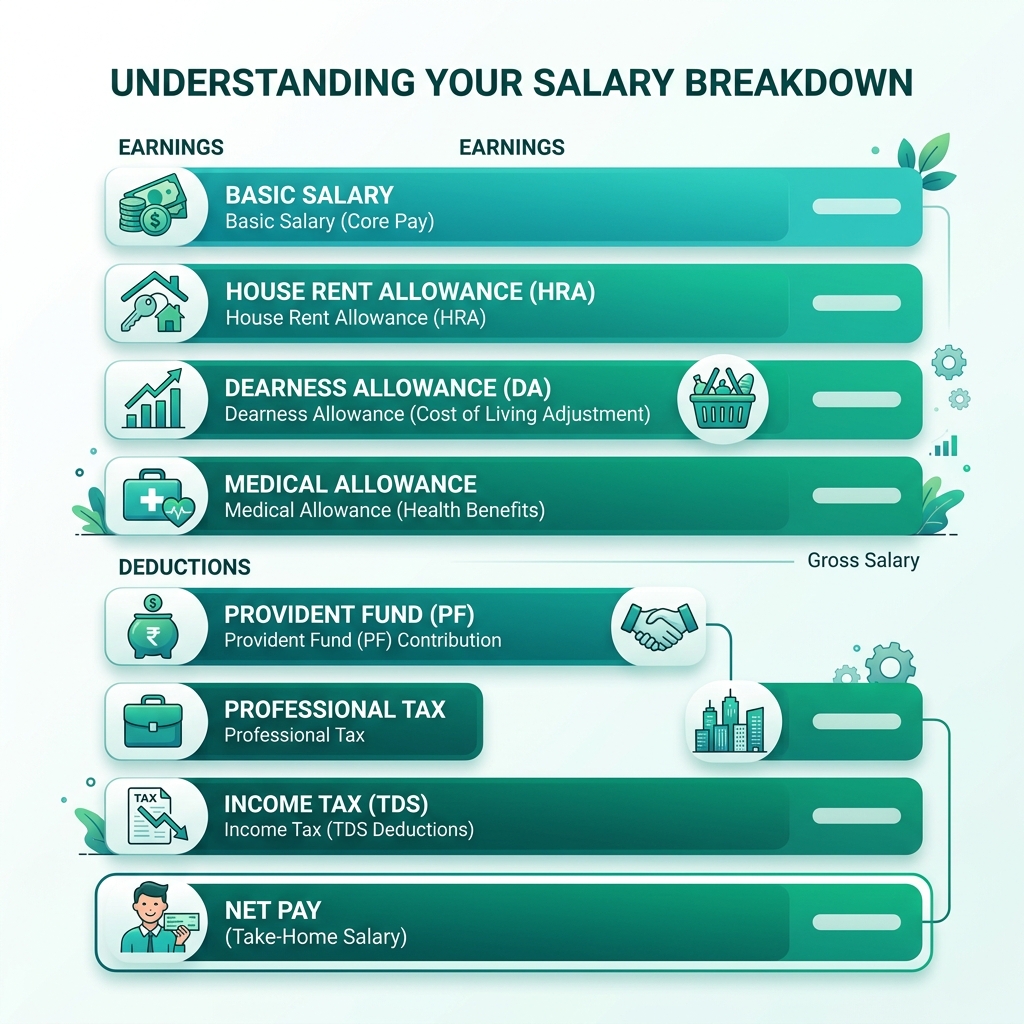
A compliant multi-state salary slip must clearly separate and itemize the following sections:
| Paystub Section | Line Item Description | Data Requirement | Compliance Objective |
|---|---|---|---|
| Header & Profile | Dual Address & State Codes | Res: NJ | Work/Source: NY | Establishes employee domicile and primary work jurisdiction. |
| Statutory Federal | FIT, FICA (OASDI), Medicare | FIT: $1,420.00 | SS: $620.00 | IRS standard W-4 withholding calculations. |
| Source State SIT | Non-Resident State Income Tax | NY SIT (Non-Res): $580.00 | Withholding credited to source state Department of Revenue. |
| Resident State SIT | Resident State Tax (Net Differential) | NJ SIT (Resident): $115.00 | Withholding credited to home state after resident credit offset. |
| Local / City Tax | Municipal Wage Tax / Surcharge | Phila Wage Tax (NR): $172.00 | Required by municipal tax boards (e.g., Philadelphia, NYC, Ohio RITA). |
| State Mandates | SDI, Paid Family Leave, SUI | NJ FLI: $18.00 | NY PFL: $24.50 | State-specific statutory employee contributions. |
| Cumulative Totals | Multi-State YTD Tracking | YTD NY: $5,800 | YTD NJ: $1,150 | Direct reconciliation with Year-End Form W-2 Boxes 15, 16, & 17. |
Chapter 5: Spreadsheet-to-Payslip Multi-State Tax Allocation Formula Engine
You do not need to pay thousands of dollars to enterprise payroll SaaS platforms to manage multi-state tax allocations. A clean, structured master spreadsheet in Microsoft Excel or Google Sheets can calculate exact multi-state withholdings using basic mathematical formulas.
1. Structuring the Master Multi-State Payroll Sheet
Your spreadsheet should maintain dedicated columns for each jurisdictional component. Here is the recommended column header structure:
2. The Core Mathematical Formulas in Excel
To dynamically calculate wage allocation percentages and dual-state withholdings, use the following spreadsheet formulas:
- Source State Allocation Ratio (Cell H2):
=IF(F2>0, G2/F2, 0)
(Divides Days Worked in Source State by Total Working Days in Pay Period). - Apportioned Source Taxable Wages:
=Gross_Salary * Alloc_Source_Pct - Source State Withholding (Cell K2):
=ROUND((Gross_Salary * Alloc_Source_Pct) * Source_State_Tax_Rate, 2) - Resident State Net Differential Withholding (Cell L2):
=MAX(0, ROUND((Gross_Salary * Resident_State_Tax_Rate) - Tax_SIT_Source, 2))
(Calculates gross resident tax, subtracts the source state credit, and ensures withholding never drops below $0.00). - Net Disbursed Take-Home Pay (Cell O2):
=Gross_Salary - (Tax_FIT + Tax_FICA + Tax_SIT_Source + Tax_SIT_Resident + Tax_Local_Amt + Other_Deductions)
| Employee | Resident | Source | Gross | Source Days / Total | Source SIT | Resident SIT | Local Tax | Net Pay |
|---|---|---|---|---|---|---|---|---|
| David K. (Hybrid) | NJ (5.5%) | NY (6.85%) | $10,000.00 | 8 / 20 (40%) | $274.00 | $276.00 | $0.00 | $7,185.00 |
| Elena M. (Reciprocal) | PA (3.07%) | NJ (Reciprocal) | $8,500.00 | 20 / 20 (100%) | $0.00 | $260.95 | $0.00 | $6,389.05 |
| Marcus T. (Phila Commuter) | NJ (5.5%) | PA (Phila Office) | $9,200.00 | 10 / 20 (50%) | $0.00 (Recip) | $506.00 | $158.24 (Phila) | $6,645.76 |
Chapter 6: Batch Generating Multi-State Remote Worker Paystubs with PayslipGen
Once your spreadsheet calculations are structured, the final challenge is rendering hundreds of personalized, password-protected PDF payslips and distributing them securely to each remote worker.
This is where PayslipGen fundamentally outperforms expensive cloud SaaS software.
Why Local Desktop Automation Wins for Multi-State Payroll
- Zero SaaS Subscriptions & No Multi-State Surcharges: Cloud payroll platforms charge an extra $12 to $50 per state per month merely to record multi-jurisdictional tax lines. PayslipGen is a one-time purchase with lifetime usage, unlimited employees, and zero state surcharges.
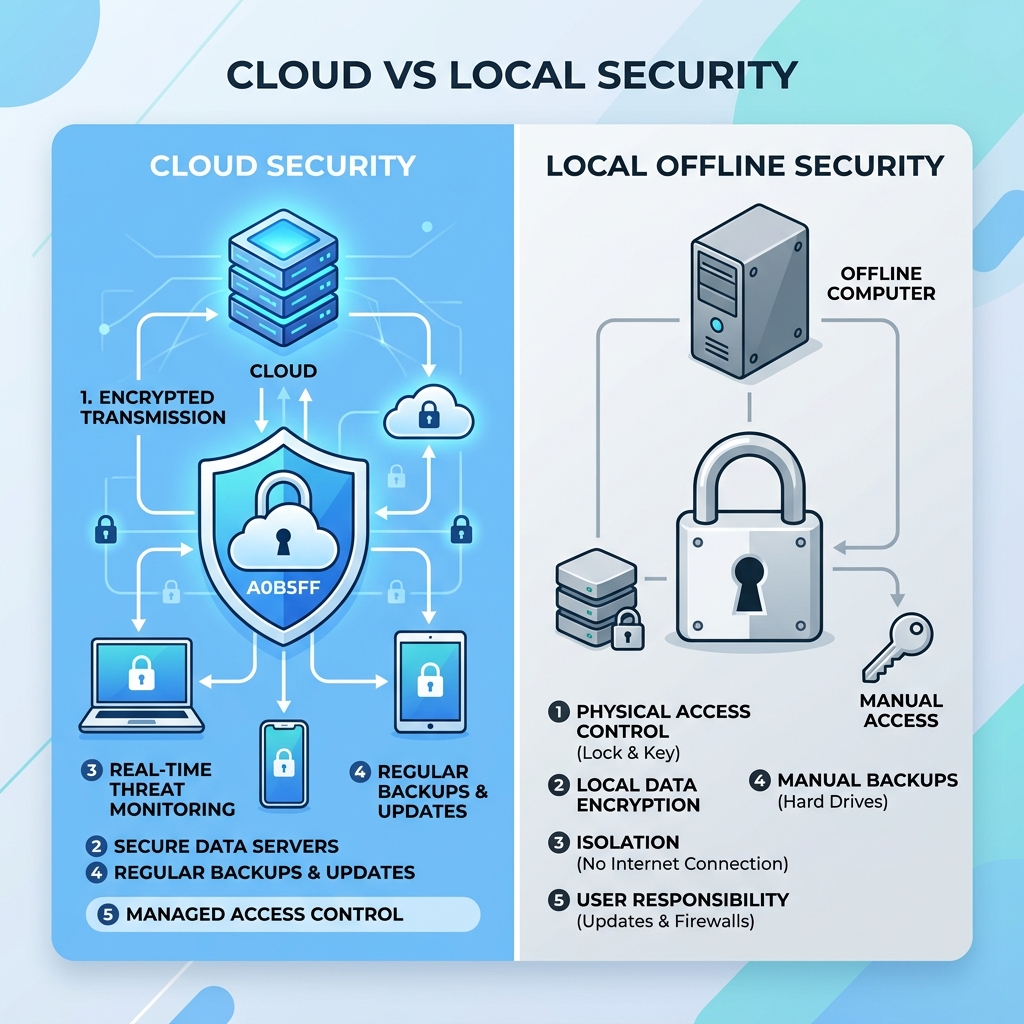
- 100% Offline Privacy & Data Sovereignty: Remote employee payroll contains the highest-risk Personal Identifiable Information (PII)—including Social Security Numbers, home addresses, compensation figures, and tax withholding exemptions. PayslipGen runs 100% locally on your machine. No employee data is ever transmitted, stored, or exposed to third-party cloud servers.
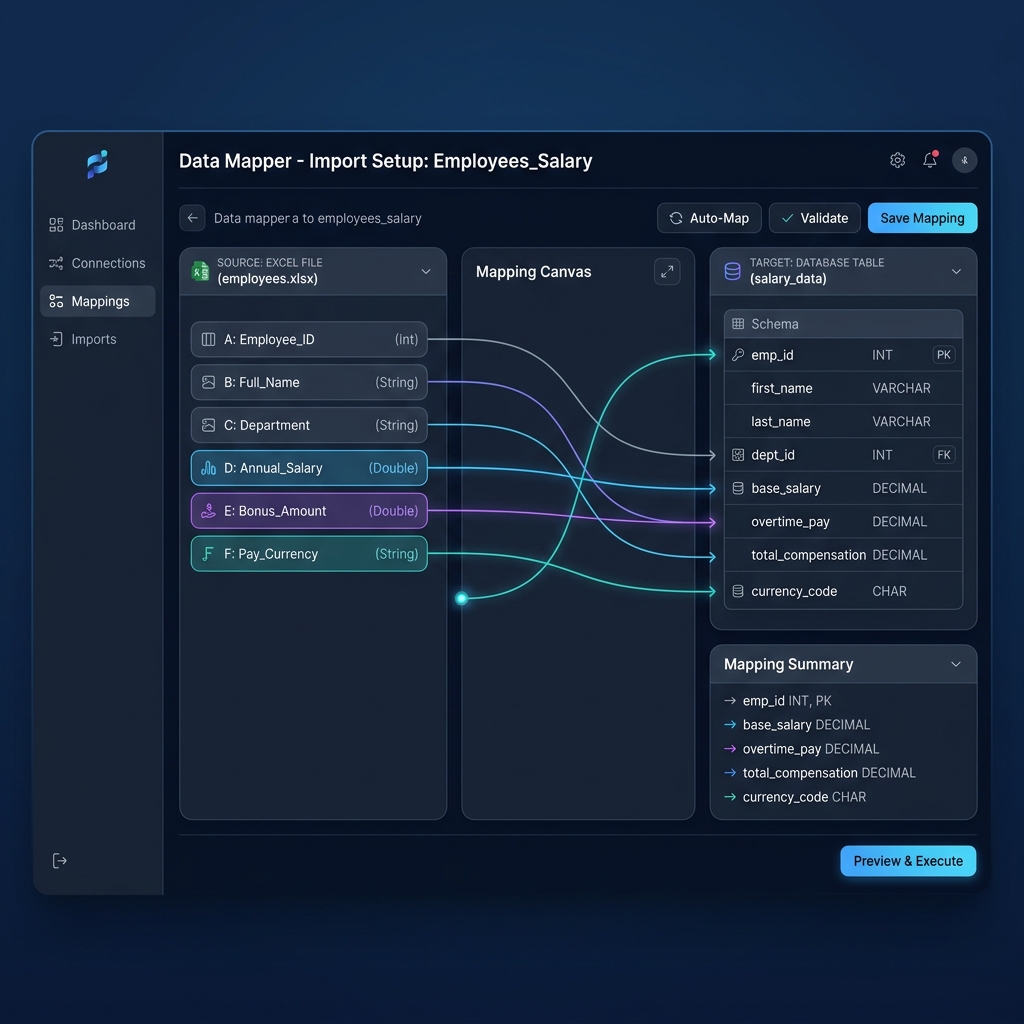
- Dynamic Tax Field Customization: Unlike rigid cloud forms that force multi-state stubs into generic boxes, PayslipGen allows you to map custom column headers directly to itemized tax blocks (e.g., mapping
Tax_SIT_Sourceto "NY SIT (Non-Res)" andTax_SIT_Residentto "NJ SIT (Resident)"). - Automated AES-256 PDF Encryption: Each generated payslip PDF is automatically encrypted with a unique password derived from employee spreadsheet data (such as their Birth Year + Last 4 digits of SSN), ensuring full GDPR, CCPA, and PII compliance during email delivery.
- Direct Custom SMTP Email Dispatch:Send individual encrypted paystubs directly to your remote team's inboxes using your own corporate email server (Google Workspace, Microsoft 365, Amazon SES, SendGrid) with custom subject lines and HTML templates.
4-Step Multi-State Setup in PayslipGen
- Export Master Spreadsheet: Save your completed multi-state payroll spreadsheet as an Excel (
.xlsx) or CSV file. - Load into PayslipGen & Map Columns: Open PayslipGen and map your dynamic columns—including Base Salary, Resident SIT, Source SIT, and Local Municipal Tax fields—to the paystub layout.
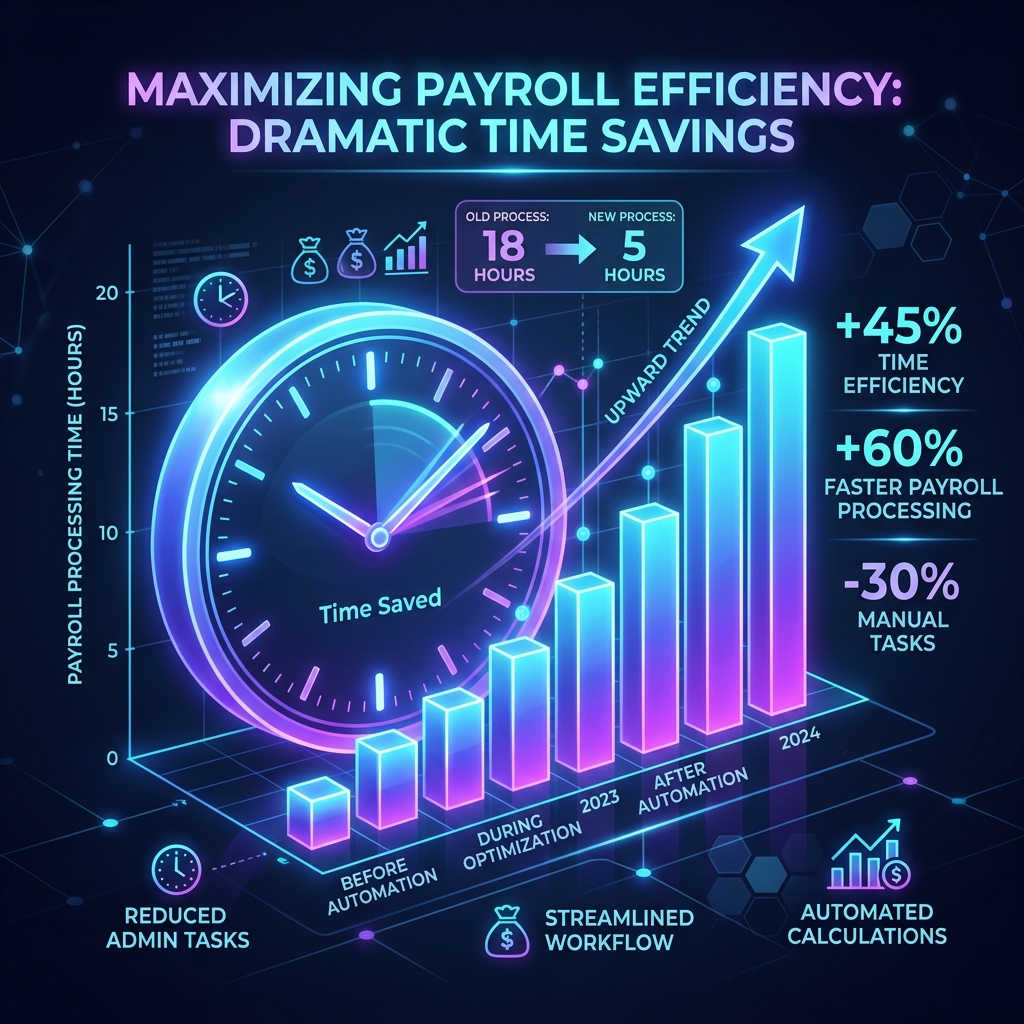
- Preview & Batch Generate:Click "Generate Payslips." PayslipGen processes 100+ multi-state employee payslips in under 15 seconds, rendering clean, high-resolution vector PDFs.
- Encrypted SMTP Emailing: Connect your corporate email credentials and dispatch password-protected payslips directly to your remote team in one click.
Chapter 7: The Employer Multi-State Compliance Checklist
To protect your business against Department of Labor (DOL) audits, state tax withholding penalties, and payroll discrepancies, follow this 5-point employer compliance checklist:
Never assume a remote employee is working from the address on their driver's license. Require every remote worker to register their exact physical work location and establish a formal policy requiring 30 days advance notice before relocating to another state or country.
In addition to Federal Form W-4, collect the corresponding State W-4 for the resident state. If the employee lives in a reciprocal partner state, obtain the signed non-resident certificate (e.g., Form REV-419 for PA, NJ-165 for NJ, MW507 for MD) before suppressing source state withholding.
Unlike State Income Tax (which can be split across multiple states), State Unemployment Insurance (SUI) can only be paid to ONE single state per employee. Apply the U.S. Department of Labor's sequential 4-prong test: (1) Localization, (2) Base of Operations, (3) Place of Direction and Control, and (4) Residence.
Workers' compensation policies are state-regulated. Employing a remote worker in a new state creates an immediate legal obligation to maintain active workers' compensation insurance in that specific jurisdiction, even for home-office roles.
Ensure the cumulative YTD numbers on your December paystubs match your annual W-2 reporting. For multi-state employees, Form W-2 will contain multiple Box 15 (State), Box 16 (State Wages), and Box 17 (State Income Tax) lines reflecting the exact allocations itemized throughout the year.
Chapter 8: Frequently Asked Questions (FAQs)
What happens if an employee works from 3 or more states in a single calendar year?
If an employee travels or relocates across multiple states, you must track the exact physical work days spent in each jurisdiction. Wages must be apportioned based on days worked in each state (unless a safe-harbor threshold or reciprocity applies). On the paystub, you can itemize multiple source state tax lines or report the active state tax withholdings for that specific pay cycle, maintaining comprehensive YTD totals for each state.
What is the difference between statutory residency and domicile?
Domicile is an individual's true, permanent, and primary legal home where they intend to return. Statutory residency occurs when a person is domiciled in State A but maintains a permanent place of abode in State B and spends more than 183 days in State B during the tax year. If statutory residency is triggered, both states may claim 100% resident tax jurisdiction, creating complex dual-residency audit issues.
Does hiring a single remote employee create corporate tax nexus for my business?
In most U.S. states, having an employee physically performing services within the state—even from a home office—creates physical corporate presence (nexus). This may subject the employer to state corporate income tax, gross receipts tax, sales tax collection obligations, and mandatory state payroll registration. Always consult a corporate tax CPA when expanding into a new state.
Can an employee voluntarily opt out of source state withholding?
No. State tax withholding laws are statutory and mandatory. Neither the employer nor the employee can privately agree to bypass source state withholding unless a formal legal reciprocity agreement or statutory exemption certificate is officially submitted.
How do local city wage taxes (like Ohio RITA or PA EIT) appear on a multi-state paystub?
Local wage taxes must be listed as separate line items under the deductions section of the paystub. For example, in Ohio, an employee might have federal FIT, Ohio State SIT, and a municipal RITA line (e.g., "Columbus City Tax (2.5%)"). In Pennsylvania, stubs list PA State SIT and Act 32 Local Earned Income Tax (EIT) tied to the municipality's Political Subdivision (PSD) code.
Why is PayslipGen preferred over cloud payroll for small businesses with multi-state remote workers?
Cloud payroll platforms lock small businesses into escalating monthly subscriptions, charge $12 to $50/month per state add-on fees, and store sensitive employee compensation and SSN data on external cloud databases. PayslipGen runs 100% offline on your desktop for a single one-time payment, allows complete customization of multi-state tax lines, and generates password-protected PDF paystubs with complete privacy.
Master Multi-State Remote Worker Paystubs Without SaaS Fees
Generate professional, password-protected multi-state paystubs in bulk from your master spreadsheets with zero recurring monthly subscriptions.
Get PayslipGen TodayConclusion
Managing a multi-state remote team gives modern businesses a tremendous competitive advantage in talent acquisition and operational flexibility. However, compliance cannot be treated as an afterthought. Failing to properly itemize resident state taxes, non-resident source withholdings, and municipal wage contributions exposes your organization to severe regulatory penalties and causes massive tax confusion for your employees.
By leveraging a structured master payroll spreadsheet, understanding reciprocity agreements, and utilizing the local batch-generation power of PayslipGen, you can produce pristine, audit-ready multi-state paystubs in seconds—protecting employee privacy and eliminating costly SaaS payroll fees permanently.
(Managing international contractors alongside U.S. remote workers? Read our complete guide on Multi-Currency Remote Payroll or discover how to format 1099 Contractor Payment Advice Stubs.)